
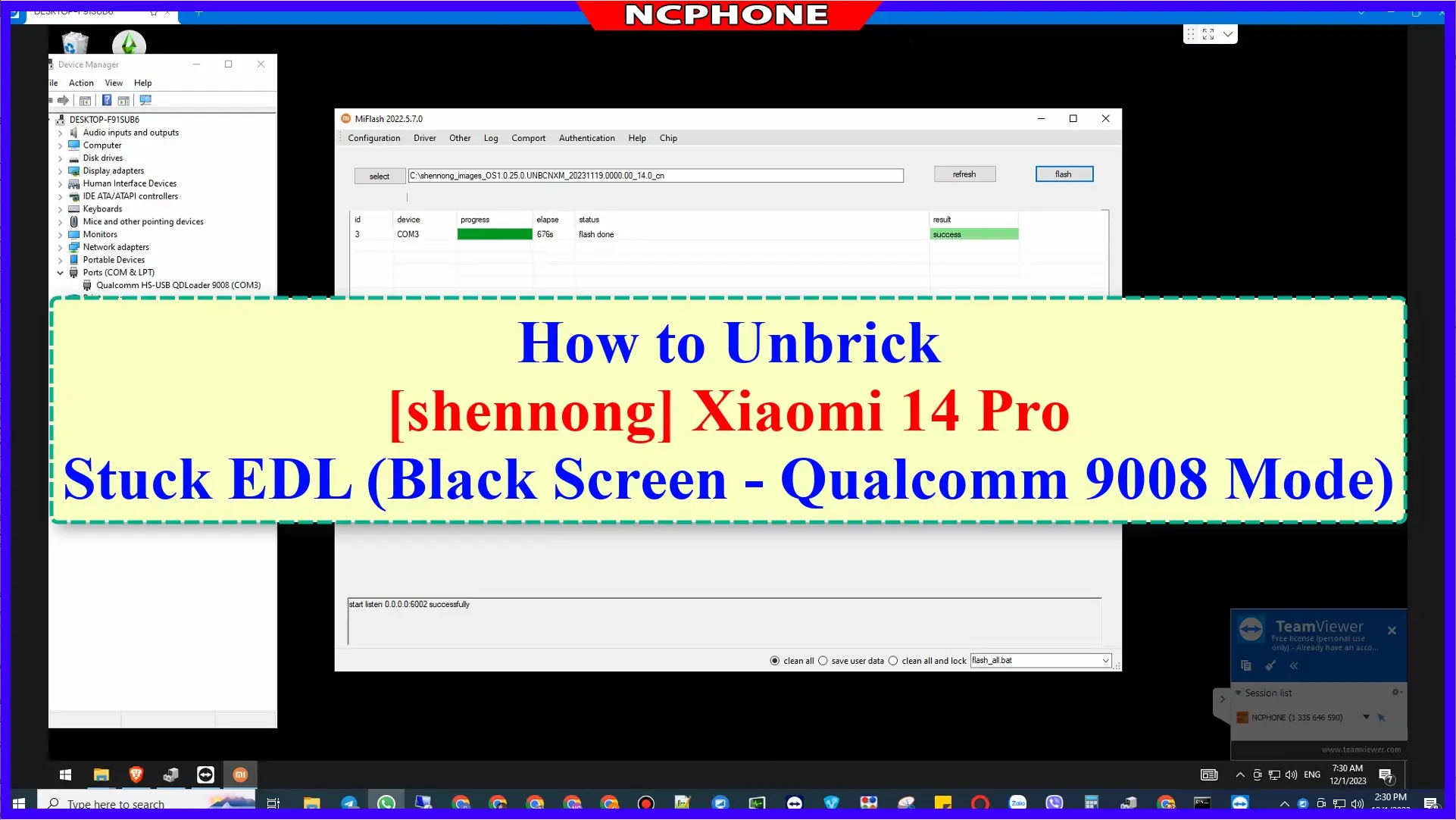
Soft brick vs hard brick is the first question to answer when an Android phone stops booting. The difference decides which recovery mode is still available, which tools can talk to the phone, whether your data has a chance, and how much the repair will cost. This guide shows how to identify the state of a bricked Xiaomi, OnePlus, Realme, OPPO or Red Magic phone in a few minutes, using only the buttons and a Windows PC.
If you already know the phone needs a repair, jump to the service lists for Xiaomi, OnePlus, Realme and OPPO or Nubia and Red Magic.
Quick definitions
- Soft brick: the phone does not start Android, but it still reaches a software mode such as Fastboot or Recovery. Repair is usually a matter of flashing the right firmware.
- Hard brick: the screen stays black, no logo, no Fastboot, no Recovery. The phone only shows up on the PC in a low-level download mode such as Qualcomm EDL (9008) or MediaTek BROM, or not at all.
- Dead hardware: nothing is detected in any mode, even with a known-good cable and charger. This is a hardware fault rather than a software brick.
Step 1: what does the phone do on its own?
| What you see | Likely state |
|---|---|
| Logo appears, then restarts again and again | Bootloop (soft brick) |
| Stuck on the logo or boot animation for 15+ minutes | Soft brick, often a failed update or wrong ROM |
| Message such as “The system has been destroyed” | Verification failure, often after relocking the bootloader on the wrong ROM |
| Boots straight to Fastboot or Recovery every time | Soft brick |
| Black screen, vibration or LED only | Possible hard brick, check Step 2 |
| No reaction at all, even on charger | Drained battery, hard brick or hardware fault |
Step 2: try the button combinations
Charge the phone for at least 30 minutes first. A fully drained battery looks exactly like a hard brick.
- Xiaomi, Redmi, POCO: Volume Down + Power for Fastboot; Volume Up + Power for Recovery.
- OnePlus, OPPO, Realme: Volume Down + Power for Fastboot on most models; Recovery is usually reached from the Fastboot menu.
- Nubia, Red Magic: Volume Down + Power for Fastboot on most models.
- Force restart: hold Power + Volume Up (or Power + both volume keys) for 15–20 seconds.
If any of these brings up Fastboot or Recovery, the phone is soft bricked.
Step 3: ask Windows what it sees
Connect the phone to a Windows PC and open Device Manager. The device name tells you the mode, even when the screen is black.
| Device Manager shows | Mode | Meaning |
|---|---|---|
| Android Bootloader Interface | Fastboot | Soft brick, firmware can usually be flashed |
| ADB Interface / phone model name | ADB or Recovery | Soft brick, sideload or data rescue may be possible |
| Qualcomm HS-USB QDLoader 9008 | Qualcomm EDL | Hard brick on Snapdragon phones |
| MediaTek USB Port / MediaTek PreLoader USB VCOM | MediaTek BROM / Preloader | Hard brick on Dimensity phones |
| QUSB_BULK or unknown device | EDL without driver | Install the Qualcomm driver and check again |
| Nothing appears | No USB communication | Try another cable and port; may be hardware |
Repairing a soft brick
When Fastboot works, the usual fix is flashing the full official firmware for the exact model and region. Before you do it:
- Use firmware for the same model and region. A Global package on a China device (or the reverse) can make things worse when the bootloader is locked.
- Never flash an older build without checking anti-rollback. Some Xiaomi models refuse, or hard brick, when the anti-rollback index goes backwards.
- On Xiaomi tools, never tick “clean all and lock” unless the ROM is the original official build for that device.
- If the bootloader is locked, Fastboot flashing is usually refused. Locked-bootloader recovery often requires EDL anyway.
Model-specific guides on this site, such as Xiaomi 14 / 14 Pro unbrick and OnePlus 15T unbrick, list the correct firmware families.
Repairing a hard brick: why EDL needs authorization
Qualcomm EDL mode can rewrite every partition, which is exactly why manufacturers protect it. On most recent devices the flashing tool must present a signed loader and an authorization from the manufacturer or an authorized service account before the phone accepts any writes:
- Xiaomi, Redmi, POCO: EDL flashing on modern models needs an authorized account. A normal Mi Account is rejected.
- OnePlus, OPPO, Realme: older OnePlus models could be restored with the MSM Download Tool; newer ColorOS-era devices require authorized login or a service-side tool.
- MediaTek phones: BROM access is protected by secure boot and download agent authentication on most current devices.
This is the main reason hard brick repair costs more than soft brick repair, and why downloads promising a “free EDL unlock” so often fail or carry malware.
Can you keep your data?
- Bootloop after an update: sometimes. Flashing the same version without wiping user data can bring the phone back with files intact. This depends on the model and must be done carefully.
- Wrong ROM or relocked on the wrong region: rarely. The repair normally requires a full flash.
- Hard brick in EDL or BROM: almost always a full wipe, especially when user data is encrypted.
If the data matters more than the phone, say so before any repair starts, so the technician picks the least destructive method first.
Mistakes that turn a soft brick into a hard brick
- Relocking the bootloader on a modified or different-region ROM.
- Flashing firmware for a similar but different model (“it’s the same phone in another country”).
- Downgrading past an anti-rollback version.
- Interrupting a flash because the cable moved or the PC went to sleep.
- Running unknown “one-click” tools from file-sharing sites.
How remote unbrick works at NCUnlock
You do not need to ship the phone. You install a remote desktop app (UltraViewer, AnyDesk or TeamViewer) on a Windows PC, connect the phone, and a technician installs drivers, identifies the mode and flashes the correct firmware. Popular services include OnePlus 15 unbrick, OnePlus Ace 6T / 15R unbrick, Realme 10 Pro+ unbrick and Nubia Z80 Ultra unbrick. Send the model, what happened before the brick, and what Device Manager shows, and support will confirm the right path first.
FAQ
Is a bootloop a hard brick?
No. If the logo appears, the phone is running software and is soft bricked.
My phone shows only in 9008 mode. Can I fix it myself?
Only if you have an authorized loader and account for that model, which home users normally do not. Without that, the tool will connect and then refuse to write.
Why does the screen stay black even in EDL mode?
EDL is a USB-only mode. A black screen is expected; the PC connection is what matters.
Will a new battery fix a phone that shows nothing?
Only if the battery was the fault. Confirm with the charger and the Device Manager check first.
Comments
0 comments