
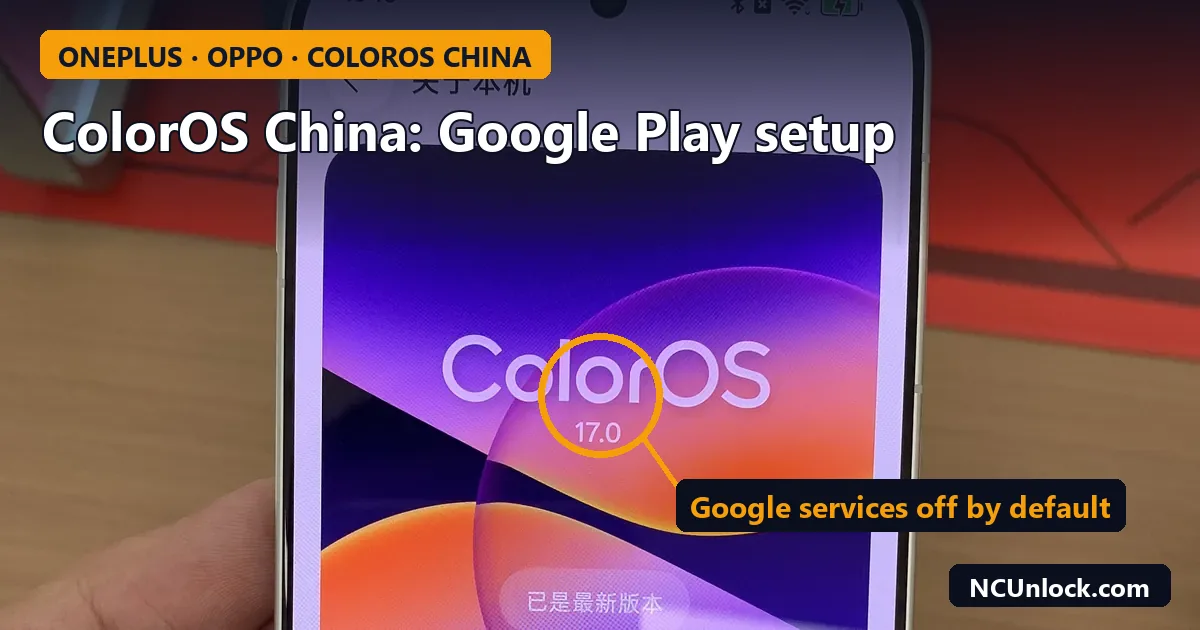
Getting ColorOS China Google Play working is the first thing most people do after importing a China-version OnePlus or OPPO phone. The good news: on current ColorOS China builds you do not need root, an unlocked bootloader or a Global ROM to install the Play Store. Google services are already built in but switched off. This guide shows the setup that owners report working on ColorOS 15, 16 and 17, what still does not work well afterwards, and when a ROM change is the better answer.
Why a China ColorOS phone has no Google Play out of the box
Phones sold in mainland China ship without Google apps enabled, because Google services are not offered there. On ColorOS China the Google framework is usually present in the system, but the switch for it is off and the Play Store is not installed. That is different from OxygenOS or global ColorOS, where Google apps are part of the first setup.
Before you start, confirm what you actually have. A China unit has a China model number (for OnePlus, codes like PLK110 rather than CPH codes) and a China firmware build. If you are not sure, read China ROM vs Global ROM: how to check your phone version and our table of OnePlus China vs global model numbers.
Step by step: enable Google services and install the Play Store
The labels below are the English ones. If your phone is still in Chinese, switch the language first: open Settings, search for “language” and add English. The menu layout stays the same.
- Connect to a stable network. The first Google sign-in runs a device and account check, and it can hang on “checking info” on a weak or filtered connection.
- Turn on Google Mobile Services. Go to Settings > System & update > Google settings and enable the Google Mobile Services (GMS) switch. If you cannot find it, type “Google” in the Settings search bar.
- Install the Play Store from the built-in App Market. Open the preinstalled app store (the OPPO/OnePlus App Market), search for “Google Play” (it may be listed as “Google Play 商店”) and install the official Google Play Store entry. Ignore look-alike apps in the results.
- Sign in with your Google account in the Play Store, then let Google Play services update itself. This can take a few minutes.
- Install the Google apps you need from the Play Store: Gboard, Google Maps, Gmail, YouTube and so on.
- Restart the phone once everything is installed.
Owners have reported this same method on ColorOS 15, then on ColorOS 16, and again after the ColorOS 17 update, so it has stayed stable across recent versions. Menu names can still move slightly between builds, which is why the Settings search is the fastest fallback.
What works and what may not after setup
| Feature | Typical result on ColorOS China |
|---|---|
| Play Store, app installs and updates | Works after the steps above |
| Gmail, YouTube, Maps, Drive | Works |
| Push notifications from Google and messaging apps | Works, but can arrive late until you relax battery limits (see below) |
| Play Protect certification | Varies by phone and build. Check it in Play Store settings |
| Google Wallet tap-to-pay, some banking apps | Not guaranteed. They depend on device integrity checks |
| Gemini, Circle to Search | Not enabled by default on China builds |
| Android Auto, Wear OS pairing | Mixed user reports. Test before you rely on them |
To check certification, open the Play Store, tap your profile picture, go to Settings > About and look at the Play Protect certification line. If the phone shows as uncertified, apps that check device integrity may refuse to run. The background on those checks is in Play Integrity after unlocking the bootloader; the same API is what payment apps use on a locked phone too.
Fix late notifications and apps closing in the background
ColorOS China is aggressive with background apps. If WhatsApp, Gmail or Telegram messages only arrive when you open the app, change these settings for each important app:
- Allow background activity: Settings > Apps > App management > [app] > Battery usage, then allow background activity.
- Auto launch: Settings > Apps > Auto launch, then enable it for the app.
- Sleep standby optimisation: Settings > Battery, open the power saving or more settings page and turn off sleep standby optimisation if notifications stop overnight.
Also swap the default Chinese keyboard for Gboard in Settings > System & update > Keyboard and input method if you prefer it, and remove preinstalled Chinese apps you do not use from Settings > Apps > App management. System apps cannot be removed this way; leave them alone rather than using debloat scripts you do not understand.
When Google Play setup is not enough
Installing the Play Store fixes apps. It does not change three other things that catch out importers:
- Region lock and call blocking. Some China OnePlus and OPPO units restrict calls or SIM use outside China. That is a separate lock, not a Google problem. See OnePlus region lock: check code, status 2 and supported models, or the OnePlus region unlock services.
- Bootloader and root. On ColorOS 17 China, Fastboot unlocking has changed; we covered what still works in ColorOS 17 Fastboot not working on China OnePlus.
- Wanting a fully global phone. If you need certified Google services, global features and fewer Chinese apps, a ROM change may suit you better. On the OnePlus 15 we offer a China ROM to OxygenOS service. Read flash OxygenOS on a China OnePlus: region lock and brick risks first, because doing it yourself on the wrong model can brick the phone.
Avoid “Google installer” APK bundles from random sites. On current ColorOS China they are not needed, and old installer packages may conflict with the built-in Google framework. If the phone ends up in a boot loop after a bad flash, our OnePlus unbrick services cover most recent China models, and the soft brick vs hard brick guide helps you tell how serious it is.
FAQ
Do I need to root or unlock the bootloader to get Google Play on ColorOS China?
No. On ColorOS 15, 16 and 17 China builds, the Google Mobile Services switch and the Play Store from the App Market are enough. Unlocking adds risk without helping this step. See bootloader unlock vs root vs Global ROM for what each change really does.
I can’t find the Google settings menu. What now?
Search “Google” in Settings. If nothing appears, check that you are on a recent ColorOS build and that the phone is a genuine China unit with stock firmware. Phones with modified or seller-installed ROMs sometimes lack the menu.
Will a ColorOS update remove Google Play?
A normal system update keeps installed apps and accounts. If the Google switch is off after an update, turn it back on in the same Google settings menu. Back up before major version jumps anyway.
Does this work on realme phones with the China ROM?
realme UI is built on the same base, and the method is expected to be very similar, but we have not confirmed every realme China build. Use the Settings search for “Google” to find the switch.
Why does the Play Store say my device is not certified?
Some China builds are not registered with Google for certification. Most apps still install, but apps that check device integrity, such as some banking and payment apps, may not work. A Global ROM on a supported model is the reliable fix.
Still stuck with Google services, notifications or a region-locked China OnePlus or OPPO? Tell us the model number and ColorOS version through the contact page and we will tell you which fix fits that phone.
Featured photo: OnePlus 16.jpg by 茅野ふたば, CC BY-SA 4.0, via Wikimedia Commons (cropped, title and callout added).
Comments
0 comments