
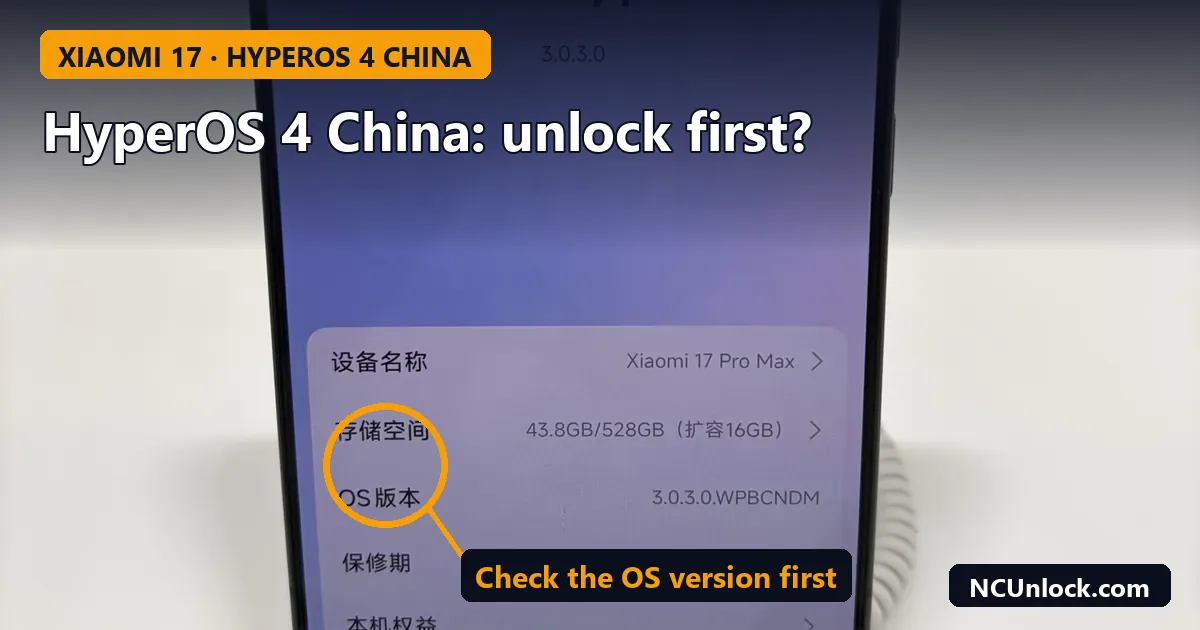
The HyperOS 4 China update is now reaching China-version Xiaomi 17 and Redmi K90 phones, and many owners are asking the same question on forums: should I install it now, or unlock the bootloader first? The short answer is that the update is fine if you never plan to unlock, but if unlocking is on your list, check your build before you tap Update. This guide explains why, what to check, and how to hold the update while you decide.
What changed with HyperOS 4 in China (as of November 2026)
Xiaomi started pushing the stable HyperOS 4 build to Chinese users on October 15, 2026. The first wave covered the Xiaomi 17, 17 Pro, 17 Pro Max and 17 Ultra, the Redmi K90 and K90 Pro Max, the Redmi K100 Pro and Pro Max, and the Xiaomi Pad 8 and Pad 8 Pro, with more waves planned through November and December (Tech Times, October 16, 2026). HyperOS 4 is based on Android 17. The global rollout followed from November 3; we covered that schedule in Xiaomi HyperOS 4 rollout: which phones get it and when.
On a China unit, HyperOS 3 builds end in letters such as WPCCNXM (W for the Android 16 base, CN for China). HyperOS 4 China builds use the next letter, for example OS4.0.x.0.XPCCNXM on the Xiaomi 17. The exact numbers differ by model and wave, so always read your own build rather than a list online.
Why the update matters if you want to unlock
For years, China-version Xiaomi phones have been the hardest to unlock. The global Xiaomi Community route does not accept a phone sold in mainland China with an account registered elsewhere; that is the cause of the familiar error covered in Mi Unlock error 20045: account region mismatch. Inside China, the official application path has also been tightened step by step.
In March 2026, a bootloader weakness on Snapdragon 8 Elite Gen 5 phones was reported, with the Xiaomi 17 series, Redmi K90 Pro Max and POCO F8 Ultra named as affected (tech-ish, March 13, 2026). The same report says Xiaomi had already patched part of the chain in newer China builds, and that Qualcomm tightened checks around the Fastboot command involved. Community threads on xiaomi.eu track which HyperOS 3 builds still allow an unlock, and the main thread is titled as confirmed only up to OS3.0.315.0.
That is the core reason for caution. Each security update can close a path that worked on an older build. Once the phone is on a newer build, Xiaomi’s anti-rollback protection often means you cannot simply flash the old one back. So the order matters: unlock first, then update, and never the other way round if the unlock depends on your current build.
We do not publish exploit steps. Methods change quickly, some need tools from unknown sources, and a wrong step on a China unit can leave it unbootable. What you can do safely is check where your phone stands before you decide.
Before you tap Update: decide by your situation
| Your phone right now | What to do with the HyperOS 4 China update |
|---|---|
| China ROM, bootloader locked, you never plan to unlock | Update normally. You get the new features and security fixes. |
| China ROM, bootloader locked, you want to unlock (root, custom ROM, Global ROM later) | Hold the update. Turn off automatic downloads, note your exact build and check unlock support for that build first. |
| China ROM, bootloader already unlocked | Do not relock. Read how OTA behaves on an unlocked phone and back up before any update. |
| China phone running a converted or seller-installed “Global” ROM | Do not accept an OTA blindly. This is the exact setup that boot-looped on HyperOS 3. |
| Real global unit (CE mark, global model) | The China wave does not apply. Follow the global schedule. |
If you are not sure which group you are in, start with China ROM vs Global ROM: how to check your phone version. Phones bought from resellers sometimes carry a converted ROM, and we explained the risk in HyperOS 3 bootloop on a China Xiaomi with a converted Global ROM.
How to check your build and bootloader state
1. Read the OS version
Open Settings > About phone and look at the OS version line. Note the full string, including the letters at the end. CNXM means a China build. A build ending in something else on a phone you bought as “China version” is a warning sign that the ROM was swapped.
2. Check whether the bootloader is locked
The fastest check is in Fastboot: hold Volume Down and Power until the Fastboot screen appears, connect to a PC and run fastboot getvar unlocked. All five methods, including the ones without a PC, are in how to check Xiaomi bootloader status. If you are new to the command line, the fastboot commands list marks which commands only read information and which ones change the phone.
3. Note the anti-rollback index
Run fastboot getvar anti and write the number down. If a later update raises it, older firmware with a lower index can no longer be flashed safely. The background is in Xiaomi anti-rollback (ARB) explained.
How to hold the update while you decide
Xiaomi’s own support pages describe the setting on HyperOS: go to Settings > About phone, tap the Xiaomi HyperOS card, tap the three-dot menu in the top right, open Update settings and turn off Download automatically (Xiaomi support FAQ). Some models also have a separate option that installs updates overnight while the phone is idle, so check that screen for any auto-install switch and turn it off too. On a China ROM the menu labels are in Chinese unless you switched the system language, but the layout is the same.
Holding an update is a short-term choice. Security fixes matter, so make your unlock decision within days or weeks, not months.
Already updated to HyperOS 4?
- Do not flash an older HyperOS 3 package to “go back”. On many builds the anti-rollback index blocks it, and forcing it can hard-brick the phone. If that has already happened, see “The system has been destroyed” on Xiaomi.
- Do not run random unlock tools that promise to work on “any version”. Many come from crack sites, ask you to disable antivirus, or simply do not work on the newest build.
- Get your current build checked before paying anyone. A real service will ask for the exact model and OS version first, and will tell you if the build is not supported yet.
Unlocking also has side effects you should accept in advance: some banking and payment apps check device integrity, and OTA behaves differently on an unlocked phone. Read is unlocking the bootloader safe? and Play Integrity after unlocking before you decide.
Unlock support for Xiaomi 17, Redmi K90 and POCO F8
NCUnlock runs remote bootloader unlock sessions for these phones. Each one starts with a check of the exact variant and current build:
- Xiaomi 17, 17 Pro, 17 Pro Max and 17 Ultra bootloader unlock
- Redmi K90 / K90 Pro Max bootloader unlock (China and global)
- POCO F8 Pro / F8 Ultra bootloader unlock
- Other models: Xiaomi, Redmi and POCO bootloader unlock
For the full picture of official and service routes, the pillar guide is Xiaomi bootloader unlock on HyperOS: complete 2026 guide.
FAQ
Will the HyperOS 4 China update relock my bootloader?
An official OTA does not normally relock an already unlocked bootloader. What locks it again is running a lock command or a flash script that ends with a lock step. Never relock a China phone that is running anything other than its original, matching China firmware.
Can I install HyperOS 4 China and unlock later?
Sometimes, but it depends on what works for that newer build at the time. If unlocking is important to you, check support for your current build first and update afterwards.
Does HyperOS 4 China include Google Play?
China ROMs do not ship with Google services the way global ROMs do. Some China builds let you add basic Google services, but app support is not the same as on a global unit. Check this before you buy, using our China version phone checklist.
Is the March 2026 Snapdragon 8 Elite Gen 5 issue fully patched?
Public reports say parts of it were patched in newer China builds, but we have not seen a clear, official statement that it is fully closed on every model. Treat any claim for your exact build with caution until it is confirmed.
Should I flash a Global ROM instead of taking HyperOS 4 China?
Only with an unlocked bootloader and a proper process. Converted ROMs on locked China units are what caused the HyperOS 3 boot loops. Unlock first, then plan the ROM change.
Not sure whether your Xiaomi 17, Redmi K90 or POCO F8 should take the update yet? Send us the model and the full OS version string through the contact page, and we will tell you what is possible on that build before you change anything.
Featured photo: Xiaomi 17 Pro Max.jpg by 茅野ふたば, CC BY-SA 4.0, via Wikimedia Commons (cropped, title and callout added).
Comments
0 comments