

Unbrick Realme 10 Pro Plus — Remote Unbrick Service
$25
Unbrick Realme 10 Pro Plus helps fix software issues on Realme 10 Pro Plus through a remote NCUnlock session. contact us first to confirm compatibility before checkout.
Service process
How this remote service works
Product details
Technical Guide
Description
Unbrick Realme 10 Pro Plus is a professional remote recovery service for owners of the RMX3686 and RMX3687 who are dealing with a bricked device, bootloop, black screen, or a phone that refuses to power on. These issues are more common than most people expect — they happen after a failed ROM flash, interrupted system update, bad root attempt, or accidental wipe of critical partitions. When your device is stuck in EDL mode, lost fastboot, or dead after flashing, standard troubleshooting methods simply do not work without the right tools and firmware knowledge.
RMX3687domestic_11_15.0.0.921CN01_2025080310270150.zip : Download
project”: “22612”
RMX3686export_11_15.0.0.900EX01_2025062820460137.zip: Download
project”: “22693”
Unbrick Realme 10 Pro Plus — Remote Service Overview
This service lets you Unbrick Realme 10 Pro Plus from home, without shipping your device anywhere. A certified technician connects to your Windows PC remotely via UltraViewer, loads the correct stock firmware for your specific model (RMX3686 or RMX3687), and restores full operation — typically within one session. No repair shop visit, no long waiting times, no risk of losing your device in transit. The service is available 24/7 and is priced at a flat rate of $25.
Supported Devices and Issues Fixed
The following Realme 10 Pro Plus variants and problems are covered by this service:
- Supported models — Realme 10 Pro Plus RMX3686 (Global) and RMX3687 (China)
- Bootloop / Boot logo stuck — Device powers on but never fully boots into the OS
- Black screen / Dead after flashing — Phone is completely unresponsive after a flash attempt
- Stuck in EDL / Fastboot / Recovery — Device is locked in a low-level mode with no way out
- Soft brick and white screen — Device shows white screen or partial UI after a bad ROM installation
Requirements Before You Order
To complete the remote unbrick session, please have the following ready:
- Windows PC — Required to run the flashing tool and UltraViewer for remote access
- Stable internet connection — Needed throughout the entire session without interruption
- Original or good-quality USB cable — A faulty cable is the most common cause of session failure
- UltraViewer installed — Download and install it before contacting the technician
- Device battery at 30% or above — If the device can still charge, ensure adequate battery before starting
- Your order number and UltraViewer ID + Password — Send these to the technician to begin the session
How the Remote Unbrick Service Works
- Step 1 — Place your order — Complete the $25 payment on this page to get started immediately
- Step 2 — Prepare your PC — Install UltraViewer and connect your Realme 10 Pro Plus via USB
- Step 3 — Send your details — Share your order number plus UltraViewer ID and password via Telegram or WhatsApp
- Step 4 — Technician connects remotely — The technician remotely accesses your PC, loads the correct firmware, and runs the flash process
- Step 5 — Device restored — Your phone reboots into a fully working state; the session is complete
Why Choose This Service?
- Remote service — no device shipping — Everything is done over the internet; your phone never leaves your hands
- Instant service — Sessions start as soon as your order and details are received, with no appointment needed
- 24/7 customer support — Technical help is available any time of day or night via Telegram and WhatsApp
- Best price guaranteed — Flat $25 rate with no hidden fees; what you see is what you pay
- 100% safe and secure — The technician only accesses the tools needed for flashing; your personal files are not the focus of this service
- 10 years trusted — NCUnlock has been providing remote unbrick and firmware services to customers worldwide for over a decade
Important Notes Before Ordering
- This service restores your device to stock firmware. Personal data (photos, contacts, apps) will be erased in the process — back up anything accessible before ordering.
- A full refund is issued if the device cannot be unbricked. No refund is provided once the device has been successfully restored.
- Hardware damage (cracked motherboard, broken USB port, water damage) is outside the scope of this remote service.
- Make sure you know your model number (RMX3686 or RMX3687) before ordering — this affects which firmware is used.
Frequently Asked Questions
Can this service fix my Realme 10 Pro Plus if it is completely dead and not recognized by the PC?
In many cases, yes. To Unbrick Realme 10 Pro Plus in a fully dead state, the technician uses EDL (Emergency Download) mode, which can be triggered even when the device shows no signs of life. However, this requires a working USB port and a non-hardware-damaged device. If the PC detects the device in any mode — even COM port — the session can typically proceed.
How long does
Product details
Customer Reviews
1 review for Unbrick Realme 10 Pro Plus — Remote Unbrick Service
Please log in to post a review.
Related products
-
Convert Global ROM Realme GT5 Services
Download your firmware Download and install ultraviewer to pc: Here Send oder…
-

OPPO Reno12 5G region unlock - OPPO Reno12 5G ( PJV110) region lock Services
Fix You are using a region customized phone realme. Please contact your…
-

Unbrick Realme GT Master Services
Use Auth Flash Tool Fix: BootLoop (Lost Fastboot – Lost Recovery) Stuck…
-
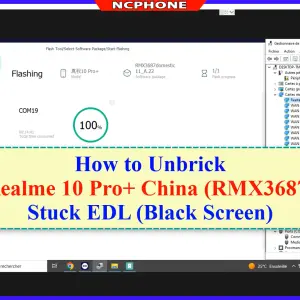
Unbrick Realme 10 Pro+ Services
Use Auth Flash Tool Fix: BootLoop (Lost Fastboot – Lost Recovery) Stuck…
Harshpanwar –
Nice