
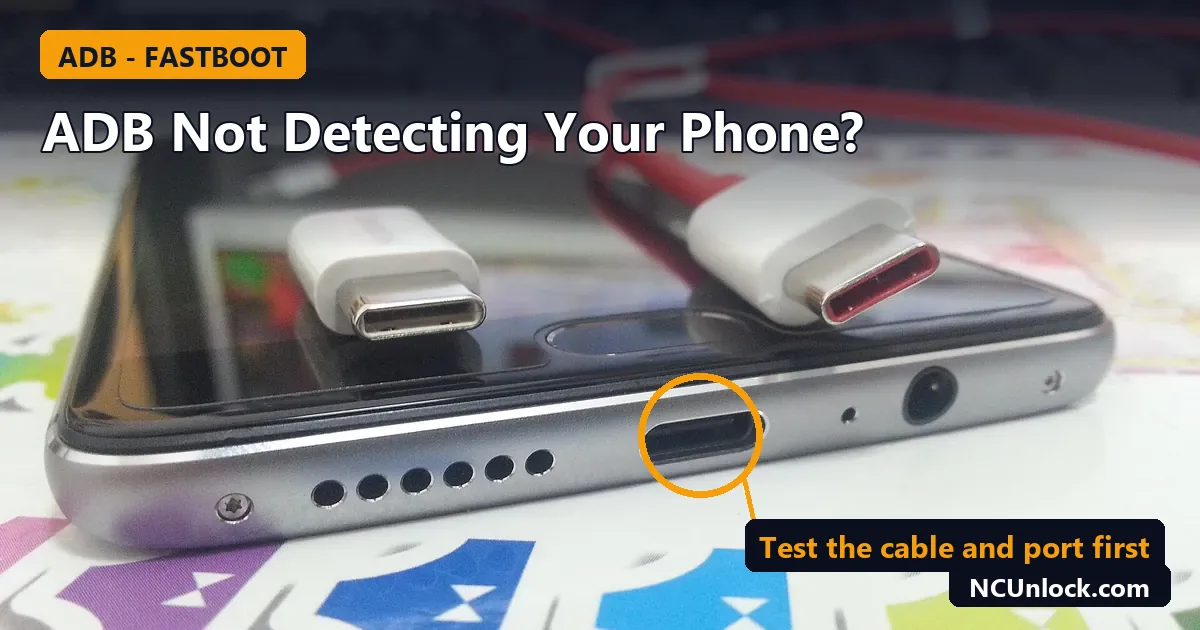
When adb device not detected is the problem, adb devices prints an empty list, or the phone shows up as unauthorized or offline, and nothing you flash or unlock can start. On Windows the cause is almost always one of five things: the wrong USB mode, a charge-only cable, a missing driver, an unaccepted security prompt, or a phone that is not in the mode you think it is. This guide walks through them in the order that saves the most time.
It builds on our ADB and fastboot setup guide for Windows. If you have not installed Platform-Tools yet, start there, then come back.
Step 0: Which mode is your phone actually in?
adb and fastboot talk to the phone in different modes, so one tool seeing nothing is often normal. Check the mode first:
| Phone shows | Tool that can see it | Check with |
|---|---|---|
| Android is booted, USB debugging on | adb |
adb devices |
| Bootloader / fastboot screen | fastboot |
fastboot devices |
| Recovery or sideload mode | adb |
adb devices |
| Black screen, no logo, still detected by Windows as a Qualcomm port | Neither (EDL / 9008) | Device Manager |
So if the phone is sitting on the fastboot screen, adb devices will be empty and that is expected. Use fastboot devices instead. If you are not sure which state a stuck phone is in, our guide to soft brick vs hard brick, EDL 9008 and fastboot explains how to tell them apart.
Step 1: The five-minute checks
- Test the cable. Google’s own troubleshooting advice is to swap in a second USB cable and see if the phone is detected. If it is only detected with one cable, the other is the problem. Many cables only carry power, so a cable that charges fine can still fail here.
- Use a different USB port. Plug straight into a port on the PC, not into a hub or a front-panel extension. Try a USB 2.0 port if you have one.
- Set the USB mode on the phone. Pull down the notification shade after plugging in and change the USB option from charging only to file transfer. On many phones the charging-only mode hides the data connection.
- Update Platform-Tools. Android’s documentation recommends the latest SDK Platform-Tools package. An old copy of
adbis a common cause on newer phones. - Restart the adb server. Run
adb kill-serverand thenadb devices. Running any adb command starts the server again and makes it scan for devices.
Step 2: adb devices shows nothing
Turn on USB debugging
On the phone, open Settings, go to Developer options and enable USB debugging. If you do not see Developer options, open About phone and tap the build number seven times first. Menu names differ between HyperOS, ColorOS, OxygenOS, realme UI and RedMagic OS, so look for the build or version entry under About phone.
Check Device Manager for a driver problem
On Windows you may need a USB driver. Google’s page on OEM USB drivers says to connect the phone, open Device Manager, and look under Portable Devices or Other devices. A phone listed there with a yellow warning icon has no working driver.
Google’s page links to manufacturer driver downloads. Xiaomi and ZTE (the parent of nubia and RedMagic in many markets) are on that list, and so are Google, Samsung and others. It does not list OnePlus, OPPO or realme, so for those phones check the maker’s own support site and do not guess. When you do have the right driver, Google’s steps are: right-click the device, choose Update Driver, pick Browse my computer for drivers, and point it at the driver folder.
Be careful with “universal ADB driver” bundles from unknown sites. They are a common way to pick up unwanted software, and a wrong driver can make detection worse. Stick to the manufacturer’s download or the Google USB Driver where it applies.
Windows sees the phone but adb does not
If File Explorer shows the phone but adb devices is empty, the usual suspects are USB debugging being off, or a data-only prompt on the phone that you have not accepted. Unlock the phone screen and look for a dialog.
Step 3: adb shows “unauthorized”
When you connect a phone running Android 4.2.2 or later, it shows a dialog asking whether to accept the computer’s RSA key. Android’s documentation explains that this protects the phone, because adb commands cannot run unless someone can unlock the phone and approve the dialog.
- Unlock the phone, unplug and replug the cable, and watch for the “Allow USB debugging?” prompt. Tick the box to always allow this computer, then tap Allow.
- If the prompt never appears, open Developer options and tap Revoke USB debugging authorizations, then replug the cable so it asks again.
- Run
adb kill-serverand thenadb devicesagain. - The adb documentation also lists
adb reconnect offline, which resets offline and unauthorized devices so the connection is attempted again.
Step 4: adb shows “offline”
According to the adb documentation, an offline device is one that is not connected to adb or is not responding. Typical fixes, in order:
- Unplug the cable, wait a few seconds, then reconnect.
- Run
adb kill-server, thenadb devices. - Try
adb reconnect offline. - Update Platform-Tools to the latest version, then reboot both the phone and the PC.
The state device means the phone is connected. Note that it appears while Android is still booting, so a phone can show as device before the system is ready.
Step 5: fastboot devices shows nothing
A phone in the bootloader needs no USB debugging. If fastboot devices is empty, work through this list:
- Confirm the phone is really on the fastboot screen. A bootloop or a logo screen is not fastboot. If Android still boots, run
adb reboot bootloaderto get there from a working phone. - Look in Device Manager while the phone is on that screen. A new entry with a warning icon, often under Other devices, means Windows has no driver for fastboot mode. Names vary by driver, so do not rely on one exact label.
- Install the maker’s driver. The Xiaomi driver link on Google’s list is a sensible starting point for Xiaomi, Redmi and POCO phones.
- Change cable and port again. Fastboot is more sensitive to a poor cable or hub than adb is.
- Close other flashing tools. If another flashing program is open and holding the USB device, fastboot may not see the phone.
Do not run flash commands until fastboot devices lists your serial number. If you need to know what each command does before you type it, see our fastboot commands list with safe and risky commands. Also remember that unlocking is a separate step from detection. Our guide is unlocking the bootloader safe covers what unlocking changes.
Step 6: The phone is dead and nothing detects it
If the screen stays black and neither tool sees the phone, Windows may show it as a Qualcomm port instead, such as Qualcomm HS-USB QDLoader 9008. That is EDL mode. adb and fastboot cannot talk to a phone in that state, and re-installing Platform-Tools will not change it. Flashing in EDL needs the correct firmware and, on many phones, authorisation from the maker. Do not try random firmware files. A wrong flash can turn a recoverable phone into a harder repair.
What to collect before asking for help
Having this information ready saves time, whether you ask a forum or us:
- The phone model and the model code on the back or box.
- The output of
adb devices -landfastboot devices. - A screenshot of the phone’s entry in Device Manager.
- What the phone’s screen shows right now: a normal home screen, a logo, the fastboot screen, or nothing.
If the phone is bricked or will not enter fastboot, NCUnlock offers remote repair through the Xiaomi unbrick service category and the OnePlus unbrick service category. For Xiaomi phones that can reach fastboot, our HyperOS bootloader unlock guide explains what the official route requires. Not sure which applies to your phone? Contact us with the details above.
FAQ
Why does my phone charge but adb devices is empty?
Charging only proves the cable carries power. Check the USB mode on the phone, try another cable and port, and confirm USB debugging is on and the RSA prompt was accepted.
Do I need USB debugging for fastboot?
No. Fastboot works with the phone in bootloader mode, where Android is not running. USB debugging matters for adb while Android is booted.
Can I use Wi-Fi instead of a cable?
Wireless debugging works on Android 11 and later and needs pairing with your computer. It is a useful fallback for adb, but it does not help with fastboot or a phone that will not boot.
Should I install a universal ADB driver pack?
We advise against it. Use the manufacturer’s driver, or the Google USB Driver where the phone is a Google device, and download from the maker’s official page.
adb works but fastboot shows nothing. Why?
They use different USB interfaces. Windows may have a driver for the phone in Android mode but not for fastboot mode, so look at Device Manager while the phone is on the fastboot screen.
Sources
Technical behaviour was checked against Google’s Android developer documentation: Run apps on a hardware device, Install OEM USB drivers, Android Debug Bridge and SDK Platform-Tools.
Featured photo: OnePlus 3 USB port and the cable.jpg by Porsche 911GT2, CC BY-SA 4.0, via Wikimedia Commons (cropped).
Comments
0 comments