
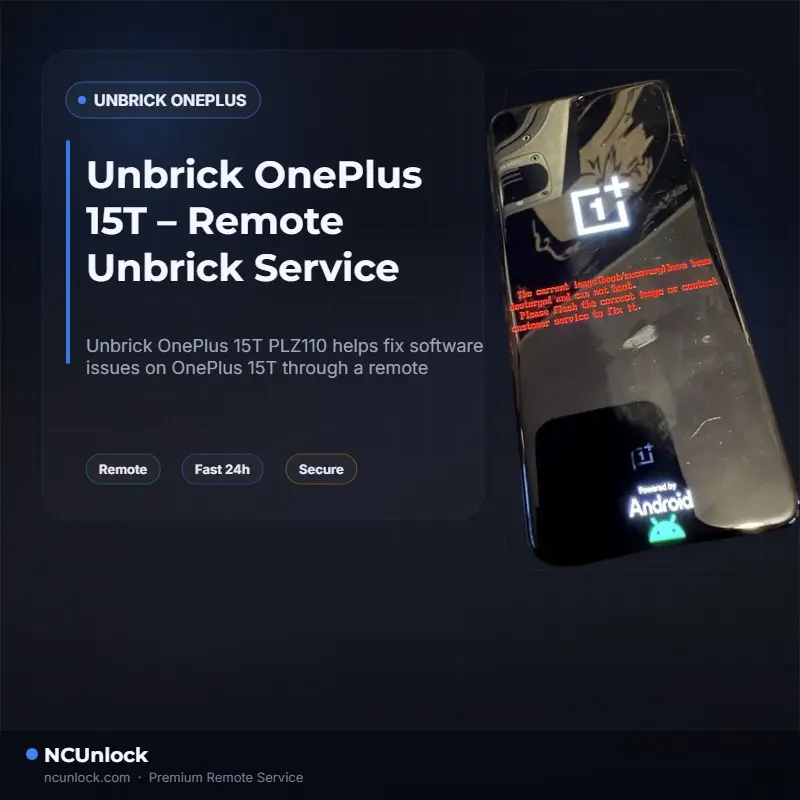
OnePlus 15T PLZ110 unbrick requests usually come after a failed OTA update, wrong firmware flash, failed root attempt, bad partition write or interrupted ROM conversion. The phone may keep restarting, stay on the OnePlus logo, show only Fastboot, appear as Qualcomm 9008, or look completely dead with a black screen.
This guide explains what to check before trying another flash and when to use a remote unbrick service. If your OnePlus 15T still connects to a Windows PC, there may be a software recovery path.
Need a technician? Open the OnePlus 15T PLZ110 remote unbrick service.
Common OnePlus 15T brick symptoms
- Bootloop: the phone keeps restarting and never reaches the home screen.
- Stuck on logo: OnePlus logo appears but the system does not continue booting.
- Fastboot only: the phone can enter Fastboot but cannot boot Android.
- Recovery loop: recovery opens again after every reboot.
- Black screen: the display stays off after flashing or failed update.
- Qualcomm 9008 / EDL: Windows detects a Qualcomm emergency download device.
Stop before you flash again
If the phone is already unstable, flashing more random files can make recovery harder. Before trying anything else, confirm the exact model and current state.
- Confirm the model is OnePlus 15T PLZ110.
- Check whether Windows detects the phone in Fastboot, Recovery, MTP or Qualcomm 9008 mode.
- Use a reliable USB data cable, not a charge-only cable.
- Avoid firmware made for a different OnePlus 15 / 15R / Ace variant.
- Do not relock the bootloader after flashing another region ROM unless you are certain it is safe.
- Do not keep wiping partitions if you do not know what changed.
Why OnePlus 15T unbrick can be difficult
New OnePlus models use protected flashing paths. Even if the phone enters EDL mode, a normal public flash package may not be enough. The correct firmware, drivers and authorized flashing process matter. A mismatch can leave the device in the same state or create a new problem such as white screen, no boot, no modem, no touch or failed verification.
That is why model code matters. A PLZ110 package should not be guessed from a similar OnePlus model just because the hardware looks close.
Remote unbrick service process
NCUnlock handles OnePlus 15T unbrick through a remote desktop session. You keep the phone with you. A technician connects to your Windows PC, checks the device detection state, loads the correct recovery path and restores the phone when the condition is software-recoverable.
- Open the OnePlus 15T unbrick service page.
- Prepare a Windows 10 or Windows 11 PC.
- Install UltraViewer, AnyDesk or TeamViewer.
- Connect the OnePlus 15T using a stable USB cable.
- Send the remote session ID to NCUnlock support after order confirmation.
- The technician checks Fastboot/EDL detection and starts the recovery process.
What you need before the session
- Windows PC with stable internet.
- High-quality USB-C cable.
- Battery charged if possible.
- Remote desktop app installed.
- Information about what happened before the brick: OTA update, root, ROM flash, bootloader relock, region conversion or partition wipe.
Data loss warning
Unbrick work often restores stock firmware and can erase user data. If the phone is already unable to boot, data recovery may not be possible before flashing. Do not expect photos, app data or chat history to be preserved unless the technician confirms a safe path for your exact case.
When remote service may not work
- The phone has hardware damage from water, drop or board repair.
- The USB port is damaged and cannot maintain connection.
- The storage chip is failing.
- The device does not enter any detectable USB mode.
- Critical partitions are damaged beyond available software recovery.
If the technician confirms that the phone cannot be recovered by software, the order is handled under NCUnlock’s refund or support policy.
FAQ
Can OnePlus 15T PLZ110 be unbricked without shipping?
Yes, many software brick cases can be handled remotely if the phone is detected by a Windows PC in Fastboot, Recovery, EDL or another usable mode.
How long does the session take?
Simple cases can finish in 30-60 minutes after the technician connects. Deep EDL cases may take longer depending on detection, drivers and firmware download speed.
Is EDL mode the same as hard brick?
Not always. EDL can be a recovery mode, but it still requires the correct process. If Windows detects Qualcomm 9008, stop experimenting and request diagnosis.
Can I use OnePlus 15 or OnePlus 15R firmware on 15T?
Do not assume compatibility. Wrong firmware can worsen the brick. Confirm the model code and firmware package first.
Start recovery
If your OnePlus 15T PLZ110 is stuck in bootloop, black screen, Fastboot or EDL mode, start with a remote diagnosis instead of flashing random files.
Order OnePlus 15T PLZ110 remote unbrick service or browse all OnePlus unbrick services.
Comments
0 comments