
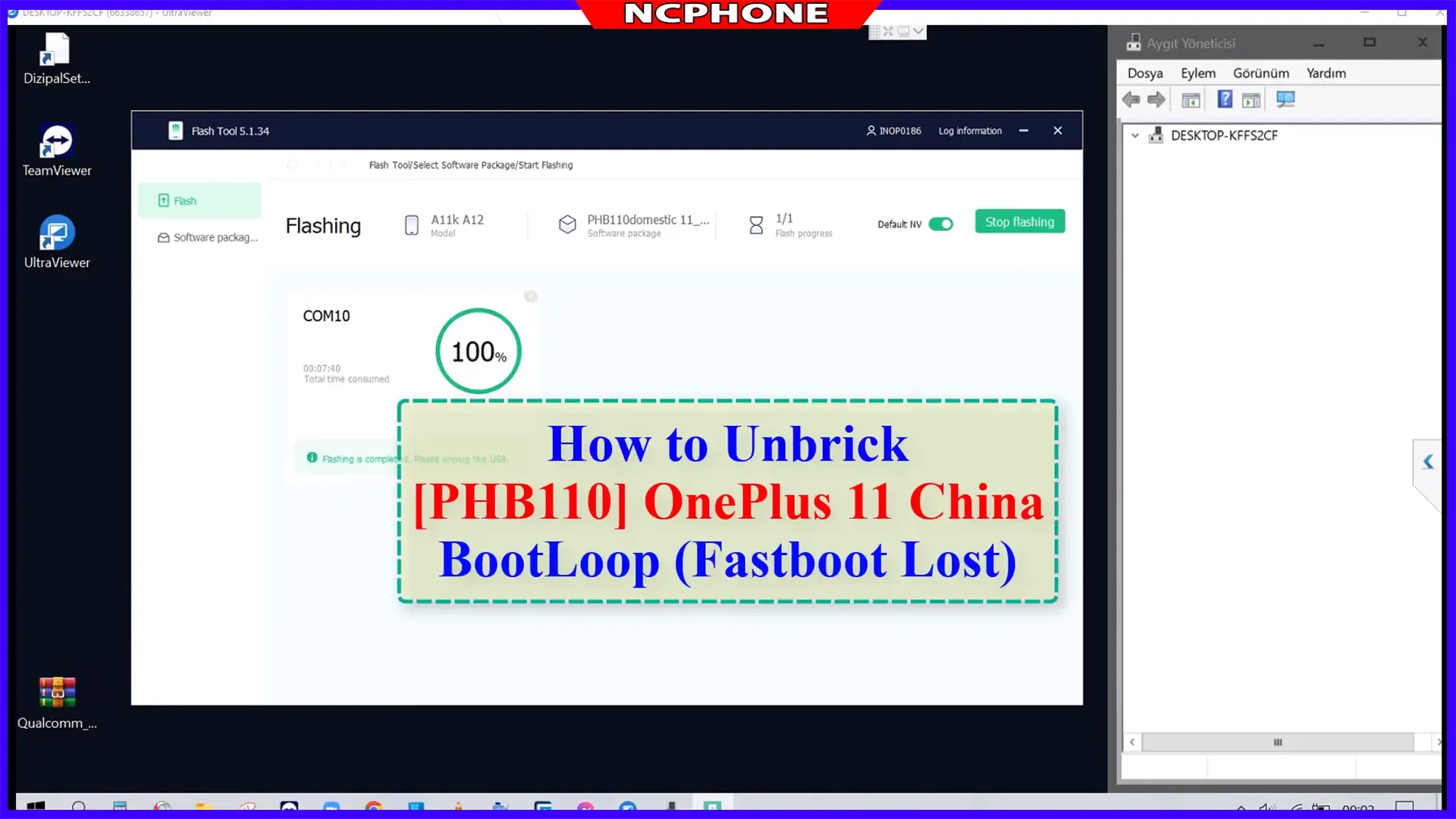
How to Unbrick OnePlus 11 5G (PHB110, CPH2447, CPH2449, CPH2451): this page gives you the stock firmware for each version, the flashing steps in EDL mode, and the checks that prevent a second brick. Use it if your phone hangs on the logo, loops on restart, is stuck in Fastboot, shows a black screen, or stopped responding after a flash or a failed root.
Four OnePlus 11 versions, four firmware builds
The OnePlus 11 uses the Snapdragon 8 Gen 2 in every market, but each version gets its own firmware build. The China model runs ColorOS and the other models run OxygenOS. The file names below tell you which market a package is built for: “domestic” is China, “GDPR” is the European build and “export” is used for other markets.
| Model code | Market | Firmware package below |
|---|---|---|
| PHB110 | China | PHB110domestic |
| CPH2447 | India | CPH2447export |
| CPH2449 | Europe / international | CPH2449GDPR |
| CPH2451 | US | CPH2451export |
Check the model code in Settings > About device, or on the box label if the phone does not boot. Then pick the matching package. Our table of OnePlus China vs global model numbers explains how these codes work on newer models too. Flashing a package built for another market is a common way to start a brick. Even when the phone boots, the wrong build can leave you with region, network or update problems.
What this firmware can and cannot fix
A full stock package repairs software, not hardware. It usually helps when the phone:
- Hangs on the OnePlus logo or keeps restarting (bootloop).
- Has lost both Fastboot and recovery after a failed update or flash.
- Is stuck on the Fastboot screen.
- Shows a black screen and only appears on the PC as Qualcomm 9008 (EDL).
- Is dead after flashing the wrong package or a bad root attempt.
It will not repair a dead battery, a damaged board or a broken screen. It does not remove a region lock either. If calls or mobile data are blocked on a China unit, read OnePlus region lock unlock: check code and status 2. Planning to move a PHB110 to OxygenOS? Read the risks of flashing OxygenOS on a China OnePlus first.
Not sure what state your phone is in? Use our soft brick vs hard brick guide. If the phone still reaches the Fastboot screen, a lighter fix may work. Our fastboot commands list shows which commands are safe to try and which ones make things worse.
Firmware Unbrick OnePlus 11 5G
Stock Firmware
China
PHB110domestic_11_A.26_2023072710530113: Download
India
CPH2447export_11_A.11_2023071921570000.zip: Download
EU
CPH2449GDPR_11_A.11_2023071921560106.zip: Download
US
CPH2451export_11_A.21_2023060606000148.zip: Download | Sever 2
Flash file
OplusFlashTool_v5.6.44_for_Sales: Download
password: ncunlock
Oppo_Latest_MTK_QCOM_Driver_Setup_V2.0.1.1: Download
Before you flash
- Expect data loss. A full firmware flash normally erases user data. If the phone still reaches recovery or boots for a moment, copy what you can first.
- Match the package to the model code. PHB110 uses the China file, and each CPH code uses its own file. Do not mix them.
- Use a good data cable in a rear USB port on a desktop PC if you can, and keep a laptop on mains power. A cable that drops out halfway is a common cause of failed flashes.
- Extract fully and keep the firmware and tool in a short folder path without unusual characters.
- Do not interrupt the flash. Leave the phone connected until the tool reports success.
How to Unbrick OnePlus 11 5G
- Download, Extract ROM File & tool in same folder
- Qualcomm_Drivers_QDLoader driver on your computer
- Login OplusFlashTool.exe
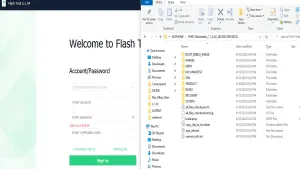
- Select Firmware
- Click “Start” button
- Conect Phone to PC, Enter EDL Mode
- Wait until success, once done. Unplug device and switch it ON >>>Done All
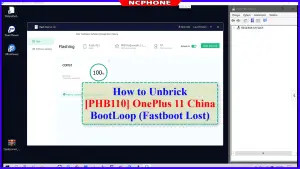
How to reboot EDL
- Connect one end of the USB cable to your PC.
- Then connect the other end to your device.
- Now press and hold the Volume Up, Volume Down, and Power keys. after the software launches, remove your hands (or when you see qualcomm 9008 appear in device manager)
Open Device Manager on the PC to confirm. A phone in EDL mode shows up as a Qualcomm 9008 port. If you see an unknown device or nothing at all, the driver, cable or USB port is the problem. Fix that before you start the flash.
Troubleshooting a failed flash
- The tool does not see the phone. Check for the 9008 port in Device Manager, try another cable and USB port, and reinstall the QDLoader driver from step 2.
- The flash stops with an error. Confirm the package matches your model code, that it was fully extracted, and that the folder path is short. Then start again from the beginning instead of resuming halfway.
- The phone boots with the wrong region or gets no updates. This is usually a package from another market. Compare your code with our China ROM vs Global ROM guide.
- The phone was bricked by a root attempt. A full stock flash returns everything to factory software, root included. Do not re-flash a patched boot image until the phone runs normally on stock.
- The phone does not respond after several tries. Stop. Repeated random attempts can turn a soft brick into a harder one, and it is cheaper to ask for help.
Video Tutorial
Unbrick OnePlus 11 PHB110 (China)
Unbrick OnePlus 11 CPH2451 (US)
Unbrick OnePlus 11 CPH2447 (India)
Unbrick OnePlus 11 CPH2449 (EU)
FAQ
Which firmware package should I flash?
The one that matches your model code: PHB110 uses the China file, CPH2447 the India file, CPH2449 the EU file and CPH2451 the US file.
Will unbricking erase my data?
Plan on it. A full stock flash normally wipes the phone, so back up first whenever the phone lets you.
Why does my PC show Qualcomm 9008?
That is EDL mode, a low-level state the phone enters when it cannot boot normally. It is also the mode this method uses to flash the firmware.
Can I flash the global firmware on a China PHB110?
It is possible on some units, but it can bring region lock and update problems, and a mismatched flash is a common cause of bricks. Read the region lock and OxygenOS guides linked above before you try.
Can I use this on a phone that is not mine?
Only flash phones you own or have permission to repair. This guide restores software. It is not a way around an account lock or screen lock set by someone else.
Prefer a remote fix?
You can also use our service:
Our Unbrick OnePlus 11 service is done remotely. You connect the phone to your own Windows PC and watch while a technician completes the flash, so nothing is shipped. Browse all OnePlus unbrick services if you own a different model, or contact NCUnlock with your model code and what the screen shows. We will tell you what is possible before you order.

Unbrick OnePlus 11 Services
$20
Unbrick OnePlus 11 5G – PHB110, CPH2447, CPH2449, CPH2451
Use Auth Flash Tool Fix:
BootLoop (Lost Fastboot – Lost Recovery)
Stuck Fastboot
Description
Unbrick OnePlus 11 5G – PHB110, CPH2447, CPH2449, CPH2451. By using this firmware, you can solve all software issues within your OnePlus 11 5G, such as hanging on the logo, FRP reset, fixing stuck Fastboot Mode, bootloop (Lost Fastboot – Lost Recovery), stuck EDL (black screen), or white after flashing, dead after flashing, etc.
After payment please send ID +PASSWORD (Teamviewer, Ultraviewer or Anydesk) to me
https://ncunlock.com/shop/
How the remote unbrick service works
This service restores a phone that is stuck in bootloop, Fastboot, recovery, black screen or Qualcomm EDL 9008 / MediaTek BROM mode. Support identifies the mode first, then flashes the correct official firmware for your exact model and region.
Steps
- Send your model details and describe the problem.
- Support confirms compatibility, scope and price.
- Install UltraViewer or AnyDesk on a Windows PC and connect the phone with a good USB cable.
- A technician completes the job remotely while you watch. You never ship the phone.
What to send
- A screenshot of Settings → About phone, or the model number from the box if the phone does not boot.
- What happened before the problem (update, flashing, root, relock) and the result you want.
Read first: Soft brick vs hard brick: how to identify EDL, Fastboot and BROM. Questions? Contact NCUnlock on Telegram or WhatsApp.
11 reviews for Unbrick OnePlus 11 Services
Please log in to post a review.
Service process
How this remote service works
Product details
Technical Guide
Description
Unbrick OnePlus 11 5G – PHB110, CPH2447, CPH2449, CPH2451. By using this firmware, you can solve all software issues within your OnePlus 11 5G, such as hanging on the logo, FRP reset, fixing stuck Fastboot Mode, bootloop (Lost Fastboot – Lost Recovery), stuck EDL (black screen), or white after flashing, dead after flashing, etc.
After payment please send ID +PASSWORD (Teamviewer, Ultraviewer or Anydesk) to me
https://ncunlock.com/shop/
How the remote unbrick service works
This service restores a phone that is stuck in bootloop, Fastboot, recovery, black screen or Qualcomm EDL 9008 / MediaTek BROM mode. Support identifies the mode first, then flashes the correct official firmware for your exact model and region.
Steps
- Send your model details and describe the problem.
- Support confirms compatibility, scope and price.
- Install UltraViewer or AnyDesk on a Windows PC and connect the phone with a good USB cable.
- A technician completes the job remotely while you watch. You never ship the phone.
What to send
- A screenshot of Settings → About phone, or the model number from the box if the phone does not boot.
- What happened before the problem (update, flashing, root, relock) and the result you want.
Read first: Soft brick vs hard brick: how to identify EDL, Fastboot and BROM. Questions? Contact NCUnlock on Telegram or WhatsApp.
Product details
Customer Reviews
11 reviews for Unbrick OnePlus 11 Services
-
Dude legit came through for me!
15 usd is a bargain for being able to use phone again. -
Fantastic attention and trustworthy 100%
-
The service is quick and mostly painless; The dude is prompt, clear, helpful, respectful, and knowledgeable.
I’d recommend him.
Thanks! -
Highly recommended for his communication, skill and diligence in getting your phone working. Recently my OnePlus 11 was a hardbrick. A simple mistake when trying to root the device put it into that hardbrick state. Of course my first, second and third thoughts were that I was screwed. After some easy google searches I found this service. So very easy to pay the $15 and have the phone rescued back to factory state. Save yourself the worry and then hours of trying to understand how to rescue your phone. The entire process was mostly easy. I do recommend to have your requisite firmware downloaded. The remote session all will be much faster.
-
Absolutely fantastic service! Long story short, I rooted my OnePlus 11, attempted to unroot, hard bricked the device to the point that I couldn’t even get into fastboot mode. I made my purchase here, then about an hour later received an email that he was ready to work on my phone and to chat via telegram. He wasted no time on telegram and got started. Eventually he remoted into my computer and fully unbricked my device. Factory software was put back into the device and everything is back to normal. I was SO stressed when I bricked the phone but I am happy this service was available. This was probably the best $15 I ever spent. Thank you again man, I truly appreciate you!
-
thanks for review
-
-
I played around with another ROM but it was missing all of the camera options/quality. I was unable to revert back to OOS on my own. They were able to get my CPH2451 converted to CPH2449 Global. Bootloader re-locked and everything is back to stock out of the box. Very quick and friendly service. Thank you!
-
how I contact you
-
check telegram bro
-
-
I have read the service details before using this file
-
this is amazing. you can’t miss this if you want to root one plus devices.
-
very good. this is amazing
-
I have read the service details and confirm that I need this file


Please log in to post a review.
Related products
-
Unbrick OnePlus Nord 2T Services
How to Unbrick OnePlus Nord 2T CPH2399 Stock Firmware ROM (Flash File).…
-
Unbrick OnePlus Nord N30 5G Services
Download your firmware Download and install ultraviewer to pc: Here Send oder…
-
OnePlus 9RT unbrick service - MT2110 / MT2111 EDL repair
Remote OnePlus 9RT unbrick service for MT2110 and MT2111 EDL 9008, bootloop,…
-
Unbrick OnePlus Ace 2 Services
Unbrick OnePlus Ace 2 Use Auth Flash Tool Fix: BootLoop (Lost Fastboot…
Telegram: @Xiaomi_vn
Phone/WhatsApp: +84 389013366
Facebook: Nguyễn Văn Cảnh
Zalo: 0389013366
Youtube: NC PHONE
Website: ncunlock.com
Jonatan (verified owner) –
Dude legit came through for me!
15 usd is a bargain for being able to use phone again.
Marco (verified owner) –
Fantastic attention and trustworthy 100%
Dave (verified owner) –
The service is quick and mostly painless; The dude is prompt, clear, helpful, respectful, and knowledgeable.
I’d recommend him.
Thanks!
m c (verified owner) –
Highly recommended for his communication, skill and diligence in getting your phone working. Recently my OnePlus 11 was a hardbrick. A simple mistake when trying to root the device put it into that hardbrick state. Of course my first, second and third thoughts were that I was screwed. After some easy google searches I found this service. So very easy to pay the $15 and have the phone rescued back to factory state. Save yourself the worry and then hours of trying to understand how to rescue your phone. The entire process was mostly easy. I do recommend to have your requisite firmware downloaded. The remote session all will be much faster.
Bryan –
Absolutely fantastic service! Long story short, I rooted my OnePlus 11, attempted to unroot, hard bricked the device to the point that I couldn’t even get into fastboot mode. I made my purchase here, then about an hour later received an email that he was ready to work on my phone and to chat via telegram. He wasted no time on telegram and got started. Eventually he remoted into my computer and fully unbricked my device. Factory software was put back into the device and everything is back to normal. I was SO stressed when I bricked the phone but I am happy this service was available. This was probably the best $15 I ever spent. Thank you again man, I truly appreciate you!
admin –
thanks for review
bf –
I played around with another ROM but it was missing all of the camera options/quality. I was unable to revert back to OOS on my own. They were able to get my CPH2451 converted to CPH2449 Global. Bootloader re-locked and everything is back to stock out of the box. Very quick and friendly service. Thank you!
UD –
how I contact you
admin –
check telegram bro
Michael John –
I have read the service details before using this file
Chirag Jain –
this is amazing. you can’t miss this if you want to root one plus devices.
RinMaxiMus –
very good. this is amazing
RinMaxiMus –
I have read the service details and confirm that I need this file