
Ace 6T bricked instead of region locked?
If the OnePlus Ace 6T PLR110 is bootlooping, black screen or stuck in EDL, use OnePlus Ace 6T unbrick service. If the phone boots normally but calls are blocked, use OnePlus Ace 6T region unlock service.
OnePlus region lock status 2 is the state most imported OnePlus users want to see. It means the region restriction is fully cleared and the phone should be able to use calls, SMS and mobile data normally outside the original sales region.
This guide focuses on high-risk imported models such as the OnePlus 15 PLK110 and OnePlus Ace 6T PLR110. If your phone was bought from China and you are using it in another country, checking the region lock state early can prevent sudden communication restrictions later.
What is OnePlus region lock?
Region lock is a software restriction found on some OnePlus, OPPO and Realme devices sold for a specific market. On China-market OnePlus phones, the lock can affect communication functions when the device is used outside the intended region.
The phone may still boot, connect to Wi-Fi, open apps, and look normal. The problem usually appears around mobile network functions: calls, SMS, mobile data, SIM activation, or warning messages about regional communication restrictions.
What does status 2 mean?
On supported OnePlus models, the diagnostic screen can show different region lock states. In practical repair terms:
- Status 1 usually means the region lock is active and communication can be restricted.
- Status 0 can mean the lock exists but is not fully triggered yet.
- Status -1 can appear when the restriction has not triggered in the current state.
- Status 2 means the device is fully unlocked for region use.
Status 2 is the target because it gives the clearest confirmation that the region restriction has been removed.
How to check OnePlus region lock status
On many OnePlus China-market models, you can check the region lock state from the Phone app.
- Open the Phone or Dialer app.
- Enter the diagnostic code:
*#*#3932433284#*#* - Wait for the region lock screen to appear.
- Check the displayed state or status value.
If you are checking the Ace 6T specifically, read our model guide here: How to check OnePlus Ace 6T region lock.
OnePlus 15 PLK110: why status 2 matters
The OnePlus 15 PLK110 is a China-market model that many buyers import because the hardware is strong and the price can be attractive. The risk is that a phone sold for China may not behave like an official Global model when used with SIM cards in another region.
If your OnePlus 15 shows a region warning, loses calls, fails to send SMS, or works only on Wi-Fi, do not treat it as a normal carrier APN issue until you check the region lock screen. APN changes cannot permanently fix a firmware-level region restriction.
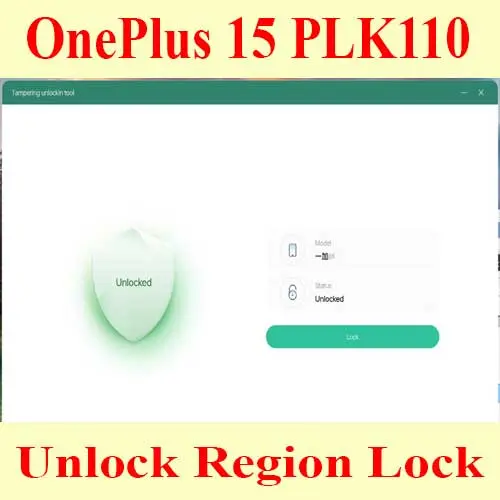
For direct service, use: OnePlus 15 Region Unlocking Service (PLK110 Region Lock).
OnePlus Ace 6T PLR110: check before the lock triggers
The OnePlus Ace 6T PLR110 has the same type of import risk. A phone can look normal at first and then begin restricting communication after SIM changes, travel, activation, updates, or repeated reboots.
That is why the safest approach is to check the diagnostic status immediately after receiving the phone. If the device is not status 2, you should decide whether to unlock it before relying on it as a daily phone.
For direct service, use: Unlock Region OnePlus Ace 6T PLR110.
Signs your OnePlus is region locked
You may need region unlock if you see one or more of these symptoms:
- The phone warns that it is best suited for a specific region.
- Calls cannot be made or received even though signal appears.
- SMS fails while Wi-Fi and apps still work.
- Mobile data stops working after changing SIM cards.
- The diagnostic screen does not show status 2.
- The seller said the phone is “unlocked” but the diagnostic code says otherwise.
Can an OxygenOS conversion remove region lock?
Not always. ROM conversion and region unlock are related, but they are not the same service. A converted ROM can improve language, Google services, OTA behavior, or user experience, but the region lock state can still need separate handling depending on the model and firmware.
If your goal is working calls and mobile data outside China, check status 2 first. If your goal is also Global ROM or OxygenOS, confirm the order of operations with support before changing firmware.
What to prepare before ordering region unlock
Remote unlock is faster when you prepare the correct information before the technician starts:
- Model number, such as PLK110 for OnePlus 15 or PLR110 for Ace 6T.
- Current software version and whether it is ColorOS or OxygenOS.
- Screenshot of the region lock diagnostic screen.
- Country and carrier where the phone will be used.
- Windows PC, stable internet, USB cable, and remote support tool.
- Any previous flashing, conversion, root, or unbrick history.
When unbrick service is needed instead
If the phone is stuck in Fastboot, bootloop, EDL mode, black screen, or shows “system destroyed”, do not order region unlock first. A phone must be bootable enough to check or apply the region unlock state. In that situation, repair the firmware first.
For Ace 6T or OnePlus 15R bootloop and hard brick cases, use: Unbrick OnePlus Ace 6T/15R Service.
FAQ
Is status 2 permanent?
For a properly completed supported unlock, status 2 is the expected permanent region-unlocked state. Still, avoid random firmware flashing after unlock unless you know the exact effect on your model.
Can my carrier fix OnePlus region lock?
No. Carrier settings can fix APN or VoLTE configuration, but they cannot remove a OnePlus firmware-level region restriction.
Is a China OnePlus phone the same as a Global model after unlock?
Region unlock solves the communication restriction. It does not automatically change every hardware band, certification, OTA channel, or firmware feature. If you need Global ROM behavior, ask whether conversion is recommended for your exact model.
Can NCUnlock check my phone before payment?
Yes. Send the model number, software version, country, carrier, and diagnostic screenshot so support can confirm whether OnePlus region unlock is the correct service.
Bottom line
If you imported a OnePlus 15 PLK110 or OnePlus Ace 6T PLR110, do not wait for calls to fail. Check the diagnostic code now. If your phone is not showing region lock status 2, remote region unlock is the cleanest way to remove the restriction before it becomes a daily-use problem.
Comments
0 comments