
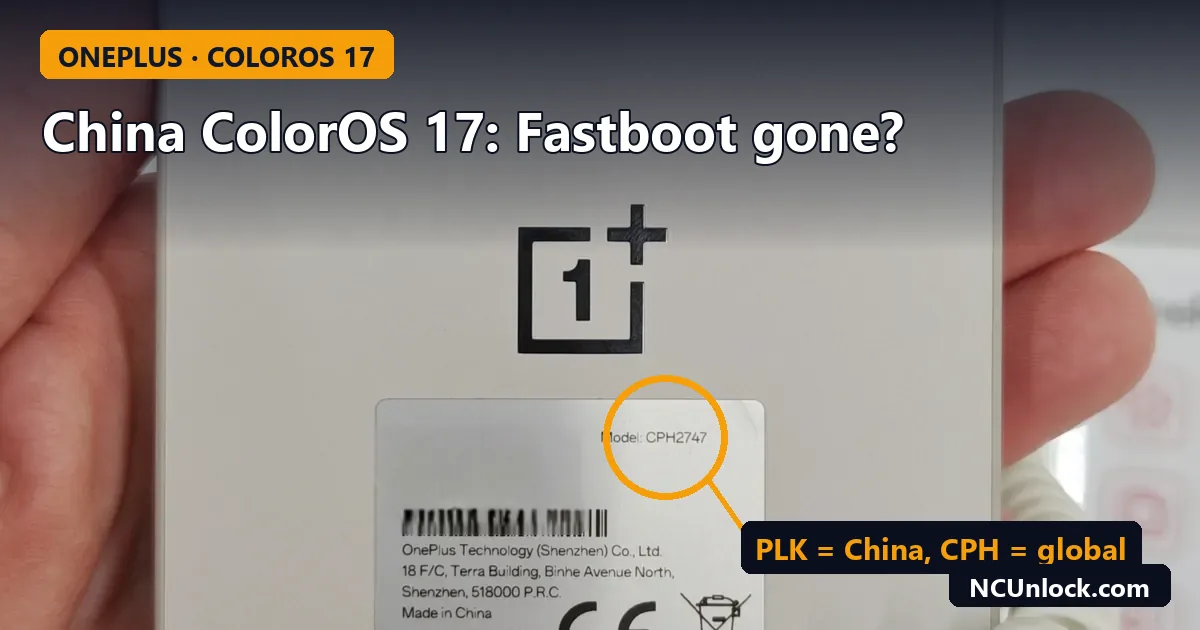
If your China OnePlus will not stay in ColorOS 17 fastboot mode, or drops back to the system a second after you reach it, you are not alone. Since the ColorOS 17 update reached Chinese OnePlus models, owners of the OnePlus 13, 13T and 15 China versions have been reporting the same thing on XDA: the bootloader Fastboot screen is no longer usable, so the usual unlock path is gone. This guide explains what is confirmed, what is still only user reports, and what you can still do with a China unit in November 2026.
What owners are reporting
Over the past few weeks several XDA threads have appeared on the same problem. The most visible one is titled “CN Version ColorOS 17 Cannot Unlock Bootloader! Cannot Enter Fastboot!” and warns OnePlus 13 and 13T China owners not to update. The pattern in these reports:
- Bootloader Fastboot no longer works on China units after the ColorOS 17 update. Some users say the phone exits the Fastboot screen within about half a second.
- Fastbootd still works. A OnePlus 13 CN thread notes that the userspace fastbootd mode inside recovery is still reachable.
- Phones unlocked before the update are in a better position. Several posters say their unlocked phones kept working, while phones that were still locked, or were relocked before updating, lost the Fastboot route.
- Other users report the same symptom in threads such as “Device not entering Fastboot mode after ColorOS 17 update”.
DroidWin also wrote on November 10, 2026 that Chinese devices on ColorOS 17 can no longer access Fastboot Mode. OnePlus itself has not published a statement about Fastboot. So treat the Fastboot block as widely reported, not officially confirmed, and check your own phone before acting.
What OnePlus has officially changed
The unlock policy is official. On July 24, 2026, OnePlus published new rules for bootloader unlocking on China-market phones running ColorOS 16 or later, through its Deep Testing program. Both Notebookcheck and Beebom reported the same details:
| Rule | Requirement |
|---|---|
| Who it applies to | China-market phones on ColorOS 16 or later (carrier, enterprise and government units excluded) |
| Identity | Real-name and face verification, plus a bound phone number |
| Account | At least 60 days old, no violations, logged in on the target phone for 7 days in a row |
| Limit | Up to 4 devices per verified identity per year |
| Waiting time | 30 days between applications |
| Approval window | 14 days to use an approval, then it expires |
| ColorOS 17 phones | Quota opens one month after the phone launches with, or is updated to, ColorOS 17 |
OnePlus has not said how many approvals each monthly batch contains. In practice, the identity requirement is the real wall for buyers outside China: an XDA reply about the China OnePlus 15 says Deep Testing still works, but you need a registered Chinese mobile number and ID.
Is your phone affected?
This only matters for China units. Check the model code first, under Settings, About device, or on the box. China models use codes like PJZ110 (OnePlus 13), PKX110 (OnePlus 13T) and PLK110 (OnePlus 15). Global units use CPH codes. Our table of OnePlus China vs global model numbers lists them, and China ROM vs Global ROM shows how to confirm which software is installed.
Then check where you stand:
- China unit, still on ColorOS 16, bootloader locked: you still have a choice. Read the next section before you accept the update.
- China unit, already unlocked before ColorOS 17: most reports say the unlock survives. Do not relock to “clean up” before an update.
- China unit, updated to ColorOS 17 while locked: the Fastboot unlock route is reported closed. Deep Testing is the official route left.
- Global unit (CPH code): these reports do not describe global units.
If you have not updated yet
- Turn off automatic update downloads in the software update settings so ColorOS 17 does not install overnight.
- Decide now whether you need an unlocked bootloader at all. Many people only want Google services, English or a working SIM, and those do not always need an unlock. Our comparison of bootloader unlock vs root vs Global ROM helps here, and is unlocking the bootloader safe covers banking apps and warranty.
- If you do need an unlock, the Deep Testing rules above still apply on ColorOS 16. Our OnePlus 15 bootloader unlock and Deep Testing guide explains how the program works.
- Back up your data. Unlocking wipes the phone.
If you already updated and the phone is locked
A locked phone that boots normally is not broken. You lose the custom ROM and root route, not the phone. What still works for most owners:
- Normal use, official OTA updates, and Google services if they were set up before.
- Recovery and fastbootd for official packages and data wipes.
- Region lock fixes. Region lock (calls or SIM blocked outside China) is a separate issue from the bootloader. See our OnePlus region unlock services and check your model is listed.
What to avoid:
- Do not flash OxygenOS or another region’s firmware onto a locked China unit to “get Fastboot back”. Cross-region flashing is a common way to brick these phones; see flashing OxygenOS on a China OnePlus.
- Do not try older bootloader images or rollback packages you find in forum posts. Anti-rollback protection can turn a working phone into a hard brick.
- Do not relock an unlocked phone while it runs modified software.
If the update left the phone in a bootloop
Some China owners also report bootloops during the move to ColorOS 17, especially on phones that were rooted or converted. If yours loops:
- Try recovery first, using the key combination for your exact model, and use the official wipe options. One OnePlus 15 owner reported that only a data format stopped the loop.
- If recovery is reachable, an official full package for your exact model and region can often be installed from there.
- If nothing responds, the phone may only show up in EDL (Qualcomm 9008) mode. Our guide to soft brick vs hard brick explains how to tell which state you are in.
EDL recovery on recent OnePlus models needs the right firmware and authorized flashing, which is what our OnePlus unbrick services cover, including the OnePlus 15 and OnePlus 13.
FAQ
Did OnePlus officially remove Fastboot in ColorOS 17?
Not in any public statement as of November 2026. The official change is the stricter Deep Testing unlock policy. The Fastboot block on China units comes from many matching user reports on XDA and from DroidWin, so it is very likely real, but the exact scope is not documented.
Can I still unlock a China OnePlus on ColorOS 17?
Through Deep Testing, yes, in principle. You need real-name and face verification, a bound phone number, a 60-day-old account and seven days of logins, and the quota opens one month after your update. For most buyers outside China, the Chinese ID and phone number requirement is the blocker.
Does this affect global OnePlus phones?
The reports and the policy are about China-market units. Global CPH models are not described as affected.
Is fastbootd the same as Fastboot?
No. Fastbootd runs inside recovery and can flash some partitions and wipe data. The bootloader unlock command is handled by the bootloader’s own Fastboot mode, so fastbootd cannot unlock the phone.
My phone was unlocked before the update. Is it safe?
Most owners report that an existing unlock survives. Keep it unlocked, avoid relocking, and read the update notes for your exact model before you install anything.
Not sure whether your OnePlus is a China or global unit, or stuck after the ColorOS 17 update? Contact NCUnlock with your model code and current ColorOS version and we will tell you which options still apply to your phone.
Featured photo: OnePlus 15 back.jpg by Maksdroider, CC BY-SA 4.0, via Wikimedia Commons (cropped, title and callout added).
Comments
0 comments