
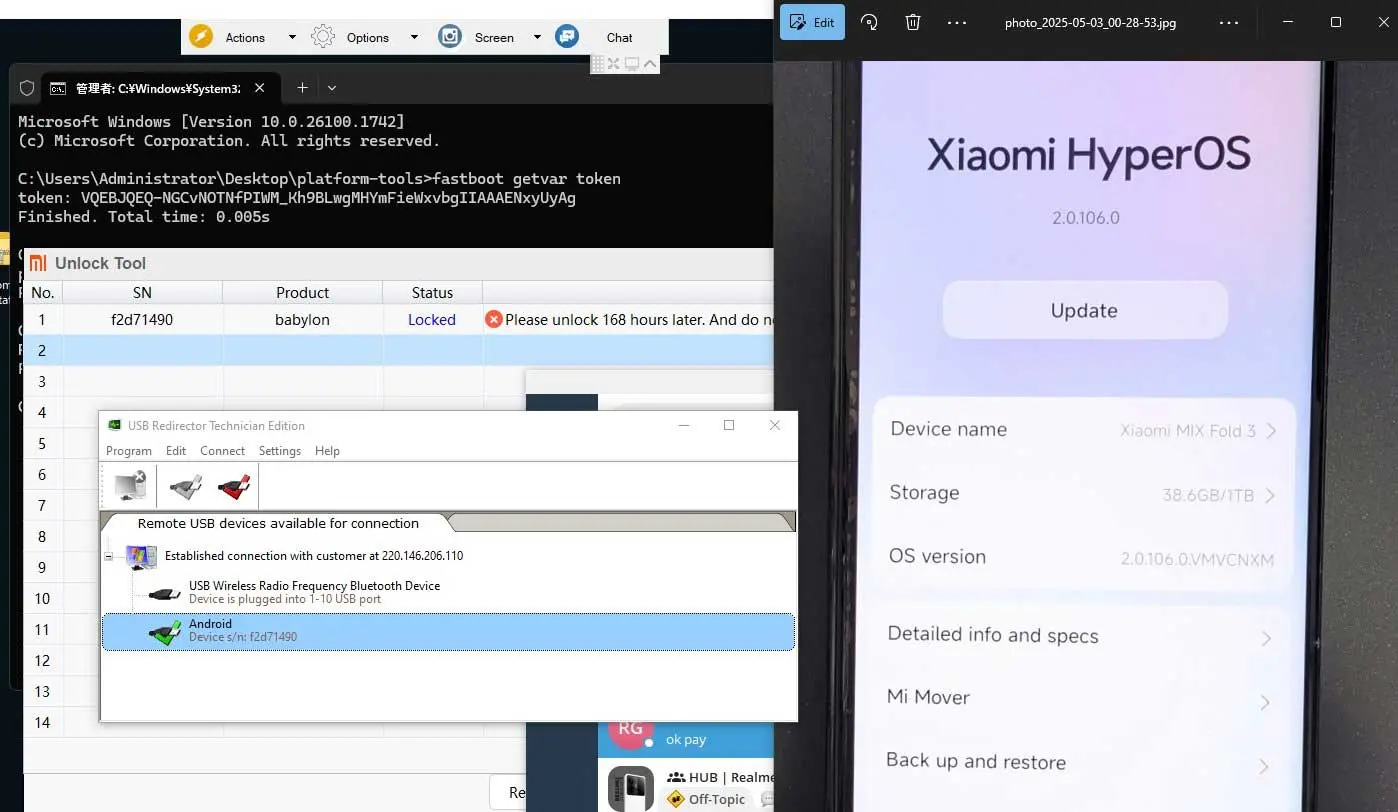
Knowing how to check Xiaomi bootloader status saves you from expensive mistakes. Before you flash a ROM, relock a phone, buy a used Xiaomi, Redmi or POCO, or book an unlock service, you should know for certain whether the bootloader is locked or unlocked. This guide shows five ways to check, from a quick look at the boot screen to exact commands in Fastboot and ADB, and explains what each result means.
If you already know the bootloader is locked and want to change that, read the Xiaomi HyperOS bootloader unlock guide first.
Why the bootloader status matters
- Before flashing: a locked bootloader refuses most Fastboot flashing. Trying anyway wastes time, and some tools will happily start and then fail halfway.
- Before relocking: relocking on a ROM that is not the official one for that device and region is the most common cause of a hard brick on Xiaomi phones.
- When buying a used or imported phone: resellers often flash modified “Global” ROMs onto China units. Those phones almost always arrive with an unlocked bootloader, which can break banking apps and OTA updates.
- Before ordering a service: some jobs require a locked bootloader, others an unlocked one. Telling support the correct status speeds everything up.
Method 1: Look at the boot screen
Restart the phone and watch the first logo. On most Xiaomi, Redmi and POCO models, an unlocked bootloader shows an “Unlocked” label or open padlock icon under the logo for a few seconds. A locked phone shows the logo only.
This is the fastest check, but treat it as a hint rather than proof. A modified boot image can hide the label, so confirm with one of the methods below if the answer is important.
Method 2: Developer options on the phone
- Open Settings → About phone and tap the OS version seven times to enable Developer options.
- Go to Settings → Additional settings → Developer options.
- Look at the OEM unlocking switch. If it is greyed out with the text “Bootloader is already unlocked”, the bootloader is unlocked.
- Open Mi Unlock status. On many builds this page states that the device is already unlocked, or shows the account binding options if it is still locked.
Developer options read the state reported by the bootloader, so this method is reliable as long as the phone boots normally.
Method 3: Fastboot commands (most reliable)
Fastboot asks the bootloader directly, so it works even when Android does not boot. You need Google’s official SDK Platform-Tools on a Windows, macOS or Linux computer and a good USB cable.
- Power the phone off, then hold Volume Down + Power until the Fastboot screen appears.
- Connect it to the computer and open a terminal in the platform-tools folder.
- Run
fastboot devices. You should see a serial number. If not, install the USB driver and try another port. - Run
fastboot getvar unlocked.
| Output | Meaning |
|---|---|
unlocked: yes |
Bootloader is unlocked |
unlocked: no |
Bootloader is locked |
On many Qualcomm-based models, fastboot oem device-info also works and prints a line such as Device unlocked: true. Not every Xiaomi build supports this command, so use getvar unlocked first.
Finish with fastboot reboot to return to Android.
Method 4: ADB properties on a running phone
If the phone boots and USB debugging is enabled, you can read the verified boot state without rebooting:
adb shell getprop ro.boot.verifiedbootstate→ green means locked with a fully verified system; orange means the bootloader is unlocked; yellow means locked but booted with a custom verification key.adb shell getprop ro.boot.flash.locked→ 1 is locked, 0 is unlocked.adb shell getprop ro.boot.vbmeta.device_state→ locked or unlocked.
These values come from Android Verified Boot and are standard across modern Android phones, not only Xiaomi. On rooted phones some modules spoof them, so if root is present, trust Fastboot instead.
Method 5: Ask what the phone does in the Mi Unlock tool
Xiaomi’s official Mi Unlock tool, signed in with the bound account, reports the device as already unlocked when you connect it in Fastboot. This is useful if you are already preparing an unlock, but it needs a bound Mi Account, so the methods above are quicker for a simple check.
Locked or unlocked: what to do next
| Status | Your goal | Next step |
|---|---|---|
| Locked | Root, custom ROM, flashing partitions | Unlock first: official process or remote unlock service |
| Locked | Google Play / English on a China phone | A Global ROM conversion may not need unlocking |
| Unlocked | Banking apps, Google Wallet | Relock only on official original-region firmware; read what unlocking changes |
| Unlocked | Phone bought as “Global” but shows CN details | Check the real software region with our China vs Global ROM guide before updating |
| Unknown (phone won’t boot) | Repair | Identify the mode with the soft vs hard brick guide |
A warning about relocking
Seeing “unlocked” often tempts people to relock straight away, especially after buying a reflashed phone. Do not run fastboot flashing lock or tick “clean all and lock” until you are sure the phone runs the official ROM for its original region. Relocking a China device that runs a Global or modified ROM can leave it unable to boot, and recovery then usually needs authorized EDL flashing.
Common problems while checking
fastboot devicesshows nothing: install the Xiaomi or Google USB driver, use a USB 2.0 port or the original cable, and avoid USB hubs.- The phone leaves Fastboot after a few seconds: it may be stuck in a loop. Hold Volume Down + Power again and keep the cable connected.
- “Waiting for any device” forever: Windows has not loaded the Android Bootloader Interface driver. Check Device Manager.
- Developer options say unlocked, the boot screen does not: trust Fastboot. The boot label can be hidden by a modified boot image.
FAQ
Does checking the bootloader status erase data?
No. All five methods only read the status. Unlocking or relocking is what erases data.
Can I check without a computer?
Yes, with Methods 1 and 2: the boot screen and Developer options. A computer is only needed for Fastboot or ADB.
Does an unlocked bootloader mean the phone is rooted?
No. Root is a separate step. An unlocked phone can run completely stock software.
My phone says unlocked, but I never unlocked it. Is that a problem?
It usually means the seller reflashed it. Check which ROM it runs before you update or relock, and ask support if you are unsure.
Is the process the same for POCO and Redmi?
Yes. POCO and Redmi phones use the same bootloader and Mi Unlock system as Xiaomi-branded models.
Not sure what your result means for the job you want done? Send a screenshot of About phone and your Fastboot output through the NCUnlock contact page and support will tell you the safe next step.
Comments
0 comments