
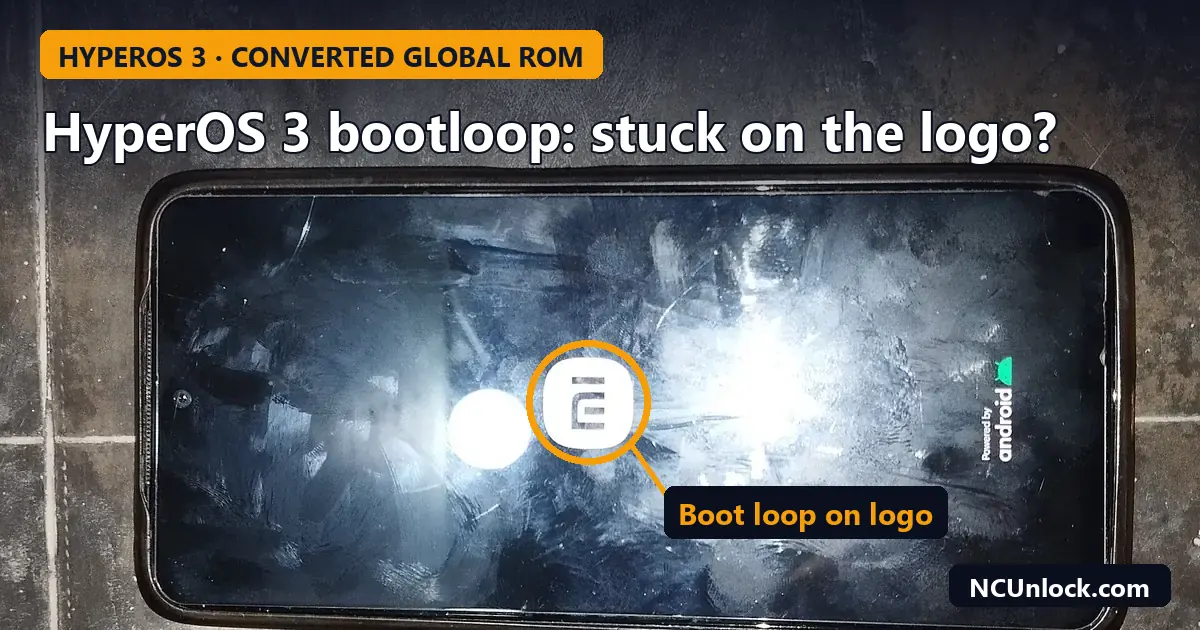
A HyperOS 3 bootloop on a phone that was bought from an importer is one of the most common problems Xiaomi, Redmi and POCO owners have posted about this year. The pattern is almost always the same: the phone is a China-market unit, the seller installed Global software on it before shipping, and the update to HyperOS 3 (Android 16) leaves it stuck on the logo or dropped into recovery mode. This guide explains what is going on, how to tell whether your phone is one of these converted units, and which recovery paths are realistic before you try anything risky.
What happened with HyperOS 3 and converted Global ROMs
In late January 2026, several outlets reported a wave of bootloops on imported Xiaomi phones after the HyperOS 3 update. Gizchina (25 January 2026) named the Redmi Note 13 Pro and POCO M6 Pro among the affected models, and Tecnoblog (27 January 2026) described the same issue for gray-market units in Brazil.
According to these reports, HyperOS 3 adds a stricter check at boot that compares the region the hardware was built for with the region of the installed software. When a China-market phone is running Global software, that check fails. The reported symptoms are:
- an endless bootloop on the Xiaomi, Redmi or POCO logo;
- the phone booting straight into recovery mode instead of the system;
- on some units, problems with the modem or mobile network before the phone gives up and restarts.
The reports also say Xiaomi treats these phones as unofficially modified and does not plan a fix for them. In practice that means a service center may refuse the repair or only offer to flash the original China software. If you are not sure which software your phone was meant for, start with our guide on how to check China ROM vs Global ROM.
Is your phone a converted unit?
A phone that shipped from China with Global software is not always a problem. Some sellers flash the official Global ROM after unlocking the bootloader; others install modified “fake Global” builds and lock the bootloader again. The second group is the one most at risk. Signs that your phone may be a converted unit:
- You bought it from an importer, marketplace seller or reseller, not from an official Xiaomi channel in your country.
- The model name or box is a China variant (for example a Redmi K or Redmi Note “Pro” sold mainly in China), but the phone arrived in English with Google apps already installed.
- The bootloader is locked even though the phone is clearly not running the China ROM it was built for. You can confirm this with the methods in how to check Xiaomi bootloader status.
- Earlier updates sometimes failed with messages like the one in our article on “This HyperOS version can’t be installed on this device”.
If the phone is still working, the safest move is simple: do not install the HyperOS 3 or later update until you know exactly what software is on it.
Recovery options, from least to most risky
Every phone and every seller’s build is different, so treat the steps below as a decision guide rather than a guaranteed fix. Flashing anything will erase your data.
1. Let the phone try to roll back
Both Gizchina and Tecnoblog relay user reports that force-restarting the phone repeatedly (holding the power button, around 10 to 15 times in a row) can trigger Android’s automatic rollback to the previous HyperOS 2.2 build. This is reported by users, not confirmed by Xiaomi, and it does not work on every unit. It costs nothing to try, and it does not erase data. If the phone comes back, turn off automatic system updates straight away so it does not download HyperOS 3 again.
2. Do not rely on a factory reset
Wiping data from recovery mode will not solve a region mismatch. The check happens before the system finishes booting, so a clean data partition usually ends in the same loop. Only use “Wipe data” if a technician asks you to, because it removes the last chance of keeping your photos and chats.
3. Flash an official China fastboot ROM (bootloader already unlocked)
If the bootloader is unlocked, returning the phone to the official China ROM for its exact codename is usually the cleanest fix: the hardware and software regions then match again. Before flashing, check the anti-rollback level of both the installed build and the ROM you plan to use, as explained in Xiaomi anti-rollback (ARB) explained. Flashing a build with a lower ARB index can hard-brick the phone. You will also need working ADB and Fastboot drivers; see ADB and Fastboot setup on Windows 11. Use “clean all” rather than “clean all and lock” so you do not relock the bootloader on a build you have not tested.
4. Locked bootloader and no working system: EDL recovery
This is the hardest case, and unfortunately a common one with converted units. With a locked bootloader you cannot flash a fastboot ROM, and on most recent Xiaomi phones the low-level EDL (9008) flashing mode requires an authorized account. Our guide on soft brick vs hard brick, EDL, Fastboot and BROM explains how to tell which mode your phone is in. If it only reaches recovery or loops on the logo, it is still a soft brick, and it can usually be brought back to the original China software with the right tools. Avoid random “unbrick tools” from file-sharing sites, which can flash the wrong firmware or contain malware.
After recovery: staying safe on future updates
- Stay on matching software. A China phone running the official China ROM receives updates normally. You can still add Google Play and English on the China ROM on most models.
- Read before every major update. HyperOS 4 is rolling out now (see our HyperOS 4 rollout overview). There are no confirmed reports yet of the same check on HyperOS 4, but a converted phone that survived HyperOS 3 is not automatically safe.
- Keep the bootloader decision deliberate. An unlocked bootloader gives you a way back if an update fails, but it also affects banking apps and OTA updates. Our article Is unlocking the bootloader safe? covers the trade-offs, and the HyperOS bootloader unlock guide covers the official process.
- Buying another phone? Ask the seller whether the software is the official China ROM, the official Global ROM installed on an unlocked phone, or a modified build. Our comparison of bootloader unlock vs root vs Global ROM explains what each option really means.
How NCUnlock can help
We work remotely over USB and UltraViewer, so you do not need to ship the phone. If your Xiaomi, Redmi or POCO is stuck after HyperOS 3, we can check the exact model, bootloader state and ARB level first, then restore it with the matching firmware through our Xiaomi unbrick service. If you want Global features afterwards, the safe route depends on the model; see the options in Global ROM for Xiaomi. We will tell you before starting if a model cannot be recovered with the tools available.
FAQ
Will a factory reset fix a HyperOS 3 bootloop?
Usually not. The reported cause is a hardware-software region mismatch, which a data wipe does not change. A reset only removes your data.
Can I flash the official Global ROM to stop the loop?
Only with an unlocked bootloader, and the result depends on the model. On a China-market phone, returning to the official China ROM is the more predictable fix. Always check anti-rollback before flashing any ROM.
Will Xiaomi repair it under warranty?
According to the January 2026 reports, Xiaomi considers these phones unofficially modified and has not released a fix. A service center may offer to reflash the China ROM, but warranty coverage for gray-market units is not guaranteed.
My phone came back after many restarts. What now?
Turn off automatic updates in the system update settings, back up your data, and decide calmly whether to move to the official ROM for your hardware before the next major update.
Does this affect phones bought in China with the original China ROM?
No. The reports concern phones whose software region does not match the hardware. A China phone running its original China ROM is not affected by this check.
Not sure which situation your phone is in? Send us the model and a photo of the screen through our contact page and we will tell you the safest next step before any work starts.
Featured photo: XiaomiRedmiNote11bootscreen.jpg by Manhdeptraipro2114, CC BY-SA 4.0, via Wikimedia Commons (cropped).
Comments
0 comments