
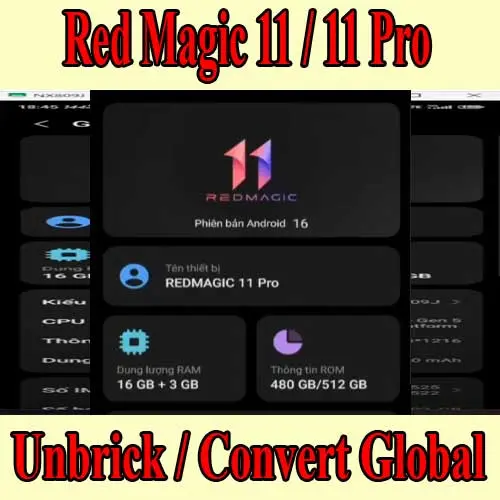
Red Magic 11 Pro China to Global ROM conversion is a common request from users who import the China version and then discover that Google services, language support, notifications, OTA updates, or regional app behavior are not the same as the official Global model.
This guide explains the practical differences, when conversion is useful, and when you should choose unbrick repair before ROM conversion.
Why China ROM can be difficult outside China
The Red Magic 11 Pro China firmware is built for the China market. Even when Google Play can be installed manually, the phone may still behave differently from a Global ROM phone. International users usually notice problems in daily use, not just during setup.
Common complaints include:
- Google Play Store or Google services not working cleanly.
- Push notifications delayed or killed in the background.
- Chinese apps and services preinstalled.
- Limited language support compared with Global ROM.
- RCS, payment apps, or region-sensitive apps behaving inconsistently.
- OTA update uncertainty after seller flashing.
Can I just install Google Play?
Sometimes Google Play installation is enough for a light user. It is not enough when the underlying firmware still blocks background services, lacks the languages you need, or cannot receive updates normally.
If you rely on the phone for gaming accounts, banking apps, messaging, work profiles, or travel, a clean firmware path matters more than a quick APK install.
Check this before converting Red Magic 11 Pro
Before ordering conversion, collect these details:
- Exact model and variant.
- Current ROM build number.
- Whether the phone is China ROM, seller Global ROM, or official Global ROM.
- Whether bootloader or root was modified before.
- Whether the phone boots normally.
- Whether OTA update currently appears in Settings.
This avoids choosing the wrong service. A normal booting phone can usually be evaluated for conversion. A phone stuck in bootloop, Fastboot, or black screen needs repair first.
When unbrick comes before Global ROM conversion
If the Red Magic 11 Pro is stuck on logo, bootlooping, dead after flashing, or only detected in EDL/9008 mode, do not start with a Global ROM request. The first goal is to restore a bootable firmware state. After that, support can decide whether conversion is safe.
For RedMagic 11S Pro Plus hard brick cases, use the matching repair page: Unbrick RedMagic 11S Pro Plus.
Red Magic 11 Air note
If your device is the Red Magic 11 Air instead of the 11 Pro, use the dedicated product page: Convert Red Magic 11 Air to Global ROM.
What to prepare for remote service
Prepare a Windows PC, stable internet, USB cable, battery above 50 percent, and a full backup. Firmware conversion and unbrick operations can erase data. Install only the remote support tool requested by the technician and keep the phone connected during the session.
FAQ
Will Global ROM conversion fix 5G band support?
No firmware conversion can add missing hardware bands. It can improve software region behavior, Google services, languages, and update path, but hardware band support depends on the device variant.
Is seller Global ROM the same as official Global ROM?
Not always. Some seller ROMs are modified or manually flashed and may not have a clean OTA path. Always check the build number and OTA status.
Can NCUnlock check my phone before I order?
Yes. Send the model, build number, current symptoms, and screenshots from About phone. Support can confirm whether you need conversion or unbrick repair.
Bottom line
If your Red Magic 11 Pro China ROM is not comfortable for global daily use, Global ROM conversion is usually cleaner than patching one app at a time. If the phone is not booting, repair it first, then convert after the firmware state is stable.
Comments
0 comments