

Convert global rom Redmi Pad SE without unlock bootloader services
Original price was: $20.$15Current price is: $15.
Convert global rom Redmi Pad SE without unlock bootloader services. HyperOS ROM, Ota update support, No need wait
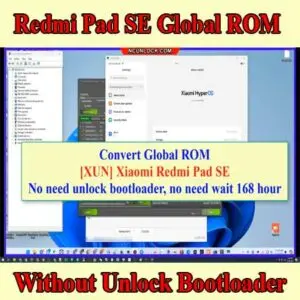
Service process
How this remote service works
Product details
Technical Guide
Description
- Without unlock bootloader
- No need wait
- Ota update support
- HyperOS ROM
Follow My step:
- Oder services
- Download and install ultraviewer to pc: Here
- Send oder number + Ultraviewer (ID + PASSWORD) to me
How the remote Global ROM conversion works
This service moves a China-market phone to official Global software with Google Play, more languages and international updates. Support confirms that your model and current build are supported, and whether the conversion needs a bootloader unlock, before you pay.
Steps
- Send your model details and describe the problem.
- Support confirms compatibility, scope and price.
- Install UltraViewer or AnyDesk on a Windows PC and connect the phone with a good USB cable.
- A technician completes the job remotely while you watch. You never ship the phone.
What to send
- A screenshot of Settings → About phone, or the model number from the box if the phone does not boot.
- What happened before the problem (update, flashing, root, relock) and the result you want.
Read first: China ROM vs Global ROM: how to check your phone. Questions? Contact NCUnlock on Telegram or WhatsApp.
Product details
Customer Reviews
Please log in to post a review.
Related products
-
Unbrick Xiaomi Redmi Note 10 Pro Services
How to Unbrick Xiaomi Redmi Note 10 Pro bricked (Stuck Fastboot, Boot…
-
Xiaomi 14 Ultra Global ROM service - no bootloader unlock
Remote Xiaomi 14 Ultra China to Global ROM conversion service with Google…
-

Unlock Bootloader Xiaomi Pad 7 Pro - Remote Service
Unlock Bootloader Xiaomi Pad 7 Pro helps fix software issues on Xiaomi…
-
Unbrick Xiaomi Pad 6, 6 Pro Services
How to Unbrick Xiaomi Pad 6, 6 Pro, 6 Max 14 bricked (Stuck…
Reviews
There are no reviews yet.