

Unlock Bootloader Xiaomi Pad 7 Pro – Remote Service
$30
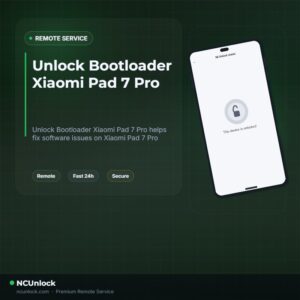
Unlock Bootloader Xiaomi Pad 7 Pro helps fix software issues on Xiaomi Pad 7 Pro through a remote NCUnlock session. Order this service for $30 or contact us first to confirm compatibility before checkout.
Service process
How this remote service works
Product details
Technical Guide
Description
Unlock Bootloader Xiaomi Pad 7 Pro is the first step every advanced user needs before installing a custom ROM, gaining root access, or flashing a custom recovery on this device. The Xiaomi Pad 7 Pro (model muyu) ships with a locked bootloader by default, and Xiaomi’s standard unlock process requires a linked Mi account, mobile data with a SIM card, and a mandatory waiting period — a frustrating barrier for users who want to move fast. Many owners of the China firmware variant also face the additional challenge of having no Google Services out of the box, making bootloader unlocking even more urgent.
Unlock Bootloader Xiaomi Pad 7 Pro — Remote Service
Our remote service lets you Unlock Bootloader Xiaomi Pad 7 Pro without sending your device anywhere. A certified technician connects to your Windows PC via UltraViewer and handles the entire unlock process while you watch, step by step. No waiting weeks, no guessing — just a clean, confirmed unlock at a flat price of $30.
What Is Included
- Full Bootloader Unlock — Your Xiaomi Pad 7 Pro bootloader is unlocked, confirmed, and ready for custom ROM flashing or root.
- Remote Session via UltraViewer — The technician connects directly to your PC; no device shipping required at any point.
- Step-by-Step Guidance — You are walked through every action during the live session so nothing is done blindly.
- Driver & ADB Setup Assistance — If your PC is missing Xiaomi USB drivers or ADB/Fastboot tools, the technician helps configure them before starting.
- Refund Policy on Failure — If the unlock cannot be completed on our end, a refund is issued. No completion = no charge kept.
Why Choose This Service?
- Remote Service — No Device Shipping — Everything is done over a secure remote desktop session. Your tablet stays in your hands the whole time.
- Instant Service — Sessions are available immediately after order confirmation, not days later. Most unlocks are completed within a single session.
- 24/7 Customer Support — Support is available around the clock via Telegram and WhatsApp, both before and during your session.
- Best Price Guaranteed — A flat fee of $30 with no hidden charges, no upsells, and no surprise costs after completion.
- 100% Safe and Secure — The technician operates only on the tools needed for the unlock. Your personal files and accounts are not accessed.
- 10 Years Trusted — The team behind this service has been unlocking Xiaomi devices professionally for over a decade, with thousands of successful sessions completed.
Supported Devices and Requirements
This service covers the Xiaomi Pad 7 Pro (muyu), including both the China firmware and Global firmware variants running HyperOS 2 / Android 15. Before booking, make sure you have the following ready:
- A Windows PC (Windows 10 or 11 recommended)
- A stable internet connection on the PC throughout the session
- The original USB cable that came with your Xiaomi Pad 7 Pro
- Device battery charged to at least 50% before the session starts
- Your Mi account credentials (email and password) — required for the unlock authorization step
- UltraViewer installed on your PC so the technician can connect remotely
Important: Back up all personal data before the session. Unlocking the bootloader performs a factory reset on the device and will erase all local data.
How the Remote Service Works
- Place your order — Complete payment for the $30 service or reach out via the contact page to confirm availability first.
- Prepare your device and PC — Install UltraViewer, charge your Xiaomi Pad 7 Pro to at least 50%, and have your USB cable ready.
- Connect with the technician — Share your UltraViewer ID and password with the support agent. The technician takes over and begins the unlock process.
- Unlock completed — The technician confirms the bootloader is unlocked. Your device is now ready for custom ROM installation, Magisk root, or TWRP recovery.
Important Notes Before Ordering
- Do not let the PC go to sleep during the session. Keep the screen active and UltraViewer running at all times.
- Do not disconnect the USB cable between the tablet and PC once the session begins.
- Unlocking the bootloader will void your manufacturer warranty per Xiaomi’s standard policy. Review your warranty terms before proceeding.
- After a successful unlock, the bootloader will not re-lock on its own unless the user manually triggers re-lock operations.
Frequently Asked Questions
What exactly does Unlock Bootloader Xiaomi Pad 7 Pro allow me to do?
Once you Unlock Bootloader Xiaomi Pad 7 Pro, you can install custom ROMs like Xiaomi.EU, gain root access via Magisk, flash TWRP recovery, and remove region restrictions. It opens full system-level control of your device.
Will unlocking the bootloader delete all my data?
Yes. The bootloader unlock process triggers a full factory reset on the Xiaomi Pad 7 Pro. This is a standard part of the process and cannot be skipped. Always back up photos, contacts, and app data before starting the session.
How long does the remote unlock session take?
Most sessions are completed within 15 to 30 minutes once the remote connection is established and all requirements are in place. The exact time may vary slightly depending on driver setup and server response.
Is the $30 price the total cost — are there any extra fees?
Yes, $30 is the complete flat-rate price for the Unlock Bootloader Xiaomi Pad 7 Pro service. There are no additional fees after payment. If the unlock is unsuccessful, a refund is issued per the stated refund policy.
Product details
Customer Reviews
Please log in to post a review.
Related products
-
Unbrick Xiaomi 14, 14 Pro Services (global version)
How to Unbrick Xiaomi 14, 14 Pro Soft, Hard bricked (Stuck Fastboot,…
-
Unbrick Xiaomi 13, 13 Pro, 13 Ultra Services
How to Unbrick Xiaomi 13, 13 Pro, 13 Ultra bricked (Stuck Fastboot,…
-
Unbrick Redmi Note 11T Pro/Pro+/POCO X4 GT/Redmi K50i Services
Use Auth Flash Tool Fix: BootLoop (Lost Fastboot – Lost Recovery) Stuck…
-
Unbrick Xiaomi Redmi Note 10 Pro Services
How to Unbrick Xiaomi Redmi Note 10 Pro bricked (Stuck Fastboot, Boot…
Reviews
There are no reviews yet.