
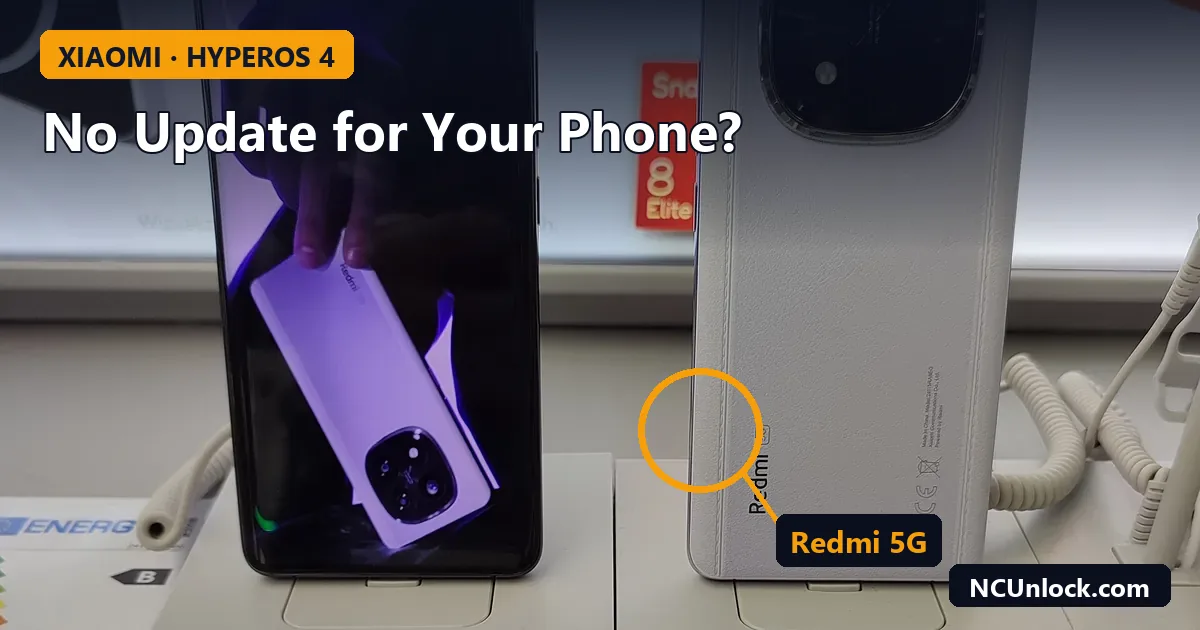
No HyperOS 4 is the reality for several popular Xiaomi, Redmi and POCO phones. While HyperOS 4 (based on Android 17) is rolling out to dozens of devices, multiple reports confirm that models like the Redmi Note 13 Pro series, POCO X6 5G and Redmi K60 Pro will not receive it. If your phone is on the list, here is what that means and what you can actually do about it.
Which phones are skipping HyperOS 4?
According to reports from XimiTime (November 3, 2026) and confirmed by outlets including Notebookcheck and Gizchina, the following devices will not get HyperOS 4:
| Device | Current OS | Security patches until |
|---|---|---|
| Redmi K60 Pro | HyperOS 3 (Android 16) | ~early 2028 |
| Redmi K70 Pro | HyperOS 3 (Android 16) | ~early 2028 |
| Redmi Note 13 Pro+ 5G | HyperOS 3 (Android 16) | ~early 2028 |
| Redmi Note 13 Pro 5G | HyperOS 3 (Android 16) | ~early 2028 |
| Redmi Note 13 Pro 4G | HyperOS 3 (Android 16) | ~early 2028 |
| POCO X6 5G | HyperOS 3 (Android 16) | ~January 2028 |
| POCO M6 Pro 4G | HyperOS 3 (Android 16) | ~early 2028 |
Gizchina’s August 2026 analysis also flagged the Redmi Note 14S, Redmi A5 4G and POCO C71 as likely to be excluded, though these have not appeared in later reports.
Important caveat: Xiaomi has not published an official statement confirming these exclusions. The reports are based on the absence of internal HyperOS 4 test builds for these devices and on Xiaomi’s end-of-life data. Until Xiaomi confirms, treat this as highly likely but not final.
Why these phones are left behind
HyperOS 4 is built on Android 17. All the excluded devices are currently on Android 16 as their most recent major version. No Android 16-based HyperOS 4 builds have been found in Xiaomi’s internal testing, which strongly suggests that Xiaomi is not creating a bridge from Android 16 to HyperOS 4.
This is a practical engineering decision. Supporting multiple Android base versions in one HyperOS release adds complexity. By requiring Android 17 as the foundation, Xiaomi simplifies maintenance but leaves behind devices that topped out at Android 16.
For context, check our HyperOS 4 global rollout status to see which devices are getting the update and when.
What you still get: security patches
Missing HyperOS 4 does not mean your phone is abandoned. Xiaomi has committed to delivering security patches for these models through early 2028 (the POCO X6 5G until at least January 2028). That means:
- Monthly or quarterly security updates continue on HyperOS 3
- Critical vulnerabilities get patched
- Your phone stays usable for banking apps, Google Play Protect and daily tasks
What you lose is the new HyperOS 4 features, the refreshed design, AI tools and any performance improvements Xiaomi builds into the next generation.
Option 1: Stay on HyperOS 3 and wait it out
This is the simplest and safest path. HyperOS 3 on Android 16 is a mature system. You keep full warranty coverage, official OTA updates and no risk of bricking. If your phone works well and you are not chasing new features, this is the right choice.
Security patches will keep coming until 2028. After that, the phone still works — it just stops receiving updates. Many users continue running phones for a year or more after the last patch with no issues.
Option 2: Unlock the bootloader and flash a custom ROM
If you want Android 17 features on a phone Xiaomi has left behind, a custom ROM is the main option. Community-maintained ROMs like LineageOS, PixelExperience or Paranoid Android often support popular devices long after the manufacturer stops.
The catch: you need an unlocked bootloader first. Xiaomi’s unlock process under HyperOS requires:
- A Xiaomi account bound to the device
- A waiting period (typically 7 days, sometimes longer)
- The Mi Unlock tool on a Windows PC
Before unlocking, understand the trade-offs. Unlocking wipes your data and may affect banking apps and Play Integrity checks. Read our guide on whether unlocking the bootloader is safe to decide if it is worth it for your situation.
If you have a China model (Redmi K60 Pro or K70 Pro, for example), bootloader unlock also opens the door to flashing a Global ROM or a custom ROM with full Google services. NCUnlock offers remote bootloader unlock services for Xiaomi, Redmi and POCO phones, including the Redmi K70 Pro.
Option 3: Convert to Global ROM (China models)
If you bought a China version of the Redmi Note 13 Pro+ or similar model, you may be running China ROM with limited language support and no Google services. Converting to Global ROM gives you the international software experience, even if HyperOS 4 is off the table.
Global ROM conversion on Xiaomi devices typically requires an unlocked bootloader and flashing the correct firmware via fastboot. For the Redmi Note 13 Pro+, NCUnlock offers a remote Global ROM conversion service.
Keep in mind: even Global ROM will stay on HyperOS 3 for these excluded models. The benefit is a better out-of-the-box experience with Google apps, more languages and international OTA updates — not a path to HyperOS 4.
Option 4: Sell and upgrade
If long-term software support matters to you, consider upgrading to a phone that is confirmed for HyperOS 4. Models like the POCO F8 Pro, POCO F8 Ultra, Xiaomi 17T and Redmi K90 series are already receiving or scheduled for the update. Check the full HyperOS 4 rollout schedule before buying.
Your current phone still has resale value, especially in markets where people care more about hardware specs than the latest OS version. Selling before official end-of-life keeps the price reasonable.
What not to do
A few things to avoid:
- Do not flash random firmware from unofficial sources. Downloading “HyperOS 4” files from unknown websites risks malware or a bricked phone. If Xiaomi is not releasing HyperOS 4 for your model, no legitimate firmware exists.
- Do not ignore anti-rollback. Xiaomi phones have anti-rollback protection (ARB). Flashing an older firmware version after updating can permanently brick your device. Always check the ARB index before flashing anything.
- Do not relock the bootloader after flashing a non-matching ROM. Relocking with the wrong firmware installed can trigger a hard brick that only EDL mode (and an authorized Xiaomi account) can fix.
FAQ
Is Xiaomi’s decision final?
As of November 2026, Xiaomi has not made an official statement. The exclusion is based on the absence of internal test builds and end-of-life data tracked by outlets like XimiTime and Notebookcheck. It is possible (but unlikely at this stage) that Xiaomi could add these devices later.
Will my phone stop working without HyperOS 4?
No. Your phone continues to work exactly as it does now. Apps will keep running, security patches will arrive until 2028, and nothing changes about your daily experience. You just will not get the new HyperOS 4 features.
Can a custom ROM give me HyperOS 4 features?
Not HyperOS 4 specifically — that is Xiaomi’s proprietary software. But custom ROMs based on Android 17 (AOSP) will bring many of the underlying Android 17 improvements. The HyperOS-specific AI features, design elements and Xiaomi ecosystem integration will not be available on custom ROMs.
Should I unlock the bootloader now while I still can?
If you think you might want custom ROMs or Global ROM in the future, unlocking now is a reasonable precaution. Xiaomi has tightened unlock policies over time, and there is no guarantee the process will remain available indefinitely. See our comparison of bootloader unlock, root and Global ROM to decide which option fits your needs.
If your Xiaomi, Redmi or POCO phone is on the excluded list and you need help with bootloader unlock, Global ROM conversion or any other service, contact NCUnlock for remote assistance via USB and UltraViewer.
Featured photo: Redmi Note 14 ProPlus.jpg by Maksdroider, CC BY-SA 4.0, via Wikimedia Commons (cropped).
Comments
0 comments