

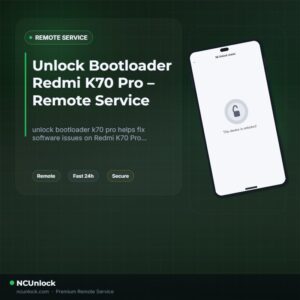
Unlock Bootloader Redmi K70 Pro – Remote Service
$30
unlock bootloader k70 pro helps fix software issues on Redmi K70 Pro through a remote NCUnlock session. Order this service for $30 or contact us first to confirm compatibility before checkout.
Service process
How this remote service works
Product details
Technical Guide
Description
If you want to unlock bootloader K70 Pro and install a custom ROM or root your device, you have likely already discovered how difficult Xiaomi has made this process — especially on the China version of the Redmi K70 Pro (codename: manet). Unlike older Xiaomi models, the Redmi K70 Pro runs HyperOS, which introduces significantly tighter bootloader restrictions that block the standard Mi Unlock Tool route most users know. Community forum threads confirm that reaching Xiaomi Community Level 5 is extremely difficult, requiring a Chinese bank card, a native-language technical test, and months of waiting — all of which are simply not realistic for most users outside mainland China.
Redmi K70 Pro Bootloader Unlock Service
NCUnlock offers a fully remote solution to unlock bootloader K70 Pro without you ever shipping your device anywhere. Our technician connects to your Windows PC via UltraViewer, runs the unlock session directly, and completes the process in a single sitting. This is the same reliable remote method used across hundreds of Xiaomi and Redmi models — delivered at a flat price of $30, with no hidden fees. If the unlock does not succeed, a full refund is issued.
What Is Included
- Full Bootloader Unlock — Your Redmi K70 Pro bootloader is unlocked, allowing you to flash custom ROMs, install TWRP recovery, and root with Magisk.
- Remote PC Session — No need to ship your device. Our technician accesses your PC via UltraViewer and handles the technical steps for you.
- Flat $30 Price — One fixed price, no surprise charges, no upsells. The price you see is the price you pay.
- Refund Guarantee — If the bootloader unlock is unsuccessful for any technical reason, a full refund is issued. No questions asked.
- Post-Unlock Guidance — After the session, we confirm the unlock status and point you toward next steps such as custom ROM flashing or rooting resources.
Why Choose NCUnlock?
- Remote Service — No Device Shipping — Everything is done over a secure remote desktop session. Your phone never leaves your hands.
- Instant Service — Sessions are typically completed the same day you order. No multi-day waiting periods.
- 24/7 Customer Support — Reach us any time via Telegram or WhatsApp. We stay active around the clock for pre-sale questions and live session assistance.
- Best Price Guaranteed — At $30, this is one of the most competitive prices available for a professionally assisted Redmi K70 Pro bootloader unlock.
- 10 Years Trusted — NCUnlock has been providing bootloader unlock and firmware services for Xiaomi and other Android brands for over a decade, with a strong track record across the community.
- 100% Safe and Secure — The remote session uses read-only access scoped to the unlock process. Your personal files and accounts are not accessed or stored.
Supported Device and Requirements
This service supports the Redmi K70 Pro (manet) — both China ROM and Global ROM hardware variants. Before booking, please confirm you meet the following requirements:
- A Windows PC or laptop (Windows 10 or Windows 11 recommended)
- A stable internet connection on the PC throughout the session
- An original or high-quality USB cable capable of data transfer (not charge-only)
- Battery level at 50% or above before starting the session
- UltraViewer installed on your PC (free download — our team will guide you if needed)
- Your order confirmation and device model ready when contacting support
- Back up all personal data before the session — the unlock process performs a full device wipe
How the Remote Service Works
- Place your order — Complete payment or contact us directly to confirm availability for your device.
- Prepare your setup — Install UltraViewer on your Windows PC, connect your Redmi K70 Pro via USB, and boot into Fastboot mode.
- Share your UltraViewer ID — Send the session ID and password to our technician via Telegram or WhatsApp.
- Technician runs the unlock — Our technician takes over remotely and executes the bootloader unlock. Do not disconnect the USB cable or let the PC sleep during this step.
- Unlock confirmed — Once complete, the technician confirms the unlocked status and disconnects. Your device is now ready for custom ROM flashing or rooting.
Important Notes Before Ordering
- The bootloader unlock process wipes all data on the device. Back up photos, contacts, and app data before the session.
- Do not relock the bootloader after the session. Relocking incorrectly can cause complications.
- This service does not include ROM flashing or rooting — those are separate steps you perform after the unlock is complete.
- Ensure the PC does not enter sleep mode during the session. Disable any screensaver or sleep timer beforehand.
- A refund is only issued if the unlock attempt is unsuccessful. Once the unlock is confirmed complete, the order is final.
Frequently Asked Questions
Can I really unlock bootloader K70 Pro without sending my phone anywhere?
Yes. This service is fully remote. To unlock bootloader K70 Pro, you only need a Windows PC, a USB cable, and a stable internet connection. The technician handles everything over a secure UltraViewer session — no shipping required at any point.
Will the unlock wipe my data? Can I reinstall my apps afterward?
Yes, the bootloader unlock process performs a full factory wipe. All apps, photos, and personal data on the device will be erased. Back up everything you want to keep before the session starts. After unlocking, you can restore your data and apps normally.
How long does the unlock session take?
Most sessions are completed within 30 to 60 minutes from the moment the technician connects remotely
Product details
Customer Reviews
Please log in to post a review.
Related products
-
Unbrick Xiaomi Redmi K40/K40 Pro/K40S/POCO F3/Mi 11X Services
How to Unbrick Xiaomi Redmi K40/POCO F3/Mi 11X bricked (Stuck Fastboot, Boot…
-
Unbrick Xiaomi Redmi K60E Services
How to Unbrick Xiaomi Redmi K60E bricked (Stuck Fastboot, Boot Loop, Black…
-
Unbrick Xiaomi Redmi K60 Services
How to Unbrick Xiaomi Redmi K60 Services bricked (Stuck Fastboot, Boot Loop,…
-
Mi Pad 5 / Pad 5 Pro unbrick service - EDL Fastboot repair
Remote Mi Pad 5 and Mi Pad 5 Pro unbrick service for…
Reviews
There are no reviews yet.