

Unlock SIM lock on Realme 11 Pro Plus (Free Convert Global ROM)
Original price was: $40.$38Current price is: $38.
Service process
How this remote service works
Product details
Technical Guide
Description
Unlock SIM lock on Realme 11 Pro Plus (Free Convert Global ROM)
How to unlock SIM lock on Realme 11 Pro Plus, Convert Global ROM from China ROM. A SIM region lock is a type of SIM lock that restricts the use of a mobile phone to a specific region or country. This means that a phone with a SIM region lock will only work with SIM cards from that particular region or country and will not work with SIM cards from other regions or countries.
For example, a phone with a SIM region lock for China will only work with SIM cards from China and will not work with SIM cards from Asia or America. SIM region locks are often put in place by mobile phone manufacturers or network providers to control the distribution of their phones and to ensure that they are used only in the regions for which they are intended.
Paid MeThod (Instant Unlock)
Necessary conditions:
No computer needed (if available) but we need a stable internet connection
Note this is a sim unlock service, we will also free to convert to global ROM when you use the service.
Global ROM Realme 11 Pro, 11 Pro Plus. Operating system optimization, Fix notification, Fix gps, multilanguage usable, Delete junk apps and remove Chinese interface completely, global interface, 5g usable.
Here are some of the results we’ve done:
How the remote region unlock works
This service checks the region lock status of a China-market phone and removes call, SIM or network restrictions where the model and status are supported. Support reads the lock status first and only then quotes the job.
Steps
- Send your model details and describe the problem.
- Support confirms compatibility, scope and price.
- Install UltraViewer or AnyDesk on a Windows PC and connect the phone with a good USB cable.
- A technician completes the job remotely while you watch. You never ship the phone.
What to send
- A screenshot of Settings → About phone, or the model number from the box if the phone does not boot.
- What happened before the problem (update, flashing, root, relock) and the result you want.
Read first: How to check region lock status and which service you need. Questions? Contact NCUnlock on Telegram or WhatsApp.
Product details
Customer Reviews
Please log in to post a review.
Related products
-
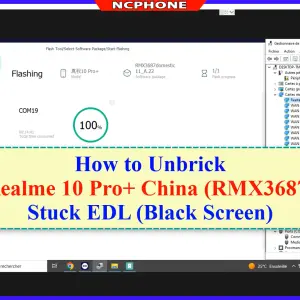
Unbrick Realme 10 Pro+ Services
Use Auth Flash Tool Fix: BootLoop (Lost Fastboot – Lost Recovery) Stuck…
-

Remove demo mode, Screen password, Unbrick Oppo phone
How to Unbrick, Downgrade, Remove PassWord Oppo Find X2 Neo Stock Firmware…
-

Unbrick Realme GT Master Services
Use Auth Flash Tool Fix: BootLoop (Lost Fastboot – Lost Recovery) Stuck…
-
Unbrick Realme GT Neo5 SE Services
How to Unbrick Realme GT Neo5 SE RMX3700 Firmware. Official Flash File…
Reviews
There are no reviews yet.