

Formal Bootloader Unlock RedMagic Pad 3 Pro
$20
RedMagic Pad 3 Pro Unlock Bootloader – Red Magic Astra NP05J( through a remote NCUnlock session. Order this service for $20 or contact us first to confirm compatibility before checkout.
Service process
How this remote service works
Product details
Technical Guide
Description
RedMagic Pad 3 Pro Unlock Bootloader is the only reliable path for users who want to install a custom ROM, gain root access, or take full control of their gaming tablet — yet RedMagic’s secure-boot architecture makes this far harder than on a standard Android device. Generic fastboot commands that work on other brands simply fail on the Pad 3 Pro. The device’s firmware verification chain rejects unauthorized unlock attempts, leaving users stuck with a locked bootloader and no clear way forward.
RedMagic Pad 3 Pro Unlock Bootloader Service
NCUnlock provides a fully remote Formal RedMagic Pad 3 Pro Bootloader Unlock solution that handles the complexity for you. Our technicians connect to your Windows PC via a secure remote session, navigate the engineering boot chain requirements specific to this device, and complete the unlock without you ever shipping the tablet anywhere. The service is priced at a flat $20 — no hidden fees, no surprise charges.
What Is Included
- Full Bootloader Unlock — Your RedMagic Pad 3 Pro bootloader is unlocked and confirmed in fastboot mode, ready for custom ROM flashing or rooting.
- Custom ROM & Root Preparation — After the unlock, your device is prepared so you can flash TWRP, Magisk, or any compatible custom ROM without additional barriers.
- Remote Session via UltraViewer — A certified technician joins your Windows PC remotely; no device shipping required at any stage.
- Step-by-Step Guidance — We walk you through every driver installation, ADB/Fastboot setup step, and confirmation screen so nothing is left unclear.
- Session Support Until Complete — The technician stays in the session until the unlock is verified — we do not close the connection and leave you guessing.
Why Choose NCUnlock?
- Remote Service — No Device Shipping — The entire Formal RedMagic Pad 3 Pro Bootloader Unlock process happens over a secure remote connection; your tablet never leaves your hands.
- Instant Service — Orders are handled as soon as a technician is available, typically within minutes during peak hours — no multi-day queues.
- 24/7 Customer Support — Reach the team any time via Telegram or WhatsApp; someone is always available to answer pre-order questions or assist mid-session.
- Best Price Guaranteed — At $20, this service is competitively priced. If you find a lower legitimate price for the same remote unlock service, contact us and we will match it.
- 100% Safe and Secure — The remote connection is view-and-control only for the technical steps needed; no personal files or accounts are accessed beyond what the unlock process requires.
- 10 Years Trusted — NCUnlock has been delivering bootloader unlock services across Android brands for over a decade, building a track record customers rely on.
Supported Devices and Requirements
This service is designed specifically for the RedMagic Pad 3 Pro. Before placing your order, please confirm you have the following ready:
- A Windows PC (Windows 10 or 11 recommended) with a stable internet connection
- An original or high-quality USB-C cable capable of data transfer (not charge-only)
- Your tablet charged to at least 50% battery before the session begins
- UltraViewer installed on your Windows PC so the technician can connect remotely
- ADB and Fastboot drivers installed, or willingness to install them with technician guidance
- Your order confirmation details and device model ready when contacting support
- Developer Options enabled on the tablet (Settings → About Tablet → tap Build Number seven times)
Important: Do not accept any OTA firmware update on your RedMagic Pad 3 Pro before the session. Newer firmware builds can change the boot chain and complicate the unlock process.
How the Remote Service Works
- Step 1 — Place Your Order: Purchase the service for $20 and include your device model and any relevant details at checkout or via the contact page.
- Step 2 — Prepare Your Setup: Install UltraViewer and the necessary USB drivers on your Windows PC. Charge your tablet to at least 50%.
- Step 3 — Connect with a Technician: A technician joins your PC remotely. They will put your device into the correct mode, apply the unlock steps specific to the Pad 3 Pro’s firmware, and handle any compatibility checks.
- Step 4 — Unlock Confirmed: Once the bootloader is unlocked, the technician confirms the status with you on-screen before closing the session.
Important Notes Before Ordering
- Unlocking the bootloader will wipe all data on your RedMagic Pad 3 Pro. Back up everything before the session.
- This is a software service. Results depend on current firmware version and device state. Our team will assess compatibility at the start of the session.
- We do not claim any affiliation with RedMagic or Nubia. This is an independent third-party technical service.
- The $20 price covers one unlock session for one device. No additional fees are charged during the session.
Frequently Asked Questions
Is the Formal RedMagic Pad 3 Pro Bootloader Unlock process safe for my device?
Yes. The Formal RedMagic Pad 3 Pro Bootloader Unlock is carried out by an experienced technician who follows a tested procedure specific to this device’s firmware architecture. Risks are minimized by following the correct boot chain steps, but note that a factory data wipe is a normal part of any bootloader unlock on Android.
Do I need to send my RedMagic Pad 3 Pro anywhere to get the bootloader unlocked?
No. The service is entirely remote. You keep your tablet with you throughout the process. All technical work is done through a secure remote connection to your Windows PC — no courier, no waiting, no device handover required at any point.
How long does the bootloader unlock session take?
Most sessions are completed within 30 to 60 minutes once the remote connection is established and your PC and device are correctly prepared. Preparation time depends on whether drivers and UltraViewer are already installed on your Windows PC before the session starts.
Product details
Customer Reviews
Please log in to post a review.
Related products
-
Unlock Bootloader Nubia Z80 Ultra — Remote Service
Unlock bootloader Z80 Ultra helps fix software issues on Nubia Z80 Ultra…
-
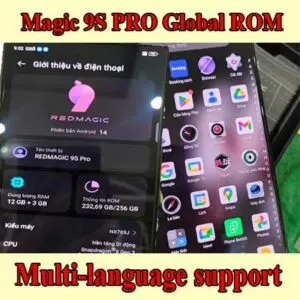
How to buy Convert Global ROM Nubia Red Magic 9S Pro NX769S Services?
Global ROM Nubia Red Magic 9S Pro NX769S, 9S Pro+ Global ROM.…
-

10$ Services
10$ Services
-
Convert Red Magic Gaming Tablet 3 Pro Global ROM - Remote
Convert your Red Magic Gaming Tablet 3 Pro Global ROM from China…
Reviews
There are no reviews yet.