

Unlock Bootloader Nubia Z80 Ultra — Remote Service
$20
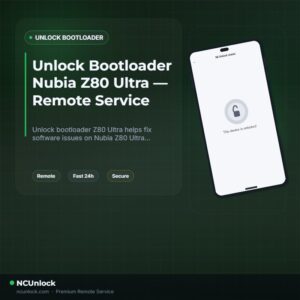
Unlock bootloader Z80 Ultra helps fix software issues on Nubia Z80 Ultra through a remote NCUnlock session. Order this service for $20 or contact us first to confirm compatibility before checkout.
Service process
How this remote service works
Product details
Technical Guide
Description
Unlock bootloader Z80 Ultra is the first step every Nubia Z80 Ultra (NX741J) owner must take before installing a custom ROM, gaining root access, or running deep system modifications. The problem is that ZTE does not provide an official unlock path for the Z80 Ultra — there is no OEM unlock toggle that simply works, and the standard fastboot route is blocked at the factory level. Community methods using tools like ZTEToolBox via EDL mode exist, but they are technically complex, carry a real risk of bricking the device, and require correct Qualcomm drivers, partition backups, and precise command sequences that many users cannot execute safely on their own.
Nubia Z80 Ultra Bootloader Unlock Service
Our remote service lets you unlock bootloader Z80 Ultra without shipping your phone anywhere and without running risky commands yourself. A trained technician connects to your Windows PC via UltraViewer and handles the entire unlock process live, in real time. This service covers the Nubia Z80 Ultra NX741J running MyOS (ZTE’s Android skin), and is designed for users who want to install custom ROMs, flash TWRP recovery, or root with Magisk — all at a flat price of $20 with no hidden fees.
What Is Included
- Full Bootloader Unlock — Your Nubia Z80 Ultra NX741J bootloader is unlocked and ready for custom ROM flashing, rooting, and advanced system modifications.
- Live Remote Session — A real technician connects to your Windows PC via UltraViewer and executes the unlock process step by step while you watch.
- Pre-Session Compatibility Check — We verify your exact firmware version, Fastboot/EDL connection, and device state before starting, so there are no surprises mid-process.
- Refund Protection — A refund is issued if the bootloader unlock cannot be completed on our end due to a technical reason beyond your control.
- Flat $20 Price — One fixed price covers the entire remote session. No upsells, no tiered pricing, no surprise charges after checkout.
Supported Devices and Requirements
This service is specifically built for the Nubia Z80 Ultra (model NX741J), powered by the Snapdragon 8 Elite. Before ordering, please confirm the following requirements are met:
- Windows PC — A Windows 10 or Windows 11 desktop or laptop is required. The remote session cannot be run from a Mac or mobile device.
- UltraViewer installed — Download and install UltraViewer on your PC before the session so the technician can connect immediately.
- Original or quality USB cable — Use the original USB-C cable that came with your phone. Cheap third-party cables frequently cause EDL connection failures.
- Battery level above 50% — Ensure your Nubia Z80 Ultra has at least 50% battery before starting the session to prevent a shutdown mid-process.
- Stable internet connection — Your PC must stay connected to the internet throughout the entire remote session without interruption.
- Data backup completed — Unlocking the bootloader triggers a full factory reset. Back up all photos, contacts, and app data before ordering.
How the Remote Service Works
- Order and confirm — Complete your $20 order or Contact us now to confirm compatibility before checkout.
- Prepare your setup — Install UltraViewer on your Windows PC, charge your phone above 50%, and have your original USB cable ready.
- Connect remotely — Share your UltraViewer ID and password with the technician. They connect to your PC and take it from there.
- Technician executes the unlock — The specialist runs the unlock bootloader Z80 Ultra process live. You can watch every step in real time on your own screen.
- Done — Your bootloader is unlocked. You are now free to flash custom ROMs, install custom recovery, or root with Magisk.
Important Notes Before Ordering
- Do not let your PC go to sleep or activate the screensaver during the session.
- Do not close UltraViewer or disconnect the USB cable while the technician is working.
- A data wipe (factory reset) will occur as part of the unlock process — this is normal and expected. Back up everything first.
- Once the unlock is confirmed successful, the order is complete. Refunds are not issued after successful completion.
- The unlocked state remains in place unless you manually re-lock the bootloader through incorrect fastboot commands at a later date.
- Do not push OTA firmware updates while the bootloader is in an unlocked state, as this may cause boot issues on the Z80 Ultra.
Why Choose NCUnlock?
- Remote Service — No Device Shipping — Everything is done over a secure remote desktop session. Your phone never leaves your hands, and there is no postal risk involved.
- Instant Service — No queues, no long waiting periods. The technician starts as soon as your order is confirmed and your PC is ready, available around the clock.
- 24/7 Customer Support — Reach the team before, during, and after your session via Telegram or WhatsApp. Real humans respond — not automated bots.
- Best Price Guaranteed — At $20 flat, this is a straightforward and competitive price for a live, guided remote unlock session on the Nubia Z80 Ultra.
- 100% Safe and Secure — Only trusted, proven methods are used. No shady third-party exploits, no data harvesting tools, no unnecessary system changes beyond the unlock itself.
- 10 Years Trusted — A decade of Android unlock experience across thousands of devices worldwide gives our technicians the hands-on knowledge to handle edge cases on the Z80 Ultra.
Frequently Asked Questions
Can I unlock bootloader Z80 Ultra without sending my phone in?
Yes. This is a fully remote service. To unlock bootloader Z80 Ultra, the technician connects to your Windows PC via UltraViewer. Your device stays in your hands throughout the entire session — no shipping required at any point.
Will unlocking the bootloader erase all my data?
Yes, unlocking the bootloader triggers an automatic factory reset on the Nubia Z80 Ultra. This is a standard Android security measure and cannot be bypassed. Please back up all photos, contacts, and app data
Product details
Customer Reviews
Please log in to post a review.
Related products
-
Unbrick Nubia Z80 Ultra – Remote Unbrick Service
Unbrick Nubia Z80 Ultra helps fix software issues on Nubia Z80 Ultra…
-
Convert Nubia Z80 Ultra to Global ROM — Remote Service
Nubia Z80 Ultra Covert Global helps fix software issues on Nubia Z80…
-
Unlock Bootloader Red Magic 10 Series — Remote Service
Unlock Bootloader Red Magic 10 Series (10 Pro/ Pro+ , 10S Pro/…
-
How to buy Convert Global ROM Nubia Red Magic 9S Pro NX769S Services?
Global ROM Nubia Red Magic 9S Pro NX769S, 9S Pro+ Global ROM.…
Reviews
There are no reviews yet.