

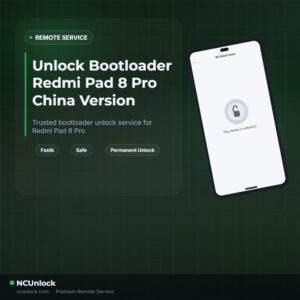
Unlock Bootloader Redmi Pad 8 Pro — Remote Service
$30
Unlock Bootloader Redmi Pad 8 Pro helps fix software issues on REDMI PAD 8 PRO through a remote NCUnlock session. Order this service or contact us first to confirm compatibility before checkout.
Service process
How this remote service works
Product details
Technical Guide
Description
Unlock Bootloader Redmi Pad 8 Pro — the first step every power user needs before installing a custom ROM, rooting, or gaining full control over their tablet’s software. Many Redmi Pad 8 Pro (piano) owners hit a frustrating wall: Xiaomi’s standard unlock process requires a lengthy waiting period, a linked Mi account in good standing, and a series of technical steps that often fail mid-way. Whether you bought the China firmware version or encountered an “Account Error” loop, getting the bootloader unlocked on your own is far more difficult than it should be.
Unlock Bootloader Redmi Pad 8 Pro — Remote Service
Our remote bootloader unlock service solves this problem without any waiting period and without sending your device anywhere. Once you place your order, a certified technician connects to your Windows PC via UltraViewer and completes the full Unlock Bootloader Redmi Pad 8 Pro procedure while you watch — safely, quickly, and permanently.
What Is Included
- No Waiting Period — Bootloader unlocked instantly, without the standard Xiaomi 7-day or 30-day wait.
- Remote Session via UltraViewer — Our technician works directly on your PC screen; your tablet never leaves your hands.
- Permanent Unlock — The bootloader stays unlocked after the session is complete and will not re-lock automatically under normal use.
- Custom ROM & Root Ready — Once unlocked, your Redmi Pad 8 Pro is fully prepared for TWRP, Magisk, LineageOS, or any custom firmware you choose.
- Full Refund if Unsuccessful — If the service cannot be completed for any technical reason, you receive a complete refund — no questions asked.
Why Choose This Service?
- Remote Service — No Device Shipping — Everything is handled online. You keep your tablet at home throughout the entire process.
- Instant Service — No multi-day queue. Once payment is confirmed and your setup is ready, the session begins immediately.
- 24/7 Customer Support — Reach the support team via Telegram, WhatsApp, or Facebook at any hour. Questions answered in English around the clock.
- Best Price Guaranteed — A fixed rate of covers the complete unlock. No upsells, no surprise charges.
- 100% Safe and Secure — The technician uses read-only remote access. Your personal files and accounts are never touched. Over 100 successful unlocks completed across Xiaomi, Redmi, and Poco devices.
- 10 Years Trusted — NCUnlock.com has built a long-standing reputation for reliable bootloader and unbrick services worldwide.
Requirements Before You Order
- A Windows PC or laptop (Windows 7, 8, or 10/11) with a stable internet connection
- An original USB cable that came with your Redmi Pad 8 Pro
- Tablet battery charged to at least 20% before starting
- UltraViewer installed on your PC (free download, takes under 2 minutes)
- Your order number and device model ready when you contact support
- Xiaomi USB drivers installed on your PC (support team can assist if needed)
How the Remote Session Works
- Place your order and complete payment for the Unlock Bootloader Redmi Pad 8 Pro service.
- Install UltraViewer on your Windows PC and open it to get your session ID.
- Contact the support team via Telegram or WhatsApp and share your session ID.
- Connect your Redmi Pad 8 Pro to the PC using the original USB cable.
- The technician connects remotely, runs the unlock procedure, and confirms success — typically completed in 10 to 30 minutes.
- Your tablet reboots with a permanently unlocked bootloader, ready for custom ROM installation or rooting.
Frequently Asked Questions
Will this service work on my Redmi Pad 8 Pro if I have the China firmware version?
Yes. The Unlock Bootloader Redmi Pad 8 Pro remote service is compatible with both the China ROM and Global firmware variants of the Redmi Pad 8 Pro (piano). If your device is running China firmware, our technician handles the specific account and permission requirements that prevent the standard Mi Unlock Tool from working on its own.
Is it safe to unlock the bootloader remotely? Will my data be affected?
The remote session uses UltraViewer with view-and-control access limited strictly to the unlock process. Please be aware that the bootloader unlock procedure — like any method — will trigger a factory reset on the tablet, erasing user data. Back up your files before the session. Your personal accounts and files on the PC are never accessed.
How long does the unlock take and what is the price?
The active unlock session typically takes between 10 and 30 minutes once your PC and device are set up and connected. There is no waiting period before or after.
Will the bootloader re-lock after a software update?
The unlock is permanent under normal use. The bootloader will not re-lock automatically. Avoid relocking it manually through fastboot commands, and do not use Xiaomi’s official firmware flasher in “clean all” mode after the unlock, as that can restore a locked state.
Ready to Unlock Bootloader Redmi Pad 8 Pro without waiting and without shipping your device? Order now and get started today. Have a question first? Contact us now — our team is available 24/7 and will confirm compatibility before you pay.
Product details
Compatibility
Additional information
| Version | High Version – OS 3.0.303+, Low Version – OS 3.0.11 |
|---|
Product details
Customer Reviews
Please log in to post a review.
Related products
-
Unbrick Xiaomi 13, 13 Pro, 13 Ultra Services
How to Unbrick Xiaomi 13, 13 Pro, 13 Ultra bricked (Stuck Fastboot,…
-
Unlock Bootloader Redmi Turbo 3 / Poco F6 - Remote Service
Unlock Bootloader Redmi Turbo 3 helps fix software issues on Redmi Turbo…
-
Unbrick Xiaomi 13T services
Unbrick Xiaomi 13T services
-
Unbrick Xiaomi Pad 6, 6 Pro Services
How to Unbrick Xiaomi Pad 6, 6 Pro, 6 Max 14 bricked (Stuck…
Reviews
There are no reviews yet.