

Unlock Bootloader Redmi Turbo 3 / Poco F6 – Remote Service
$30
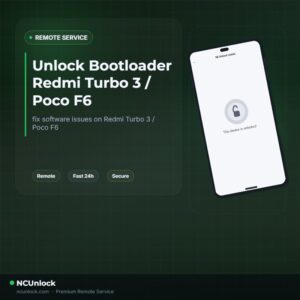
Unlock Bootloader Redmi Turbo 3 helps fix software issues on Redmi Turbo 3 / Poco F6 through a remote NCUnlock session. Order this service for $30 or contact us first to confirm compatibility before checkout.
Service process
How this remote service works
Product details
Technical Guide
Description
Unlock Bootloader Redmi Turbo 3 — and its global twin the Poco F6 (codename: peridot) — is something many users find far harder than expected. Xiaomi’s HyperOS has tightened restrictions significantly: Chinese variants require reaching Level 5 in the Xiaomi Community app, while global variants demand a verified Mi account aged at least 30 days, followed by a manual authorization request that can still be denied or blocked. Users across XDA Forums have reported errors such as “Couldn’t unlock — please go to Mi Community to apply for authorization,” and some noted that Xiaomi patched known bypasses, making self-service attempts even more frustrating.
Unlock Bootloader Redmi Turbo 3 / Poco F6 — Remote Service
Our remote bootloader unlock service handles the entire process for you — no shipping, no waiting weeks for community account approvals. Once you place your order, a qualified technician connects to your PC via UltraViewer, executes the unlock on your Redmi Turbo 3 or Poco F6, and confirms completion in a single session. This service lets you Unlock Bootloader Redmi Turbo 3 without navigating Xiaomi’s restrictive account requirements on your own. After the unlock, your device is ready for custom ROMs such as LineageOS or crDroidAndroid, Magisk root, TWRP, or any other advanced modification you have planned.
What Is Included
- Full Bootloader Unlock — Your Redmi Turbo 3 / Poco F6 bootloader is unlocked and ready for custom ROM installation or rooting immediately after the session.
- Remote Session via UltraViewer — Our technician connects to your Windows PC remotely; you do not need any prior technical knowledge to follow along.
- Step-by-Step Guidance — We walk you through every preparation step — enabling Developer Options, USB Debugging, and connecting your device — before the session begins.
- Refund Policy — A refund is issued if the bootloader unlock cannot be completed. Once confirmed successful, the order is considered complete.
- Fixed Price — $30 — No hidden fees, no surprise charges. The price for this service is exactly $30.
Supported Devices and Requirements
This service covers the Redmi Turbo 3 (China) and Poco F6 (Global / India), both running on the peridot platform with HyperOS or MIUI. Before booking, please make sure you meet the following practical requirements:
- Windows PC — A laptop or desktop running Windows 10 or Windows 11 is required for the remote session.
- Stable Internet Connection — Both your PC and phone must remain online throughout the entire process.
- Original or Quality USB Cable — Use the cable that came with the device, or a known-good data cable (not a charge-only cable).
- Battery Level at 50% or Above — Ensure your Redmi Turbo 3 / Poco F6 is sufficiently charged before the session starts.
- UltraViewer Installed — Download and install UltraViewer on your PC in advance so the technician can connect without delay.
- Mi Account Logged In — Your Xiaomi / Mi account should be signed in on the device before the session. Contact us if you have account-related questions.
How the Remote Service Works
- Step 1 — Place Your Order — Purchase the service for $30 and provide your device model and any relevant account details in the order notes.
- Step 2 — Prepare Your Device and PC — Follow the preparation checklist: install UltraViewer, enable USB Debugging, charge your phone, and connect it to the PC with a data cable.
- Step 3 — Remote Connection — Share your UltraViewer ID and password with the technician. The technician takes over and begins the unlock process directly.
- Step 4 — Unlock Confirmed — The technician confirms the bootloader unlock is successful, disconnects, and your Redmi Turbo 3 / Poco F6 is ready for the next step — flashing a custom ROM or rooting.
Why Choose NCUnlock?
- Remote Service — No Device Shipping — Everything is handled over a remote session. Your phone never leaves your hands, and there is no postal risk involved.
- Instant Service — Sessions are typically completed in one sitting. No multi-day waiting periods, no queues that drag on for weeks.
- 24/7 Customer Support — Our team is available around the clock via Telegram and WhatsApp to answer questions before, during, and after your session.
- Best Price Guaranteed — $30 — We offer a competitive, transparent price of $30 with no upsells or hidden costs added at checkout.
- 100% Safe and Secure — The remote process is non-invasive. We do not ask for your personal passwords and only require UltraViewer access during the active session.
- 10 Years Trusted — NCUnlock has been serving the Android community for over a decade, with thousands of successful bootloader unlocks across Xiaomi, Redmi, and POCO devices worldwide.
Important Notes Before Ordering
- Unlocking the bootloader will wipe all data on your device. Back up photos, contacts, and app data before the session.
- Bootloader unlocking may void your manufacturer warranty. This is a standard consequence with all Android devices and is not specific to this service.
- The unlock will not relock automatically unless you perform a factory reset or incorrect fastboot operations after the session.
- This service does not include custom ROM flashing or rooting — it unlocks the bootloader only, giving you the freedom to proceed with those steps independently or via a separate service.
- If your device is currently running a firmware version that is incompatible with the unlock method, the technician will advise you during the session. A refund is issued if the unlock cannot be completed.
Frequently Asked Questions
Can I really Unlock Bootloader Redmi Turbo 3 without needing a Xiaomi Community account?
Yes. Our remote service bypasses the standard Xiaomi account authorization queue.
Product details
Customer Reviews
Please log in to post a review.
Related products
-
Unbrick Xiaomi 11T Services
How to Unbrick Xiaomi 11T bricked (Stuck Fastboot, Boot Loop, Black Screen…
-
Unbrick Xiaomi Redmi K60E Services
How to Unbrick Xiaomi Redmi K60E bricked (Stuck Fastboot, Boot Loop, Black…
-
Unbrick Xiaomi Redmi K40/K40 Pro/K40S/POCO F3/Mi 11X Services
How to Unbrick Xiaomi Redmi K40/POCO F3/Mi 11X bricked (Stuck Fastboot, Boot…
-
Unbrick Xiaomi Redmi Note 10 Pro Services
How to Unbrick Xiaomi Redmi Note 10 Pro bricked (Stuck Fastboot, Boot…
Reviews
There are no reviews yet.