

Unlock Bootloader Redmi K100 Pro Max / Poco F9 Ultra
$30
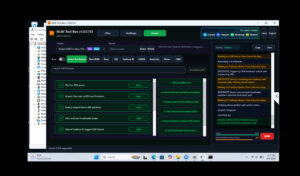
Remote bootloader unlock for the Redmi K100 Pro Max and Poco F9 Ultra, covering Xiaomi’s unlock request, account binding and the fastboot stage so you can flash a custom ROM or root with Magisk. Order online, contact us for a session slot, and a technician completes the unlock on your Windows PC for a flat price of 30.
Service process
How this remote service works
Product details
Technical Guide
Description
Trying to Unlock Bootloader Redmi K100 Pro Max / K90 Ultra (songyuan) and getting stopped by Xiaomi’s unlock permission screen is one of the most common problems owners report. Depending on your firmware region, Xiaomi asks for an application through its community app, an account-level check, a bound Xiaomi account and a waiting period before the bootloader can be opened, and approval slots are limited. Until that gate is cleared, you cannot flash a custom ROM, install a custom recovery, root with Magisk, or repair a soft-bricked phone from fastboot.
Unlock Bootloader Redmi K100 Pro Max / Poco F9 Ultra — Remote Service
NCUnlock is a remote unlocking team that handles the request and the fastboot stage for you over a screen-sharing session, so your phone never leaves your desk. A technician prepares the drivers on your Windows PC, works through the account binding with you, and confirms the device boots normally before the session ends. We are an independent service and are not affiliated with Xiaomi or Redmi.
What is included
- Full remote session — the technical work is done on your own computer, with no shipping and no courier delays.
- Unlock request handling — we check your Xiaomi account status and binding so the application is not rejected for a fixable reason.
- Driver and fastboot setup — ADB and fastboot drivers installed and tested so the phone is detected correctly.
- Verified result — we confirm the bootloader is open and the device boots before closing the session.
- Next-step guidance — practical advice on custom ROM, recovery or Magisk root after the unlock.
Supported devices and requirements
- Redmi K100 Pro Max and Redmi K90 Ultra (codename songyuan), China or Global firmware.
- Windows 10 or 11 PC with administrator rights and a stable internet connection on both sides.
- Original USB-C cable plugged directly into the PC — no hubs or extension cables.
- Battery at 60% or higher, and the phone kept connected for the whole session.
- Your Xiaomi account signed in on the device, plus the order email so we can match your request.
- A complete backup, because unlocking erases everything on internal storage.
How the remote service works
- Place your order and send the device model, HyperOS version and Xiaomi account details.
- We confirm a session time — instant slots are usually available around the clock.
- You start the remote-desktop tool; the technician enables developer options and USB debugging with you, then runs the unlock steps in fastboot.
- The phone reboots, you set it up again, and it is ready for a custom ROM or root.
Important notes before ordering
- All user data is wiped — save photos, chat backups and two-factor codes first.
- An open bootloader can affect warranty in some regions and may trip integrity checks used by banking, payment and some streaming apps.
- Xiaomi controls the approval rules and any waiting period. We give you realistic timing for your account instead of promising an instant bypass.
- Relocking later is possible on most Xiaomi devices, but it wipes the phone again and we cannot promise a return to factory condition.
Why choose NCUnlock?
- Remote service (no device shipping) — your phone stays with you the entire time.
- Instant service — sessions usually start within minutes of confirmation.
- 24/7 customer support — time zones are never an obstacle.
- Best price guaranteed — one flat 30 with no hidden extras.
- 10 years trusted — a decade of remote unlocking work behind every session.
Frequently Asked Questions
How long does it take to Unlock Bootloader Redmi K100 Pro Max / Poco F9 Ultra?
Most sessions to Unlock Bootloader Redmi K100 Pro Max / Poco F9 Ultra take about 20 to 40 minutes once your account is eligible. If Xiaomi still enforces a waiting period, the fastboot step runs after that window closes.
Will I lose my data or my warranty?
Yes, unlocking wipes internal storage, so back up first. Warranty handling depends on your region and service centre, and some banking or streaming apps may refuse to run on an unlocked device.
Is the remote session safe, and what does it cost?
The price is 30 for the complete remote session. You watch every step on your own screen, nothing is flashed without telling you first, and you can end the connection at any moment.
Ready to Unlock Bootloader Redmi K100 Pro Max / Poco F9 Ultra without shipping your phone? The service is 30, handled remotely, with support available day and night. Contact us now to book your session.
Product details
Customer Reviews
Please log in to post a review.
Related products
-
Unlock Bootloader Redmi K50 - Formal Remote Service
Formal helps fix software issues on Redmi K50 through a remote NCUnlock…
-
Mi Pad 5 Global rom without unlock bootloader
[nabu] Mi Pad 5 Support . Before starting Mi Pad 5 Global…
-
Unlock Bootloader Xiaomi Civi 5 Pro - Remote
Unlock Bootloader Xiaomi Civi 5 Pro helps fix software issues on Xiaomi…
-
Unlock Bootloader Redmi Turbo 3 / Poco F6 - Remote Service
Unlock Bootloader Redmi Turbo 3 helps fix software issues on Redmi Turbo…
Reviews
There are no reviews yet.