
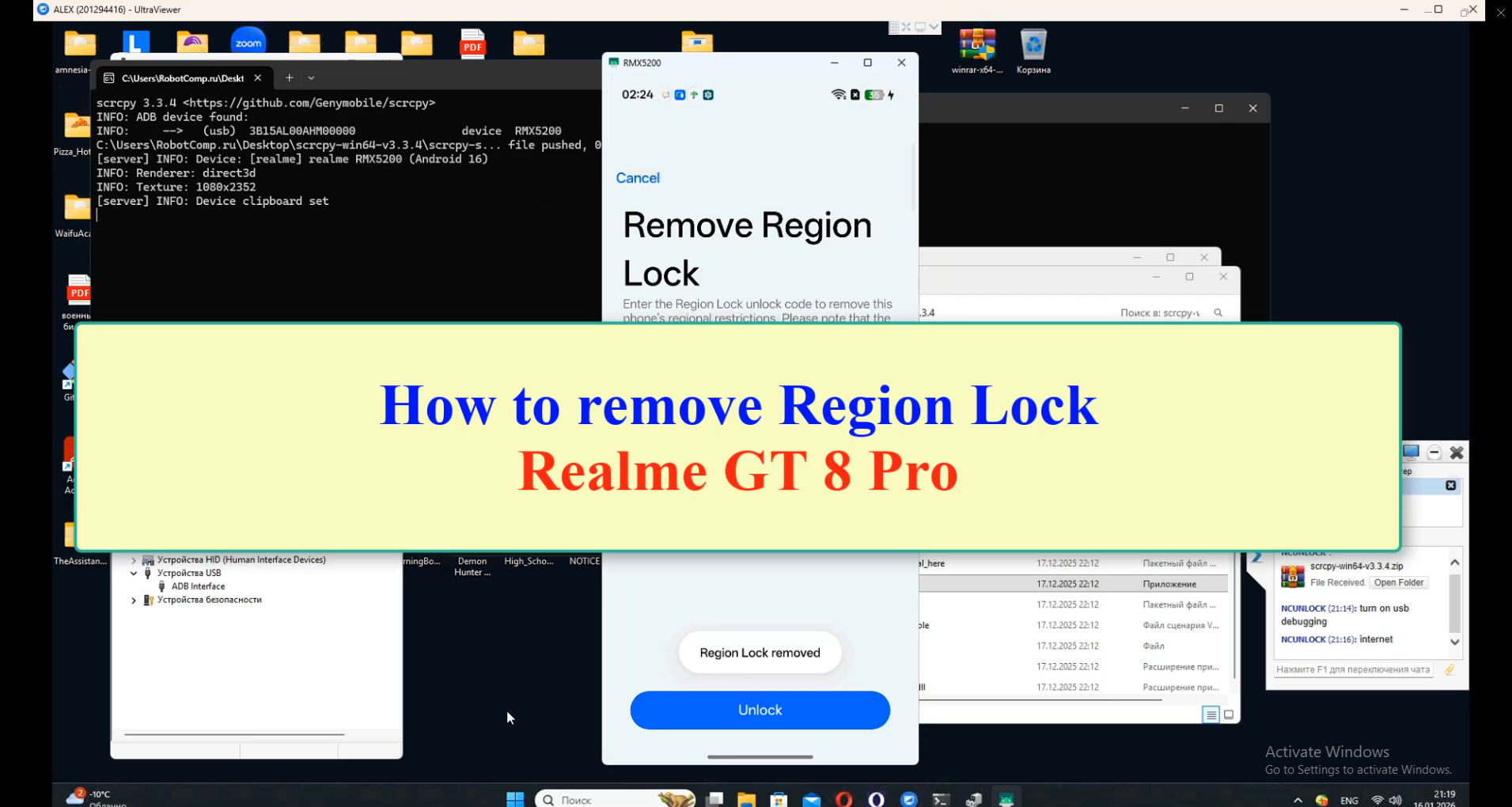
Realme GT8 Pro region unlock service – unlock code
$45
Realme GT8 Pro region unlock service for China units with call block, SIM restriction or region warning. Submit IMEI 1 for eligibility check and unlock code support.
Service process
How this remote service works
Product details
Technical Guide
Description
Realme GT8 Pro region unlock service
Use this product when a Realme GT8 Pro China version shows a call restriction, SIM warning, region lock message or cannot be used normally outside the original sales region.
- NCUnlock checks IMEI 1 and supported country/model status before processing the unlock code.
- Read the Realme GT8 Pro unlock code guide before ordering if you are unsure about the warning message.
- For Realme GT Neo 6 / GT Neo 6 SE, use Realme GT Neo 6 SE region unlock service.
- If the phone is bootlooping or dead after flashing, choose an unbrick service instead of a region unlock code.
Service Availability & Working Time
-
Working Days: Monday to Friday
-
Processing Time: 1 – 7 business days
-
Realme Single SIM devices are NOT supported
-
Please do NOT submit Single SIM phones
❌ No refunds will be provided for:
-
Wrong IMEI
Before Placing an Order (Very Important)
1. Check If Your Device Asks for Unlock Code
On your phone, dial the following code:
2. Verify Realme Unlock Code
To verify the Realme code, please follow these steps:
-
Connect your device to Wi-Fi
-
Update your device software to the latest version
-
Dial:
-
Enter the full 172-digit code
-
The complete process is shown clearly in the video guide
After Purchase
After completing your order, please send us:
-
Order Number
-
IMEI Number
This is required to start processing your request.
How the remote region unlock works
This service checks the region lock status of a China-market phone and removes call, SIM or network restrictions where the model and status are supported. Support reads the lock status first and only then quotes the job.
Steps
- Send your model details and describe the problem.
- Support confirms compatibility, scope and price.
- Install UltraViewer or AnyDesk on a Windows PC and connect the phone with a good USB cable.
- A technician completes the job remotely while you watch. You never ship the phone.
What to send
- A screenshot of Settings → About phone, or the model number from the box if the phone does not boot.
- What happened before the problem (update, flashing, root, relock) and the result you want.
Read first: How to check region lock status and which service you need. Questions? Contact NCUnlock on Telegram or WhatsApp.
Product details
Customer Reviews
1 review for Realme GT8 Pro region unlock service – unlock code
Please log in to post a review.
Related products
-

Buy Realme GT Neo 6 Unbrick (RMX3852) Services
Fix Realme GT Neo 6 (RMX3852) hard, soft brick. Boot Loop, stuck…
-

Remove demo mode, Screen password, Unbrick Oppo phone
How to Unbrick, Downgrade, Remove PassWord Oppo Find X2 Neo Stock Firmware…
-

Xiaomi redmi note 11T Pro Global rom without unlock bootloader
[xaga] Redmi Note 11T Pro/Pro Plus. Before starting Xiaomi Redmi Note 11T…
-

Realme GT Neo 6 SE region unlock service - RMX3850 / RMX3852
Remote Realme GT Neo 6 SE region unlock service for RMX3850/RMX3852 call…
Макс –
good service