

OnePlus Ace 5 Ultra Region Unlocking Service – Fast & Safe Unlock for Global Use
$30
Are you restricted by region locks on your OnePlus Ace 5 Ultra? Our OnePlus Ace 5 Ultra region unlocking service helps you unlock your device quickly, securely, and permanently
Service process
How this remote service works
Product details
Technical Guide
Description
✅ Why Unlock Your OnePlus Ace 5 Ultra?
-
Use any SIM card worldwide – No more carrier restrictions
-
Access region-restricted features – Enjoy full functionality anywhere
-
Boost resale value – Unlocked phones attract more buyers
-
Freedom to switch carriers – Choose the best plans anytime
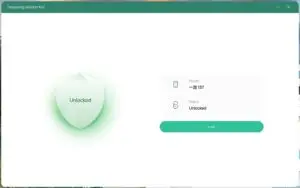
🔧 How Our Unlocking Service Works
-
Remote Unlock – No need to send your device
-
Official Method – Safe, warranty-preserving process
-
Fast Turnaround – Usually completed within 30 minutes
-
Support for All Variants – China, North America, EU, Asia, etc.
🌍 Who Can Use This Service?
Whether you bought your OnePlus Ace 5 Ultra from China, India, or the U.S., we support region unlocking for most models. Just provide your IMEI and model number — we’ll handle the rest.
🛡️ 100% Safe & Guaranteed
💰 Refund Policy
We offer a 100% money-back guarantee if:
-
Your OnePlus Ace 5 Ultra cannot be unlocked remotely
-
The provided unlock server fails
-
You cancel before the unlock process starts
This service checks the region lock status of a China-market phone and removes call, SIM or network restrictions where the model and status are supported. Support reads the lock status first and only then quotes the job. Read first: How to check region lock status and which service you need. Questions? Contact NCUnlock on Telegram or WhatsApp.How the remote region unlock works
Steps
What to send
Product details
Customer Reviews
Please log in to post a review.
Related products
-
Unbrick OnePlus 11 Services
Unbrick OnePlus 11 5G – PHB110, CPH2447, CPH2449, CPH2451 Use Auth Flash…
-

Unbrick OnePlus Ace 3V PJF110 Services
You can solve all software issues within your OnePlus AceV, such as…
-
OnePlus Open EDL unbrick service - Fastboot, bootloop, 9008
Remote OnePlus Open unbrick service for EDL 9008, Fastboot stuck, bootloop, black…
-
OnePlus 10 Pro NE2210 unbrick service - EDL/MSM repair
Remote OnePlus 10 Pro unbrick service for NE2210, NE2211, NE2213, NE2215 and…
Reviews
There are no reviews yet.