

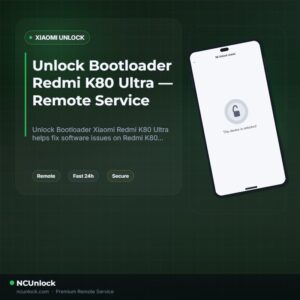
Unlock Bootloader Redmi K80 Ultra — Remote Service
$40
Unlock Bootloader Xiaomi Redmi K80 Ultra helps fix software issues on Redmi K80 Ultra through a remote NCUnlock session. Order this service for $40 or contact us first to confirm compatibility before checkout.
Service process
How this remote service works
Product details
Technical Guide
Description
Unlock Bootloader Xiaomi Redmi K80 Ultra is the essential first step before you can install a custom ROM, gain root access with Magisk, or run any deep system modification on your device. The Redmi K80 Ultra (codename: dali) ships with HyperOS and a locked bootloader — and Xiaomi’s official unlock route now involves Xiaomi Community authorization, quota limits, account age requirements, and unpredictable waiting periods that frustrate most users. Many K80 Ultra owners press the unlock button at the correct reset window and still receive a quota or authorization failure, leaving them stuck with no clear path forward.
Unlock Bootloader Xiaomi Redmi K80 Ultra — Remote Service
Our remote bootloader unlock service solves every one of those roadblocks without you shipping your device anywhere. A trained technician connects directly to your Windows PC via UltraViewer and handles the entire Fastboot unlock process live — no queues, no 7-day wait where supported, and no hidden fees. This service is specifically verified for the Redmi K80 Ultra (dali) running HyperOS, and we check your Fastboot connection, account state, and unlock eligibility before the session begins. The flat price is $40 — that is the full cost, nothing extra. If you want to Unlock Bootloader Xiaomi Redmi K80 Ultra and get straight to flashing or rooting, this is the cleanest path available.
What Is Included
- Full Bootloader Unlock — Your Redmi K80 Ultra bootloader is unlocked and ready for custom ROM flashing, TWRP recovery installation, and Magisk root.
- No Waiting Period (Where Supported) — We bypass the standard Xiaomi Community authorization and 168-hour waiting requirement where technically possible on your firmware build.
- Live Remote Technician Session — A real specialist works on your device in real time via UltraViewer. You watch every step and stay in full control of your hardware.
- Pre-Session Eligibility Check — We verify your exact model, Fastboot connection, HyperOS version, and account state before starting, so there are no surprises mid-session.
- Refund Protection — A refund is issued if the bootloader unlock cannot be completed on our end for technical reasons. Once the unlock is confirmed successful, the order is complete.
Why Choose NCUnlock?
- Remote Service — No Device Shipping — Everything is done over a secure remote desktop session via UltraViewer. Your phone never leaves your hands at any point.
- Instant Service — We start as soon as your order is confirmed and your PC is ready. No appointment backlog, no days-long queue.
- 24/7 Customer Support — Our team is available around the clock via Telegram and WhatsApp before, during, and after your session — real operators, not bots.
- Best Price Guaranteed — The service price for Redmi K80 Ultra is $40 flat. No upsells, no tiered pricing, no surprise charges at checkout.
- 100% Safe and Secure — Technicians use only trusted, proven Fastboot methods. No EDL exploits, no third-party spyware tools, and no requests for your Mi account password.
- 10 Years Trusted — A decade of Xiaomi, Redmi, and POCO unlock experience with thousands of successfully unlocked devices across every region worldwide.
Supported Devices and Requirements
This service covers the Redmi K80 Ultra (dali), including all regional firmware variants running HyperOS. Before ordering, make sure you meet the following requirements:
- A Windows PC (Windows 10 or 11 recommended) with UltraViewer installed
- A stable internet connection on both your PC and phone throughout the session
- An original or high-quality USB data cable — charge-only cables will not work in Fastboot mode
- Battery level at 50% or above before starting the session
- Your Xiaomi account signed out from the phone prior to the session
- Your device IMEI and order details ready when contacting support
How the Remote Service Works
- Step 1 — Order and Confirm: Place your order for $40 and provide your device model and IMEI. Our team confirms compatibility before the session starts.
- Step 2 — Prepare Your PC: Install UltraViewer on your Windows PC and sign out of your Xiaomi account on the phone. Make sure USB drivers are installed and the phone boots into Fastboot mode.
- Step 3 — Connect Remotely: Share your UltraViewer ID and password with our technician. They connect to your PC and take over the Fastboot session securely.
- Step 4 — Technician Completes the Unlock: Our specialist executes the bootloader unlock on your Redmi K80 Ultra live. You can watch every command in real time.
- Step 5 — Done: Your bootloader is unlocked. You are now free to flash custom ROMs, install TWRP, or root with Magisk.
Important Notes Before Ordering
- Data wipe warning: Unlocking the bootloader performs a factory reset on the device. Back up all photos, files, authenticator apps, and chat data before the session begins.
- Do not let your PC go to sleep or activate the screensaver during the session.
- Do not close UltraViewer or disconnect the USB cable while the technician is working.
- Some system-integrity-dependent apps (such as banking apps) may behave differently after unlocking. Ask support if this is a concern before ordering.
- The unlocked state remains after the session. It will not relock automatically unless you manually run incorrect Fastboot commands.
- Not sure if your specific firmware build is supported? Contact us now before placing your order — we will check for you at no charge.
Frequently Asked Questions
Is it really possible to Unlock Bootloader Xiaomi Redmi K80 Ultra remotely without shipping my phone?
Yes. The entire process is handled via a remote desktop session on your Windows PC using UltraViewer. To Unlock Bootloader Xiaomi Redmi K80 Ultra, your phone only needs to be connected via USB
Product details
Customer Reviews
Please log in to post a review.
Related products
-
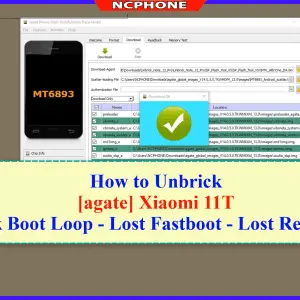
Unbrick Xiaomi 11T Services
How to Unbrick Xiaomi 11T bricked (Stuck Fastboot, Boot Loop, Black Screen…
-
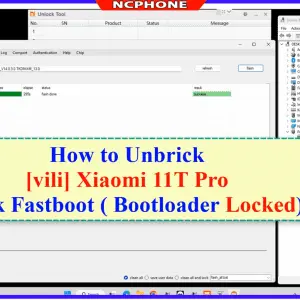
Unbrick Xiaomi 11T Pro Services
How to Unbrick Xiaomi 11T Pro Services bricked (Stuck Fastboot, Boot Loop,…
-
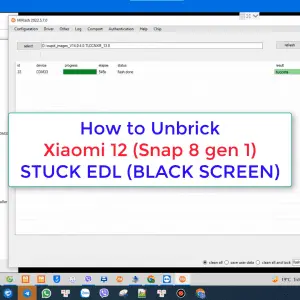
Unbrick Xiaomi 12, 12 Pro, 12S, 12S Ultra Services
Use Auth Flash Tool Fix: BootLoop (Lost Fastboot – Lost Recovery) Stuck…
-
Unbrick Xiaomi 13T services
Unbrick Xiaomi 13T services
Reviews
There are no reviews yet.