
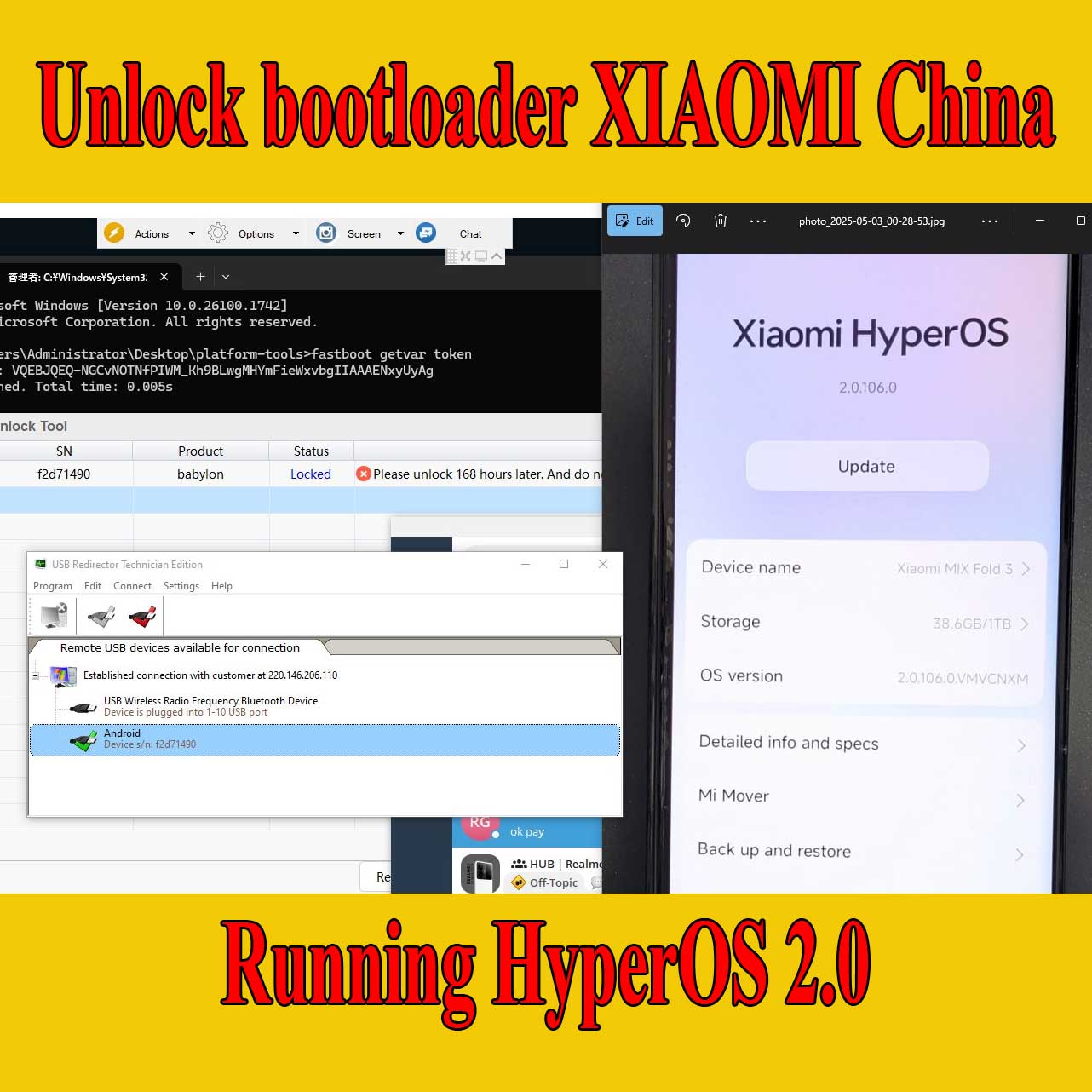
Unlock Bootloader Xiaomi HyperOS 2.0 china phone
Unlock Bootloader Xiaomi HyperOS 2.0 Support all Old Model: Xiaomi 11, 12, 13, Redmi k50, k60, Note 11, 12,…..and other model
Price varies by device model. Contact us for an exact quote.
Service process
How this remote service works
Product details
Technical Guide
Description
Devices Support Unlock Bootloader on Hyperos 2.0
|
Brand |
Model |
|---|---|
|
Xiaomi |
13, 13 Pro, 13 Ultra, 12, 12 Pro, 12 Ultra, 12S, 12S Pro, 12S Ultra, 11, 11 Pro, 11 Ultra, Mi 10, 10 Pro, Mi 10S, Note 9 Pro, Pad 6, Pad 6 Pro, Mix Fold 3 |
|
Redmi |
K60, K60 Pro, K60 Ultra, Note 12R, Note 12 5G, Note 12 Pro 5G, Note 12T Pro, CIVI 3, Note 12 Turbo, K60E, Note 12 Pro Speed, Note 12 Pro Discovery, Pad, Civi 2, Note 11 Pro, 11T Pro, K50, K50 Pro, K50 Ultra, K50 Gaming, Note 11E Pro, Note 11 Pro, 11 Lite, Note 10 Pro, 10S, K40, K40 Pro, K30 (4/5G), K30 Pro, K30 Ultra, Note 8, Note 8 Pro, Note 7, Note 7 Pro, 8, 7, K20, K20 Pro, Mi 9 SE |
Unlock Bootloader Xiaomi HyperOS 2 Service Information
Below is detailed information about our Xiaomi bootloader unlock service, outlining key aspects such as waiting time, supported operating systems, hardware requirements, and refund policy.
Service Details
|
Aspect |
Details |
|---|---|
|
Waiting Time |
7 days for devices manufactured before 2024. |
|
Supported OS |
MIUI, HyperOS 1.0, HyperOS 2.0 |
|
Hardware Requirement |
A computer running Windows. |
|
Refund Policy |
Full refund if the unlock fails; no refunds after a successful unlock. |
Waiting Time
For Xiaomi devices manufactured before 2024, a waiting period of 7 days is required after account linking to complete the bootloader unlock process.
Supported Operating Systems
The service supports devices running MIUI or HyperOS 1.0 and HyperOS 2.0 Currently
Hardware Requirement
The unlock process requires a computer running the Windows operating system.
Refund Policy
We offer a full refund if the bootloader unlock is unsuccessful. However, no refunds will be provided once the unlock is successfully completed.

How the remote bootloader unlock works
This service unlocks the bootloader remotely so you can install custom software, root or another ROM. Support checks the model and OS build first. Unlocking performs a factory reset, so back up your data before the session.
Steps
- Send your model details and describe the problem.
- Support confirms compatibility, scope and price.
- Install UltraViewer or AnyDesk on a Windows PC and connect the phone with a good USB cable.
- A technician completes the job remotely while you watch. You never ship the phone.
What to send
- A screenshot of Settings → About phone, or the model number from the box if the phone does not boot.
- What happened before the problem (update, flashing, root, relock) and the result you want.
Read first: Xiaomi HyperOS bootloader unlock guide and is unlocking the bootloader safe?. Questions? Contact NCUnlock on Telegram or WhatsApp.
Product details
Customer Reviews
Please log in to post a review.
Related products
-
Unbrick Xiaomi Redmi K50 Gaming (Poco F4 GT) Services
How to Unbrick Xiaomi Redmi K50 Gaming (Poco F4 GT) bricked (Stuck…
-
Unbrick Xiaomi Redmi K50 Ultra Services
How to Unbrick Xiaomi Redmi K50 Ultra bricked (Stuck Fastboot, Boot Loop,…
-
Unbrick Xiaomi 14, 14 Pro Services (global version)
How to Unbrick Xiaomi 14, 14 Pro Soft, Hard bricked (Stuck Fastboot,…
-
Unbrick Redmi Note 11T Pro/Pro+/POCO X4 GT/Redmi K50i Services
Use Auth Flash Tool Fix: BootLoop (Lost Fastboot – Lost Recovery) Stuck…
Reviews
There are no reviews yet.