

Unlock Bootloader Xiaomi 17 Max – Remote Service
$30
Remote Bootloader Unlock for the Xiaomi 17 Max opens fastboot flashing so you can install a custom ROM, custom recovery, GSI, or root access without Mi Account waiting periods. Book a remote session with your order number and we handle the technical work on your Windows PC for 30 — contact us to start.
Service process
How this remote service works
Product details
Technical Guide
Description
If you want to Unlock Bootloader Xiaomi 17 Max so you can flash a custom ROM, install a custom recovery, or gain root access, you have probably already run into the standard barriers. Xiaomi’s official unlock flow requires binding your Mi Account to the device, waiting through an approval period, and passing account-age and activity checks that many users simply fail. Until the bootloader is open, every flashing tool refuses to write to the device and the phone stays locked to stock firmware.
Xiaomi 17 Max Bootloader Unlock Service
NCUnlock handles the whole process for you through a remote session, so there is no shipping, no waiting on a courier, and no risk of damage in transit. Our technician connects to your Windows PC with your permission and performs the work to Unlock Bootloader Xiaomi 17 Max while you watch. Once the bootloader is open, the device is ready for fastboot flashing, custom recovery, GSI images, or root.
What is included
- Full remote session — a technician does the technical steps on your PC from start to finish.
- Bootloader unlocked state — fastboot flashing commands are accepted after completion.
- Driver and tool setup — required ADB, fastboot, and USB drivers installed correctly.
- Post-unlock guidance — advice on backing up, re-locking risks, and flashing safely.
- Order support — help before, during, and after the session at no extra cost.
Supported Devices and Requirements
- Device — Xiaomi 17 Max (codename byron), all storage variants.
- Windows PC — Windows 10 or 11 with administrator access.
- Original USB cable — a data-capable cable, connected directly to the PC.
- Battery — charged to at least 60% before the session starts.
- Stable internet — needed on both the PC and our side for the remote connection.
- Account details — your Mi Account credentials on the device plus your order number.
How the Remote Service Works
- Place your order and send us your model, current MIUI/HyperOS version, and order number.
- Install the remote desktop tool we provide and share the session ID.
- Our technician prepares the tools, enables the required developer options, and starts the unlock.
- You keep the phone in your hands the entire time and confirm on-screen prompts when asked.
Why choose NCUnlock?
- Remote service (no device shipping) — your phone never leaves your desk.
- Instant service — sessions start quickly once your details are received.
- 24/7 customer support — reach a real person at any hour, in any time zone.
- Best price guaranteed — one flat charge of 30 with no hidden add-ons.
- 10 years trusted — a decade of hands-on Xiaomi flashing and unlocking experience.
Important Notes Before Ordering
- Unlocking the bootloader wipes user data. Back up photos, chats, and files first.
- An unlocked bootloader may affect banking apps, Widevine L1 playback, and warranty terms.
- Do not factory reset or change your Mi Account during the session.
- Xiaomi can change its unlock policy at any time, so no provider can promise a permanent state.
Frequently Asked Questions
Do I need root before you Unlock Bootloader Xiaomi 17 Max?
No. Root comes after the bootloader is open, not before. To Unlock Bootloader Xiaomi 17 Max we only need a working Windows PC, the original cable, and the Mi Account already signed in on the phone.
How long does the session take and is my data safe?
Most sessions finish within the same working day, depending on device state and queue. The unlock itself erases user data by design, so create a full backup beforehand. Your account details are used only for this order.
What does the service cost?
The price is 30. That single amount covers the remote session and support — we do not add surprise fees after the work begins.
Ready to open up your device? Order the remote session to Unlock Bootloader Xiaomi 17 Max for just 30 and start flashing today. Contact us now with your model and order details.
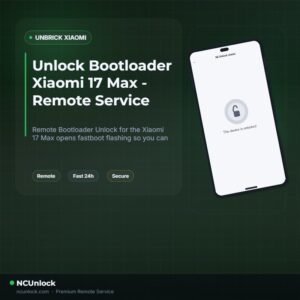
Product details
Customer Reviews
Please log in to post a review.
Related products
-
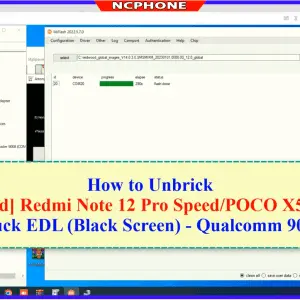
Unbrick Xiaomi Redmi 12 Pro Speed/POCO X5 Pro 5G Services
How to Unbrick Xiaomi Redmi 12 Pro Speed Services bricked (Stuck Fastboot,…
-
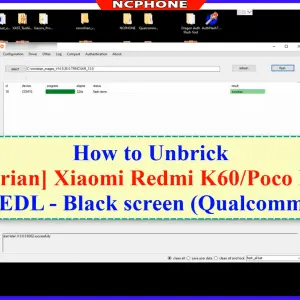
Unbrick Xiaomi Redmi K60 Services
How to Unbrick Xiaomi Redmi K60 Services bricked (Stuck Fastboot, Boot Loop,…
-
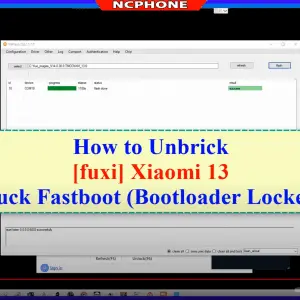
Unbrick Xiaomi 13, 13 Pro, 13 Ultra Services
How to Unbrick Xiaomi 13, 13 Pro, 13 Ultra bricked (Stuck Fastboot,…
-
Unbrick Xiaomi Redmi K60E Services
How to Unbrick Xiaomi Redmi K60E bricked (Stuck Fastboot, Boot Loop, Black…
Reviews
There are no reviews yet.