

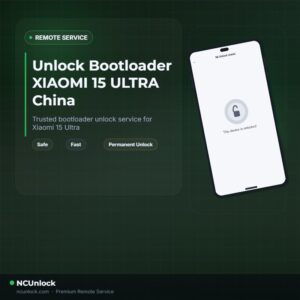
Unlock Bootloader XIAOMI 15 ULTRA China – Remote Service
$30
Unlock Bootloader Xiaomi 15 Ultra helps fix software issues on XIAOMI 15 ULTRA China through a remote NCUnlock session. Order this service for or contact us first to confirm compatibility before checkout.
Service process
How this remote service works
Product details
Technical Guide
Description
If you want to Unlock Bootloader Xiaomi 15 Ultra on the China version (codename: xuanyuan), you already know the problem — Xiaomi’s HyperOS quota system makes official authorization nearly impossible. Many users spend weeks applying at midnight China time, only to be rejected repeatedly. The China firmware adds an extra layer of restriction that blocks the standard Mi Unlock path most tutorials describe.
Unlock Bootloader Xiaomi 15 Ultra China — Remote Service
Our remote bootloader unlock service bypasses the frustrating quota system and handles the entire process for you. To Unlock Bootloader Xiaomi 15 Ultra (China / xuanyuan), you do not need to ship your phone anywhere — a technician connects to your Windows PC via UltraViewer and completes the unlock while you watch. No waiting days or weeks. The China version is fully supported, and the unlock is permanent.
What Is Included
- China Version Support — This service explicitly supports the Xiaomi 15 Ultra China (xuanyuan) firmware, which many providers refuse to handle.
- No Waiting Period — Skip the daily quota lottery entirely. No 72-hour or 168-hour standby required.
- Permanent Bootloader Unlock — The unlock does not relock on reboot. You can install custom ROMs or root freely after the session.
- Remote Session via UltraViewer — No shipping. The technician works directly on your PC while your phone is connected via USB cable.
- Refund if Unsuccessful — If the service cannot be completed on your device, a refund is issued. No questions asked.
Why Choose NCUnlock?
- Remote Service — No Device Shipping — Everything is done online. Your phone never leaves your hands during the entire session.
- Instant Service — Once payment is confirmed and you connect via UltraViewer, most unlocks are completed within minutes, not hours.
- 24/7 Customer Support — Reach the team anytime via Telegram or WhatsApp. Support is available around the clock, every day of the year.
- Best Price Guaranteed — No hidden fees, no upsells.
- 100% Safe and Secure — The technician only operates what is necessary for the unlock. Your personal data and files are not accessed.
- 10 Years Trusted — NCUnlock has handled over 1,000 successful bootloader unlocks across Xiaomi, Poco, and Redmi devices worldwide, with consistent 5-star feedback.
Supported Devices and Requirements
This service is designed specifically for the Xiaomi 15 Ultra China version (xuanyuan). Before ordering, make sure you have the following ready:
- A Windows PC (Windows 10 or 11 recommended)
- A stable internet connection throughout the session
- An original or high-quality USB data cable — charging-only cables will not work
- Phone battery at 20% or above
- UltraViewer installed on your PC before the session starts
- Your order confirmation and contact detail ready on Telegram or WhatsApp
How the Remote Service Works
The process is straightforward and requires no technical knowledge on your side:
- Place your order and complete payment.
- Contact the team via Telegram or WhatsApp with your order confirmation.
- Install UltraViewer on your Windows PC and send the technician your session ID.
- Connect your Xiaomi 15 Ultra China to the PC using a USB data cable.
- The technician takes over remotely and performs the bootloader unlock — typically completed within minutes.
- You receive confirmation once the bootloader is successfully unlocked and permanently open.
Important Notes Before Ordering
- Do not turn off UltraViewer or disconnect your phone during the session.
- Make sure your PC does not go to sleep while the technician is working.
- This service covers the China firmware version only (xuanyuan). If you have the Global version, a separate listing applies.
- Unlocking the bootloader will wipe all data on your device — back up everything important beforehand.
- Once unlocked, the bootloader will not relock automatically under normal use. Performing incorrect flash operations after the session is the user’s own responsibility.
Frequently Asked Questions
Can you really Unlock Bootloader Xiaomi 15 Ultra on the China version without waiting?
Yes. This service is built specifically to Unlock Bootloader Xiaomi 15 Ultra China (xuanyuan) without going through Xiaomi’s quota system. There is no 72-hour or 168-hour waiting period. The entire process is handled remotely in a single session.
Is the bootloader unlock safe for my Xiaomi 15 Ultra China?
The process follows standard fastboot unlock procedures and is performed by an experienced technician. Your files should be backed up before the session, as unlocking always wipes the device. The technician does not access your personal data during the remote session.
How long does the remote unlock session take?
Most sessions are completed within 5 to 30 minutes once you are connected via UltraViewer and your phone is plugged in. Response time after payment is typically within minutes via Telegram or WhatsApp, available 24/7.
What can I do after the bootloader is unlocked?
Once the bootloader is permanently unlocked on your Xiaomi 15 Ultra China, you can install custom ROMs such as Xiaomi.eu, root the device using Magisk, flash modified firmware, or enable advanced developer features that are blocked on a locked bootloader.
What if the unlock does not work on my device?
A refund is issued if the service cannot be completed on your specific device. Contact the support
Product details
Compatibility
Additional information
| Version | High Version – OS 3.0.303+, Low Version – OS 3.0.8 |
|---|
Product details
Customer Reviews
Please log in to post a review.
Related products
-
Unbrick Xiaomi Redmi K60 Ultra services
Unbrick Xiaomi Redmi K60 Ultra services
-
Unbrick Redmi Note 11T Pro/Pro+/POCO X4 GT/Redmi K50i Services
Use Auth Flash Tool Fix: BootLoop (Lost Fastboot – Lost Recovery) Stuck…
-
Unbrick Xiaomi 11T Pro Services
How to Unbrick Xiaomi 11T Pro Services bricked (Stuck Fastboot, Boot Loop,…
-
Unbrick Xiaomi Redmi K50, K50 Pro Services
How to Unbrick Xiaomi Redmi K50, K50 Pro bricked (Stuck Fastboot, Boot…
Reviews
There are no reviews yet.