

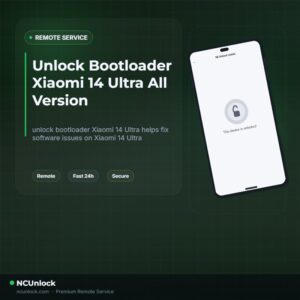
Unlock Bootloader Xiaomi 14 Ultra All Version
$30
unlock bootloader Xiaomi 14 Ultra helps fix software issues on Xiaomi 14 Ultra through a remote NCUnlock session. Order this service for $30 or contact us first to confirm compatibility before checkout.
Service process
How this remote service works
Product details
Technical Guide
Description
If you want to unlock bootloader Xiaomi 14 Ultra, you have already discovered how difficult the official route really is. Xiaomi’s HyperOS has tightened permission controls significantly, and the standard Mi Community unlock application regularly returns quota errors, 10000 parameter errors, or simply shows no unlock option at all — especially on global and Chinese variants of the Xiaomi 14 Ultra (aurora). Days of waiting, failed bypass attempts, and confusing error messages leave most users stuck before they ever get to install a custom ROM or root their device.
Unlock Bootloader Xiaomi 14 Ultra — Remote Service
Our remote service lets you unlock bootloader Xiaomi 14 Ultra without sending your phone anywhere. A certified technician connects to your Windows PC via UltraViewer, runs the unlock procedure on your device in real time, and hands control back to you — bootloader unlocked, ready for custom ROM or root. The flat price is $30, with no hidden fees and a refund policy if the unlock cannot be completed. Contact us now to check availability or ask a pre-order question.
What Is Included
- Remote Bootloader Unlock — Full unlock performed live over a secure remote desktop session; no device shipping required.
- Technician-Guided Session — A real operator walks you through every step from fastboot mode to successful unlock confirmation.
- Instant Processing — Sessions are started as soon as your order is confirmed and your device is ready; no days-long queue.
- Refund Guarantee — A full refund is issued if the bootloader unlock cannot be completed on your specific device.
- Post-Unlock Support — Basic guidance on next steps (custom recovery, ROM flash, or Magisk root) included at no extra cost.
Why Choose NCUnlock?
- Remote Service — No Device Shipping — Everything is done online. Keep your phone in your hands the entire time; we only need access to your PC screen.
- 10 Years Trusted — NCUnlock has been providing bootloader unlock services for Xiaomi devices for over a decade, with thousands of completed orders across global models.
- 24/7 Customer Support — Support is available around the clock via Telegram and WhatsApp. You are never left waiting alone with an error message.
- Best Price Guaranteed — At just $30, this service is priced fairly. No surprise charges, no upsells — one flat fee covers the full unlock session.
- 100% Safe and Secure — The unlock process is carried out by an experienced technician using verified tools. Your data is not accessed or copied during the session.
Supported Devices and Requirements
This service supports the Xiaomi 14 Ultra (aurora) — Global and Chinese ROM variants. Before booking, please confirm the following requirements are met:
- A Windows PC or laptop (Windows 10 or 11 recommended)
- UltraViewer installed on your PC (free download — the technician will guide you if needed)
- An original or high-quality USB data cable — charge-only cables will not work
- Battery level at 50% or above before starting the session
- Stable internet connection on both your PC and phone throughout the session
- Your order confirmation and contact details ready so support can reach you quickly
Note: China ROM (CN) variants of the Xiaomi 14 Ultra have stricter unlock restrictions. Please contact support before ordering if you are unsure about your device variant.
How the Remote Service Works
- Place your order — Complete payment at $30 via the checkout or contact us directly for alternative payment methods.
- Prepare your device — Charge your Xiaomi 14 Ultra to at least 50%, enable Developer Options, and install UltraViewer on your PC.
- Connect with the technician — Share your UltraViewer ID and password with the support team via Telegram or WhatsApp.
- Live unlock session — The technician connects remotely, puts your phone into fastboot mode via USB, and executes the bootloader unlock procedure.
- Confirmation — You receive confirmation that the bootloader is unlocked. The session ends and you regain full control of your PC and device.
Important Notes Before Ordering
- Unlocking the bootloader will wipe all data on the device. Back up everything important before the session begins.
- Do not let your PC go to sleep or activate screen savers during the session. Keep the USB cable connected throughout.
- A refund is only available if the unlock is unsuccessful. Once the bootloader is confirmed unlocked, the order is considered complete.
- The unlock is not reversed automatically. It will only relock if you flash with a “clean all and lock” option or perform incorrect flashing procedures.
- This service does not claim any official manufacturer authorization. It is an independent remote technical service.
Frequently Asked Questions
Can I really unlock bootloader Xiaomi 14 Ultra without sending my phone in?
Yes. To unlock bootloader Xiaomi 14 Ultra, you only need a Windows PC, a USB cable, and UltraViewer installed. The entire session is carried out remotely — your device never leaves your home, and the process typically completes within minutes once the session starts.
How long does the bootloader unlock session take on the Xiaomi 14 Ultra?
Once you are connected and the phone is in fastboot mode, most sessions are completed in under 10 minutes. Total time including setup and preparation is usually 15–30 minutes. The technician stays with you live until unlock is confirmed.
Is it safe to unlock the bootloader on my Xiaomi 14 Ultra?
The technical process is safe when performed correctly. The main risk is data loss, which is unavoidable since unlocking wipes the device. Always back up your data first. The remote session itself does not expose your personal files to the technician.
Product details
Customer Reviews
Please log in to post a review.
Related products
-
Unbrick Xiaomi Pad 6, 6 Pro Services
How to Unbrick Xiaomi Pad 6, 6 Pro, 6 Max 14 bricked (Stuck…
-
Unbrick Xiaomi Mix Fold 2 Services
Unbrick Xiaomi Mix Fold 2 Services
-
Unbrick Xiaomi 13, 13 Pro, 13 Ultra Services
How to Unbrick Xiaomi 13, 13 Pro, 13 Ultra bricked (Stuck Fastboot,…
-
Unbrick Xiaomi 14, 14 Pro Services (global version)
How to Unbrick Xiaomi 14, 14 Pro Soft, Hard bricked (Stuck Fastboot,…
Reviews
There are no reviews yet.