

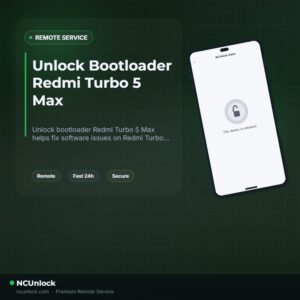
Unlock Bootloader Redmi Turbo 5 Max – Remote Service
$40
Unlock bootloader Redmi Turbo 5 Max / Poco X8 Pro Max helps fix software issues on Redmi Turbo 5 Max through a remote NCUnlock session. Order this service for $40 or contact us first to confirm compatibility before checkout.
Service process
How this remote service works
Product details
Technical Guide
Description
Unlock bootloader Redmi Turbo 5 Max is one of the most requested — and most frustrating — tasks for owners of this China-variant device. Xiaomi’s HyperOS restrictions on the Redmi Turbo 5 Max (codename: dash) mean that the standard Mi Unlock path is blocked for most international users: no Chinese Xiaomi Community account, no quota approval, no unlock. Many users who import this phone quickly discover that flashing a custom ROM or gaining root access is simply not possible without first solving the bootloader lock.
Unlock Bootloader Redmi Turbo 5 Max – Remote Service
Our remote bootloader unlock service handles the entire process for the Redmi Turbo 5 Max without you sending your phone anywhere. A certified technician connects to your Windows PC via UltraViewer, sets up Fastboot, and completes the unlock during a live session. If you want to install a custom ROM, flash Magisk for root, or simply take full control of your device, this is the correct starting point. The flat price is $40 — no hidden fees, no upsells.
What Is Included
- Full bootloader unlock for Redmi Turbo 5 Max — verified Fastboot unlock executed remotely by a certified technician during a live session.
- Fastboot environment setup — technician confirms driver installation, USB debugging, and device recognition on your Windows PC before starting.
- Live session support — operator is present on Telegram or WhatsApp throughout the session to guide every step.
- Refund if unsuccessful — a refund is issued if the bootloader unlock cannot be completed on your device. Once successfully unlocked, the order is considered complete.
- No device shipping required — worldwide remote service; your phone stays with you at all times.
Why Choose This Service?
- Remote service, no device shipping — connect from anywhere in the world; no need to hand over your phone to a repair shop or mail it internationally.
- Instant service — sessions are arranged as soon as payment and requirements are confirmed, not days later.
- 24/7 customer support — reach the team any time on Telegram or WhatsApp; no business-hours restriction.
- Best price guaranteed at $40 — transparent flat-rate pricing with no surprise charges after the session.
- 100% safe and secure process — the technician works only within the Fastboot environment using established tools; your personal data partition is not accessed.
- 10 years of trusted experience — the team behind this service has been handling Xiaomi, Redmi, and POCO bootloader unlocks for over a decade.
Supported Device and Requirements
This service supports the Redmi Turbo 5 Max (dash) running HyperOS or MIUI on the China firmware. Before ordering, make sure you have everything below ready:
- A Windows PC (Windows 10 or 11 recommended)
- A stable internet connection on the PC throughout the session
- The original USB cable that came with the device, or a verified data-capable cable
- Battery charged to at least 50% before the session starts
- UltraViewer installed on your PC (free download) so the technician can connect remotely
- Your Xiaomi account signed out of the device prior to the session (technician will confirm this step)
- Order confirmation or payment reference ready when contacting support
How the Remote Service Works
- Order and confirm — complete the order at the listed price of $40 or contact the team directly to arrange payment.
- Prepare your setup — install UltraViewer on your PC, charge your Redmi Turbo 5 Max to at least 50%, and have the USB cable ready.
- Connect remotely — share your UltraViewer ID and password with the technician. The technician installs ADB/Fastboot drivers and verifies device detection.
- Bootloader unlock executed — the technician puts the device into Fastboot mode and runs the unlock command. The process typically takes only a few minutes.
- Verification and handover — the technician confirms the bootloader is unlocked and walks you through what to expect on first reboot (data wipe is normal and expected).
Important Notes Before Ordering
- Unlocking the bootloader will perform a full factory reset — back up all personal data before the session.
- Some security-dependent features (such as certain banking apps and Find Device) may behave differently after unlock. This is standard Android behavior, not a service defect.
- Do not turn off UltraViewer or disconnect the phone during the session.
- Ensure your PC does not go to sleep while the session is running.
- This service does not include ROM flashing or root installation; those are separate steps after the bootloader is unlocked.
Frequently Asked Questions
Can I really unlock bootloader Redmi Turbo 5 Max without a Chinese Xiaomi account?
Yes. The remote service bypasses the standard Xiaomi Community approval requirement that blocks most international users. The technician uses a verified method to unlock bootloader Redmi Turbo 5 Max without requiring you to register or pass a Chinese-only community quiz.
How long does the remote session take?
Most sessions are completed within 10 to 30 minutes once you are fully prepared — PC on, UltraViewer running, phone charged, and USB cable connected. Preparation time on your side is the main variable.
Will my phone be safe during the remote session?
The technician operates only in the Fastboot environment and does not access your personal files or apps. The standard bootloader unlock process wipes the device, which is expected behavior on all Xiaomi and Redmi devices, including this model.
What can I do after the bootloader is unlocked?
Once you unlock bootloader Redmi Turbo 5 Max, you can flash a custom recovery (such as TWRP), install a custom ROM, or use Magisk to gain root access. The unlocked state opens full developer and power-user control over the device.
What if the unlock is not successful?
FULL REFUND
Product details
Customer Reviews
Please log in to post a review.
Related products
-
Unbrick Xiaomi 11T Pro Services
How to Unbrick Xiaomi 11T Pro Services bricked (Stuck Fastboot, Boot Loop,…
-
Unbrick Redmi Note 11T Pro/Pro+/POCO X4 GT/Redmi K50i Services
Use Auth Flash Tool Fix: BootLoop (Lost Fastboot – Lost Recovery) Stuck…
-
Unbrick Mi 11 Pro/Ultra Services
How to Unbrick Mi 11 Pro/Ultra Services bricked (Stuck Fastboot, Boot Loop,…
-
Unbrick Xiaomi 13, 13 Pro, 13 Ultra Services
How to Unbrick Xiaomi 13, 13 Pro, 13 Ultra bricked (Stuck Fastboot,…
Reviews
There are no reviews yet.