

Unlock Bootloader Redmi Turbo 4 Pro / Poco F7 – Remote
Price range: $30 through $50
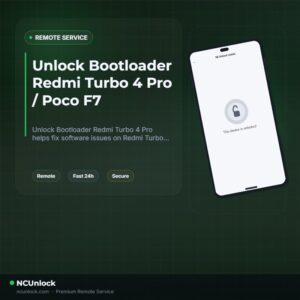
Unlock Bootloader Redmi Turbo 4 Pro helps fix software issues on Redmi Turbo 4 Pro / Poco F7 through a remote NCUnlock session. Order this service or contact us first to confirm compatibility before checkout.
Service process
How this remote service works
Product details
Technical Guide
Description
Unlock Bootloader Redmi Turbo 4 Pro is the first step every Redmi Turbo 4 Pro / Poco F7 owner needs to take before installing a custom ROM, rooting, or running advanced modifications. Unfortunately, Xiaomi has made this process increasingly difficult — the standard Mi Unlock Tool now requires a verified Chinese Mi account, community level requirements, and a mandatory waiting period that most international users simply cannot complete on their own.
Unlock Bootloader Redmi Turbo 4 Pro / Poco F7 — Remote Service
Our remote bootloader unlock service solves every one of those roadblocks for you. You do not need to ship your device anywhere — a trained technician connects to your Windows PC via UltraViewer and handles the entire process live. Whether you own the Chinese (CN) variant or the Global Poco F7, we support all firmware versions and complete the job without waiting. no hidden fees, no surprise charges. If the unlock is unsuccessful for any technical reason, a refund is issued.
What Is Included
- Full Bootloader Unlock — Your Redmi Turbo 4 Pro / Poco F7 bootloader is permanently unlocked, ready for custom ROM flashing and root.
- No Waiting Period Bypass — We skip the standard 168-hour (7-day) Xiaomi waiting requirement entirely.
- All Versions Supported — CN and Global variants, all firmware builds and MIUI / HyperOS versions.
- Live Remote Session — A real technician works on your device in real time via UltraViewer. No guesswork, no DIY risk.
- Refund Protection — A refund is issued if the bootloader unlock cannot be completed on our end.
Why Choose NCUnlock?
- Remote Service — No Device Shipping — Everything is done over a secure remote desktop session. Your phone never leaves your hands.
- Instant Service — No queues, no long waits. We start as soon as your order is confirmed and your PC is ready.
- 24/7 Customer Support — Available around the clock via Telegram and WhatsApp before, during, and after your session.
- Best Price Guaranteed — . No upsells, no tiered pricing.
- 100% Safe and Secure — Our technicians use only trusted, proven methods. No EDL exploits, no third-party spyware tools.
- 10 Years Trusted — A decade of Xiaomi unlock experience with thousands of successfully unlocked devices worldwide.
Supported Devices and Requirements
This service covers the Redmi Turbo 4 Pro and its global counterpart the Poco F7 (codename xyon), including all regional firmware variants. Before booking, please make sure you have the following ready:
- A Windows PC (Windows 10 or 11 recommended)
- A stable internet connection on both your PC and phone throughout the session
- The original or high-quality USB cable that came with your device
- Battery charged to at least 50% before starting the session
- UltraViewer installed on your Windows PC (free download — the technician will guide you)
- Your Mi account credentials and order confirmation details ready
How the Remote Service Works
- Place your order — Select this product and complete payment. You can also contact us now first if you have questions.
- Install UltraViewer — Download UltraViewer on your Windows PC and share your session ID with our technician.
- Connect your phone — Plug your Redmi Turbo 4 Pro / Poco F7 into the PC with USB, enable USB Debugging, and keep the screen on.
- Technician takes over — Our specialist completes the Unlock Bootloader Redmi Turbo 4 Pro process live. You can watch every step in real time.
- Done — Your bootloader is unlocked. You are now free to flash custom ROMs, install TWRP, or root with Magisk.
Important Notes Before Ordering
- Do not let your PC go to sleep or activate the screensaver during the session.
- Do not close UltraViewer or disconnect the USB cable while the technician is working.
- Data wipe warning: Unlocking the bootloader will perform a factory reset on the device. Back up all important data beforehand.
- Once the unlock is confirmed successful, the order is considered complete. Refunds are not issued after successful completion.
- The unlocked state will remain permanent unless the user manually re-locks the bootloader through incorrect fastboot commands.
Product details
Compatibility
Additional information
| Model | Turbo 4 Pro Old Version, Turbo 4 Pro Hyperos 3.0.30x, Poco F7 |
|---|
Product details
Customer Reviews
Please log in to post a review.
Related products
-
Unbrick Xiaomi Redmi Note 10 Pro Services
How to Unbrick Xiaomi Redmi Note 10 Pro bricked (Stuck Fastboot, Boot…
-
Unbrick Xiaomi Redmi K40/K40 Pro/K40S/POCO F3/Mi 11X Services
How to Unbrick Xiaomi Redmi K40/POCO F3/Mi 11X bricked (Stuck Fastboot, Boot…
-
Unbrick Redmi Note 11T Pro/Pro+/POCO X4 GT/Redmi K50i Services
Use Auth Flash Tool Fix: BootLoop (Lost Fastboot – Lost Recovery) Stuck…
-
Unbrick Xiaomi 12, 12 Pro, 12S, 12S Ultra Services
Use Auth Flash Tool Fix: BootLoop (Lost Fastboot – Lost Recovery) Stuck…
Reviews
There are no reviews yet.