

Unlock Bootloader MIX Fold 4 — Remote Service
$30
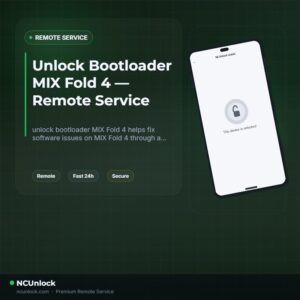
unlock bootloader MIX Fold 4 helps fix software issues on MIX Fold 4 through a remote NCUnlock session. Order this service for $30 or contact us first to confirm compatibility before checkout.
Service process
How this remote service works
Product details
Technical Guide
Description
If you want to unlock bootloader MIX Fold 4, you have already discovered the core problem: Xiaomi’s HyperOS has marked the MIX Fold 4 (codename goku) as Blocked on its official unlock channel, meaning the standard Mi Unlock tool will not work for this device. Attempting the official route results in authorization errors or a flat refusal from Xiaomi’s servers. Without an unlocked bootloader, you cannot install a custom ROM, gain root access via Magisk, or run advanced development tools on this hardware.
Unlock Bootloader MIX Fold 4 — Remote Service by NCUnlock
NCUnlock provides a fully remote bootloader unlock solution for the MIX Fold 4, delivered via a live screen-sharing session — no need to mail your phone anywhere. Our technicians handle the entire technical process on your Windows PC in real time, bypassing the HyperOS restriction without voiding your hardware or damaging system partitions. If you need to unlock bootloader MIX Fold 4 to flash a custom ROM, install Magisk root, or run a GSI build, this service covers exactly that. The flat service fee is $30 — no hidden charges, no extra subscription.
What Is Included
- Full bootloader unlock for MIX Fold 4 (goku) — The bootloader is unlocked so you can flash custom recovery, custom ROM, or root via Magisk.
- Live remote session via UltraViewer — A certified technician joins your Windows PC in real time and runs all fastboot and ADB commands directly.
- Step-by-step pre-session guide — You receive clear instructions for enabling Developer Options, installing USB drivers, and setting up UltraViewer before the session starts.
- Refund protection — If the bootloader unlock is unsuccessful for any technical reason on our side, a refund is issued. No tricks, no hidden conditions.
- Post-unlock confirmation — The technician verifies bootloader status in fastboot before ending the session so you know the job is done.
Why Choose NCUnlock?
- Remote service — no device shipping — Everything is done over an internet screen-share session. Your MIX Fold 4 never leaves your hands.
- Instant service — Sessions are scheduled and started quickly after order confirmation, often the same day. No multi-day waiting periods.
- 24/7 customer support — Support is available around the clock via Telegram and WhatsApp. Questions before, during, or after the session are always answered.
- Best price guaranteed — $30 flat — The price for this service is exactly $30. No upsells, no recurring fees, no surprises at checkout.
- 100% safe and secure process — The remote session uses read-only screen access limited to the unlock procedure. Your personal files and accounts are not accessed.
- 10 years of trusted experience — NCUnlock has been supporting Xiaomi, OnePlus, Realme, and OPPO device owners with remote bootloader and firmware services for over a decade.
Supported Device and Requirements
This service is specifically for the Xiaomi MIX Fold 4 (internal codename: goku, model 24072PX77C). Before placing your order, confirm you meet all requirements below:
- Windows PC — Windows 10 or Windows 11, 64-bit. A Mac or Chromebook cannot run the required fastboot drivers and tools.
- Original USB cable — Use the cable that came with the MIX Fold 4 or a known data-capable cable. Charging-only cables will cause connection failures.
- Stable internet connection — Both your PC and phone must stay online throughout the session. A dropped connection mid-process can cause complications.
- Battery level 50% or above — Ensure your MIX Fold 4 is sufficiently charged before the session begins.
- UltraViewer installed — Download and install UltraViewer on your Windows PC in advance. The technician will connect using your session ID and password.
- Developer Options enabled on the device — Go to Settings → About Phone → tap MIUI/HyperOS Version 7 times to activate Developer Options.
How the Remote Service Works
- Place your order — Complete the $30 payment or contact the support team to confirm availability and arrange payment.
- Receive pre-session instructions — After order confirmation, you will get a setup checklist covering drivers, UltraViewer, and device preparation.
- Connect remotely — Share your UltraViewer session ID with the assigned technician. Plug your MIX Fold 4 into your PC via USB.
- Technician runs the unlock — The technician executes all commands remotely. You watch in real time. Do not put the PC to sleep or disconnect the USB during this step.
- Bootloader confirmed unlocked — The status is verified in fastboot mode before the session closes. You are then free to flash custom recovery or root your device.
Important Notes Before Ordering
- Unlocking the bootloader will wipe all data on the MIX Fold 4. Back up photos, contacts, and app data before the session.
- This is a hardware-level unlock. The unlock warning triangle may appear in fastboot after the process — this is normal and expected.
- Unlocking the bootloader may affect your Xiaomi device warranty. Check your warranty terms before proceeding.
- Do not turn off UltraViewer or disconnect your phone during the live session. Interrupting the process mid-way can put the device into an unbootable state.
- This service covers the bootloader unlock only. Custom ROM flashing, Magisk installation, or additional firmware work is a separate request.
Frequently Asked Questions
Can I really unlock bootloader MIX Fold 4 if the official Mi Unlock tool is blocked?
Yes. The standard Mi Unlock tool shows a blocked status for the MIX Fold 4 on HyperOS, but NCUnlock uses an alternative remote method to unlock bootloader MIX Fold 4
Product details
Customer Reviews
Please log in to post a review.
Related products
-
Unbrick Xiaomi Redmi Note 10 Pro Services
How to Unbrick Xiaomi Redmi Note 10 Pro bricked (Stuck Fastboot, Boot…
-
Unbrick Xiaomi 11T Pro Services
How to Unbrick Xiaomi 11T Pro Services bricked (Stuck Fastboot, Boot Loop,…
-
Unbrick Xiaomi 13, 13 Pro, 13 Ultra Services
How to Unbrick Xiaomi 13, 13 Pro, 13 Ultra bricked (Stuck Fastboot,…
-
Unbrick Xiaomi Redmi K50, K50 Pro Services
How to Unbrick Xiaomi Redmi K50, K50 Pro bricked (Stuck Fastboot, Boot…
Reviews
There are no reviews yet.