

Unbrick OnePlus Turbo 6 PLU Service – Fix Bootloop & Hard Brick
$110
Unbrick your OnePlus Turbo 6 PLU110 from boot loop, hard brick, or soft brick issues with our guide to fix firmware problems effectively. Unbrick OnePlus Turbo 6.
Service process
How this remote service works
Product details
Technical Guide
Description
OnePlus Turbo 6 (PLU110) Unbrick Service
Note: Prices may change at any time and always reflect the best available rate when you place your order.
📥 Download Unbrick ROM – OnePlus Turbo 6 (PLU110)
Device: OnePlus Turbo 6
Model: PLU110
China EDL ROM: PLU110domestic_11_16.0.2.405CN01_2025122402230700.zip : Download
-
🔧 Why Choose Our OnePlus Turbo 6 Unbrick Service?
With over 5 years of real-world experience, we specialize in recovering OnePlus Turbo 6 devices affected by serious software failures such as bootloop, stuck on logo, black screen, or hard-brick issues.
Our professional technical team delivers secure worldwide remote support through NCUNLOCK.COM, ensuring each repair is handled safely and precisely.
✅ Risk-free guarantee – receive a full refund if we’re unable to successfully restore your OnePlus Turbo 6.
⏱️ Most repairs are completed within 10–30 minutes, depending on device condition and internet stability.
📡 Compatible with all carriers and regions.
🛠️ How the OnePlus Turbo 6 Unbrick Process Works
-
Purchase the OnePlus Turbo 6 unbrick service on our website.
-
Contact our support team using the communication details provided after checkout.
-
Download and install Ultraviewer for secure remote desktop access.
-
Send us a screenshot of your order number and payment confirmation.
-
Our technician will remotely perform the unbrick procedure and restore your device to full working condition.
📌 Requirements for Unbricking OnePlus Turbo 6
-
A Windows-based PC or laptop
-
Stable internet connection
-
High-quality USB data cable (original OnePlus cable recommended)
-
A USB 3.0 port for maximum connection stability
-
Ultraviewer installed for remote assistance
🔄 Refund Policy
-
100% refund if our server is unavailable or we cannot unbrick your OnePlus Turbo 6
-
No refund if the device becomes bricked again due to user actions after repair
-
No refund if the unbrick process is interrupted by PC shutdown, power loss, or unstable connection
-
Product details
Customer Reviews
1 review for Unbrick OnePlus Turbo 6 PLU Service – Fix Bootloop & Hard Brick
Please log in to post a review.
Related products
-
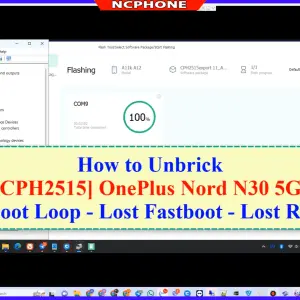
Unbrick OnePlus Nord N30 5G Services
Download your firmware Download and install ultraviewer to pc: Here Send oder…
-

Unbrick OnePlus Ace 3 Pro PJX110 bricked Services
How to Unbrick OnePlus Ace 3 Pro – PJX110 Stock ROM Firmware…
-
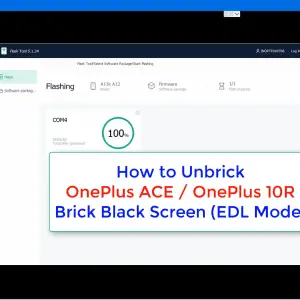
Unbrick OnePlus Ace/10R Services
Unbrick OnePlus Ace/10R 5G Services Use Auth Flash Tool Fix: BootLoop (Lost…
-
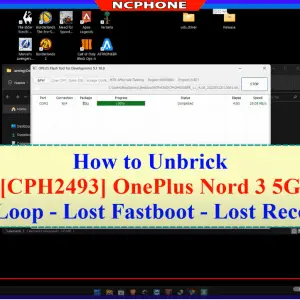
OnePlus Nord 3 5G unbrick service - CPH2493 / CPH2491
Remote OnePlus Nord 3 5G unbrick service for CPH2493, CPH2491 and PHP110…
sami zarban –
I have reviewed this NCUnlock article and want to open the download link