

OPPO Reno 13 Pro Demo Mode Remove: Step-by-Step Guide
$10
Learn how to easily remove OPPO Reno 13 Pro demo mode for a seamless user experience with our detailed guide.
Service process
How this remote service works
Product details
Technical Guide
Description
- Download your firmware
- Download and install ultraviewer to pc: Here
- Send oder number + Ultraviewer (ID + PASSWORD) to me
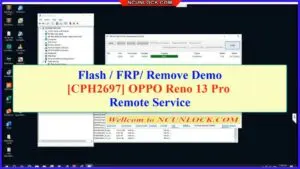
How the remote service works
This service restores normal firmware on your phone, removing retail demo software or a forgotten screen lock where supported. Proof of ownership may be requested. Support confirms the model and firmware before starting.
Steps
- Send your model details and describe the problem.
- Support confirms compatibility, scope and price.
- Install UltraViewer or AnyDesk on a Windows PC and connect the phone with a good USB cable.
- A technician completes the job remotely while you watch. You never ship the phone.
What to send
- A screenshot of Settings → About phone, or the model number from the box if the phone does not boot.
- What happened before the problem (update, flashing, root, relock) and the result you want.
Read first: How to tell which recovery mode your phone is in. Questions? Contact NCUnlock on Telegram or WhatsApp.
Product details
Customer Reviews
Please log in to post a review.
Related products
-
Unbrick Realme GT Neo5 SE Services
How to Unbrick Realme GT Neo5 SE RMX3700 Firmware. Official Flash File…
-
Unlock Sim Lock Realme GT NEO 5SE Services
How to unlock SIM lock on Realme GT NEO 5SE - Unlock…
-
Unbrick Realme GT2 Services
Use Auth Flash Tool Fix: BootLoop (Lost Fastboot – Lost Recovery) Stuck…
-
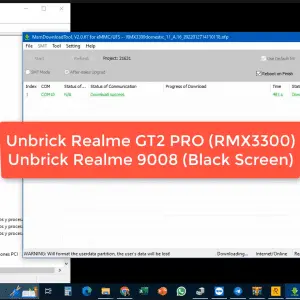
Unbrick Realme GT2 Pro Services
Unbrick Realme GT2 Pro Services Use Auth Flash Tool Fix: BootLoop (Lost…
Reviews
There are no reviews yet.