

Unbrick / Downgrade / Remove Demo Oppo Find N3 PHN110
$12
Learn to remove demo Oppo Find N3 PHN110 (Unbrick, FRP, Remove screen password) using firmware and Ultraviewer for seamless installation assistance.
Service process
How this remote service works
Product details
Technical Guide
Description
Oppo Find N3 PHN110 Unbrick, Downgrade
- Download your firmware
- Download and install ultraviewer to pc: Here
- Send oder number + Ultraviewer (ID + PASSWORD) to me
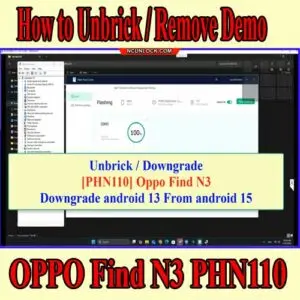
Firmware Download: Here
How the remote service works
This service restores normal firmware on your phone, removing retail demo software or a forgotten screen lock where supported. Proof of ownership may be requested. Support confirms the model and firmware before starting.
Steps
- Send your model details and describe the problem.
- Support confirms compatibility, scope and price.
- Install UltraViewer or AnyDesk on a Windows PC and connect the phone with a good USB cable.
- A technician completes the job remotely while you watch. You never ship the phone.
What to send
- A screenshot of Settings → About phone, or the model number from the box if the phone does not boot.
- What happened before the problem (update, flashing, root, relock) and the result you want.
Read first: How to tell which recovery mode your phone is in. Questions? Contact NCUnlock on Telegram or WhatsApp.
Product details
Customer Reviews
Please log in to post a review.
Related products
-
Convert Global ROM Realme GT5 Services
Download your firmware Download and install ultraviewer to pc: Here Send oder…
-
Unbrick Realme GT Neo 3 Services
Unbrick Realme GT Neo 3 Services Use Auth Flash Tool Fix: BootLoop…
-
Unlock Sim Lock Realme GT NEO 5SE Services
How to unlock SIM lock on Realme GT NEO 5SE - Unlock…
-

10$ Services
10$ Services
Reviews
There are no reviews yet.