

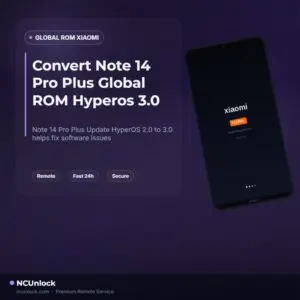
Convert Note 14 Pro Plus Global ROM Hyperos 3.0 From Hyperos 2.0
$30
Note 14 Pro Plus Global ROM Hyperos 3.0 helps fix software issues on Xiaomi Redmi Note 14 Pro Plus through a remote NCUnlock session. Order this service for $30 or contact us first to confirm compatibility before checkout.
Service process
How this remote service works
Product details
Technical Guide
Description
If you bought a Xiaomi Redmi Note 14 Pro Plus and want Note 14 Pro Plus Global ROM Hyperos 3.0, but your device is currently running China ROM or Global ROM Hyperos 2.0, you are not alone — this is one of the most common problems reported by users who purchased the Chinese variant of this phone. The China ROM on this device does not include Google services, is limited to Chinese and English languages only, and cannot receive official Global OTA updates. Trying to flash the Global ROM yourself carries real risks: most standard methods require an unlocked bootloader, and community reports confirm that bootloader unlocking on this model is no longer straightforward. Camera driver conflicts, modem mismatches, and bricked devices are all documented outcomes of failed DIY attempts.
Convert Xiaomi Redmi Note 14 Pro Plus to Note 14 Pro Plus Global ROM Hyperos 3.0
Our remote Convert ROM service solves this problem safely and efficiently — no device shipping, no bootloader unlock required. We convert your China ROM directly to the official Note 14 Pro Plus Global ROM Hyperos 3.0, giving you full access to Google Play, Google Pay, Gmail, YouTube, multilanguage support, and stable Global OTA updates going forward. The entire process is handled by our technicians through a remote desktop session on your Windows PC, typically completed within 20–30 minutes. This is the same professional approach we use across all Xiaomi and Android ROM conversion services, with over 10 years of hands-on experience. If you have been searching for a reliable way to get Note 14 Pro Plus Global ROM Hyperos 3.0 without the risk of bricking your device, this service is the answer.
What Is Included
- Full China to Global ROM Conversion — Your device is flashed with the official Global HyperOS 3.0 firmware, replacing the China ROM completely.
- Google Services Activation — Google Play Store, Gmail, Google Pay, YouTube, and all Google apps will work correctly after conversion.
- Multilanguage Support — After converting to the Global ROM, all international languages are available in device settings.
- OTA Update Eligibility — Your device will receive future Global HyperOS OTA updates just like an officially purchased Global model.
- China Bloatware Removal — Pre-installed China-region apps are removed during the conversion process, leaving a cleaner system.
Why Choose NCUnlock?
- Remote Service — No Device Shipping — The entire conversion is done through a remote desktop session. You keep your phone with you at all times; we never ask you to send it anywhere.
- No Bootloader Unlock Required — Unlike many DIY guides that demand a risky bootloader unlock, our method works without it, protecting your warranty status and device security.
- 10 Years Trusted — NCUnlock has been providing ROM conversion and unlock services since 2014. Hundreds of completed Xiaomi conversions speak for the team’s expertise.
- 24/7 Customer Support — Got a question before ordering, or need help during the session? Our support team is available any time via Telegram or WhatsApp.
- Best Price Guaranteed — $30 — The fixed price for this service is $30. There are no hidden fees or surprise charges added at checkout.
- 100% Safe and Secure — We use UltraViewer or AnyDesk for the remote session. You control what we access, and the session ends the moment the job is complete.
Supported Devices and Requirements
This service is designed specifically for the Xiaomi Redmi Note 14 Pro Plus (model numbers: 24115RA8EG, 24115RA8EI, 24115RA8EC) running China ROM and wishing to upgrade to Note 14 Pro Plus Global ROM Hyperos 3.0. Before placing your order, please confirm the following requirements are met:
- A Windows PC or laptop (Windows 10 or 11 recommended) with a stable internet connection
- An original or high-quality USB-C cable to connect your phone to the PC
- Phone battery at 50% or above before starting the session
- Your Mi Account credentials — you may need them during the flashing process
- All important personal data backed up before the session begins, as flashing involves a factory reset
How the Remote Service Works
- Place your order — Purchase the service for $30 and receive order confirmation.
- Contact our team — Reach out via Telegram or WhatsApp to schedule your remote session. Our team is available 24/7.
- Connect remotely — Install UltraViewer or AnyDesk on your Windows PC. Our technician connects remotely and guides the entire conversion process live.
- ROM conversion performed — We flash the official Note 14 Pro Plus Global ROM Hyperos 3.0 firmware onto your device via the remote session.
- Done — Your phone reboots into the Global ROM. Google services are live, and your device is ready to use.
Important Notes Before Ordering
- Back up all personal data (photos, contacts, apps) before the session. The flashing process performs a factory reset.
- A refund is only issued if the device cannot be flashed. Once the conversion is successfully completed, the order is considered final.
- We are not responsible for issues caused by user errors after a successful flash — for example, incorrect settings changes or further unauthorized modifications.
- Make sure your PC is running Windows and that you have a stable internet connection throughout the session.
- If you are unsure whether your device is the China variant or already a Global model, Contact us now before ordering and we will verify it for you.
Frequently Asked Questions
Can I get Note 14 Pro Plus Global ROM Hyperos 3.0 without unlocking the bootloader?
Yes. Our service converts your device to the official Note 14 Pro Plus Global ROM Hyperos 3.0 without requiring a bootloader unlock. This is one of the key advantages of using a professional remote conversion service instead of attempting a manual flash yourself, which typically requires unlocking.
Product details
Customer Reviews
Please log in to post a review.
Related products
-
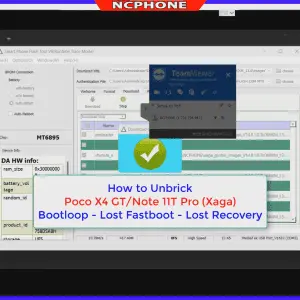
Unbrick Redmi Note 11T Pro/Pro+/POCO X4 GT/Redmi K50i Services
Use Auth Flash Tool Fix: BootLoop (Lost Fastboot – Lost Recovery) Stuck…
-
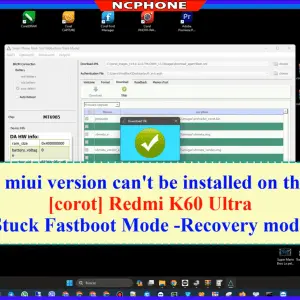
Unbrick Xiaomi Redmi K60 Ultra services
Unbrick Xiaomi Redmi K60 Ultra services
-
Unbrick Xiaomi Redmi K60E Services
How to Unbrick Xiaomi Redmi K60E bricked (Stuck Fastboot, Boot Loop, Black…
-
Unbrick Xiaomi Redmi K50, K50 Pro Services
How to Unbrick Xiaomi Redmi K50, K50 Pro bricked (Stuck Fastboot, Boot…
Reviews
There are no reviews yet.