

Xiaomi 15 Ultra China ROM to Global ROM service
Remote Xiaomi 15 Ultra China ROM to Global/Taiwan ROM conversion with Google Play, languages, China app cleanup, and locked bootloader support when available.
Price varies by device model. Contact us for an exact quote.
Service process
How this remote service works
Product details
Technical Guide
Description
Xiaomi 15 Ultra China ROM to Global ROM service
This remote service converts a Xiaomi 15 Ultra China ROM setup to a Global or Taiwan ROM workflow with Google Play, multiple languages, China app cleanup, and locked bootloader support when available.
- Best for China ROM devices that need Google services, language support, call recording notes, and fewer China-only apps.
- This is a paid remote flash service, not a public ROM download. OTA behavior can vary by ROM branch, so confirm the target ROM before ordering.
- Need bootloader unlock instead? Use the Xiaomi 15 Ultra bootloader unlock service or the broader Xiaomi bootloader unlock without 7 days service.
- For other Xiaomi models, see the Global ROM Xiaomi services category.
Xiaomi 15 Ultra Global ROM / Taiwan ROM conversion
- NFC WORK
- OTA UPDATE NOT WORK
- CALL RECORD WORK
- Bootloader still lock
- Remove China app
- Multi languages
- Full google services
In other cases we do not guarantee
If customer want other version, it is your choice, we are only responsible for installation
Follow My step:
- Order service
- Download and install ultraviewer to pc: Here
- Send order number + UltraViewer (ID + PASSWORD) to NCUnlock
Refund Policy – Flash Service
A refund is only issued if the device cannot be Flashed.
Once the Flash process is successful, the order is considered complete, and no refunds will be provided for any reason.
We are not responsible for any issues caused by user errors after a successful Flash.
How the remote Global ROM conversion works
This service moves a China-market phone to official Global software with Google Play, more languages and international updates. Support confirms that your model and current build are supported, and whether the conversion needs a bootloader unlock, before you pay.
Steps
- Send your model details and describe the problem.
- Support confirms compatibility, scope and price.
- Install UltraViewer or AnyDesk on a Windows PC and connect the phone with a good USB cable.
- A technician completes the job remotely while you watch. You never ship the phone.
What to send
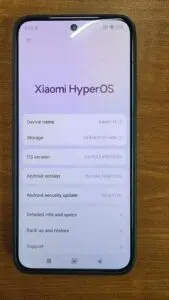
- A screenshot of Settings → About phone, or the model number from the box if the phone does not boot.
- What happened before the problem (update, flashing, root, relock) and the result you want.
Read first: China ROM vs Global ROM: how to check your phone. Questions? Contact NCUnlock on Telegram or WhatsApp.
Product details
Customer Reviews
Please log in to post a review.
Related products
-

Xiaomi Mi 10 Global rom without unlock bootloader
Xiaomi Mi 10 5G Support . Before starting Xiaomi Mi 10 Global…
-
Convert global rom Redmi Pad SE without unlock bootloader services
Convert global rom Redmi Pad SE without unlock bootloader services. HyperOS ROM,…
-

Xiaomi 14 Global ROM service - no bootloader unlock
Remote Xiaomi 14 China to Global ROM conversion service without bootloader unlock…
-

Xiaomi account China for bootloader unlock - old devices
Xiaomi China account service for bootloader unlock on supported older Xiaomi, Redmi…
Reviews
There are no reviews yet.