
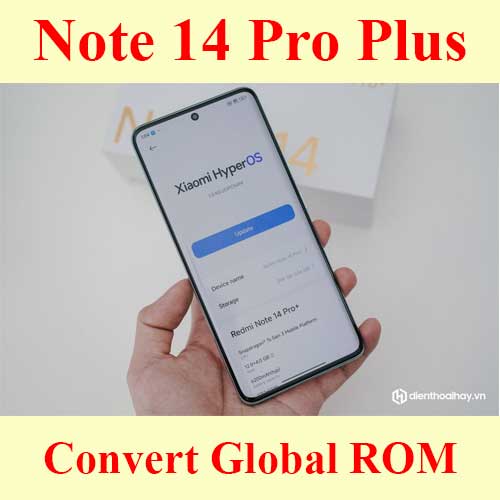
Redmi Note 14 Pro Plus Global ROM service – no bootloader unlock
Remote Redmi Note 14 Pro Plus China to Global ROM conversion service with Google Play, global languages, China app cleanup, OTA notes and no bootloader unlock when supported.
Price varies by device model. Contact us for an exact quote.
Service process
How this remote service works
Product details
Technical Guide
Description
Redmi Note 14 Pro Plus Global ROM service
Use this service when a Redmi Note 14 Pro Plus China version needs Google Play, global languages, China app cleanup or HyperOS daily-use setup without bootloader unlock when supported.
- NCUnlock checks the exact model, current HyperOS build, region package and OTA target before starting the remote session.
- If your request is specifically HyperOS 3.0 conversion, compare with Redmi Note 14 Pro Plus HyperOS 3 Global ROM service.
- For the newer model, see Redmi Note 15 Pro Plus Global ROM service.
- If you need root, Fastboot or custom ROM access instead, use Redmi Note 14 bootloader unlock service.
Note 14 Pro Plus convert global rom (India version)
-
- NFC WORK
-
- OTA UPDATE WORK
-
- Bootloader still lock
-
- Remove China app
-
- Multi languages
-
- Full google services
Full Google services mean that users can access the extensive suite of Google applications, from Gmail to Google Maps. This integration is pivotal for everyday productivity and ensures that users are not missing out on essential services.
Note 14 Pro Plus convert global rom (Taiwan version)
-
- NFC WORK
-
- OTA UPDATE NOT WORK
-
- Call Record Wỏk
-
- Bootloader still lock
-
- Remove China app
-
- Multi languages
-
- Full google services
Accessing full Google services ensures that users can make the most of their device with essential tools, from productivity to navigation.
Follow My step:
To ensure a successful conversion, follow these steps closely. Ensuring each step is completed correctly will improve your chances of a smooth transition.
-
- Oder services
-
- Download and install ultraviewer to pc: Here
-
- Send oder number + Ultraviewer (ID + PASSWORD) to me
Once you have your order number, sending the Ultraviewer ID and password allows the service provider to assist you efficiently. Make sure this information is sent securely.
🔧 Why Choose Our Unbrick Service?
✅ 100% Remote Support – No need to visit a repair shop! We fix your device via UltraViewer.
✅ Fast Turnaround – Most devices are restored within 30 to 60 minutes.
✅ Expert Technicians – Our team has years of experience in OnePlus device recovery.
✅ Secure & Risk-Free – We follow a strict refund policy (see below).
🛠️ How It Works:
- Purchase the Service – Add this service to your cart and complete checkout.
- Download UltraViewer – We provide step-by-step instructions after purchase.
- Remote Diagnosis & Repair – Our expert will access your device remotely and perform the unbrick process.
- Device Restored! – Your devices will be back to normal within an hour.
🔄 Refund Policy – Convert Service
We value transparency and customer satisfaction. Our refund policy is simple:
- Full Refund if we cannot flash your devices.
- No Refund once the device has been successfully flashed.
- Not Responsible for any issues caused by user errors after the repair.
📌 Requirements:
- A Windows PC with a stable internet connection.
- UltraViewer installed for remote access.
- A USB cable to connect your devices to the PC.
Product details
Customer Reviews
Please log in to post a review.
Related products
-
Xiaomi 14 Ultra Global ROM service - no bootloader unlock
Remote Xiaomi 14 Ultra China to Global ROM conversion service with Google…
-
Convert Xiaomi Redmi K80 to Global ROM - Remote
Professional Xiaomi Redmi K80 Convert ROM Global service fixes China ROM issues…
-

Xiaomi redmi k50 gaming global rom without unlock bootloader
[ingres] Redmi K50 Gaming Support . Before starting Xiaomi Redmi K50 Gaming…
-
Convert global ROM Xiaomi Redmi Note 12R no need unlock bootloader services
Without unlock bootloader No need wait Ota update support HyperOS ROM Follow…
Reviews
There are no reviews yet.