

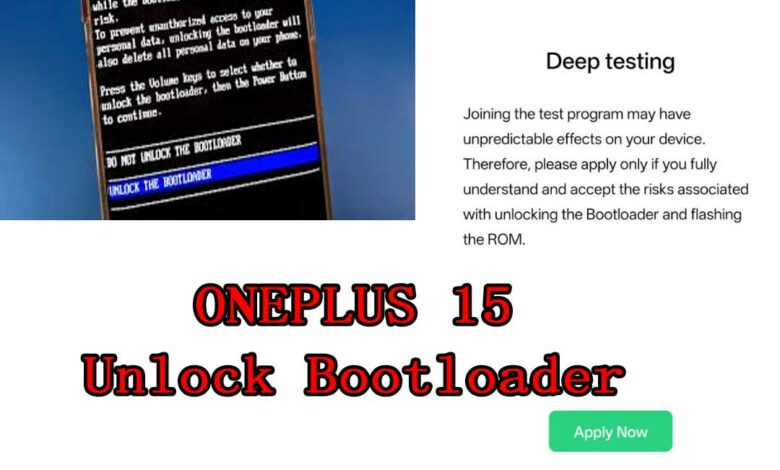
OnePlus has officially announced that the Deep Testing Program is now available for the OnePlus 15, allowing users to apply for Bootloader Unlock through an official and safer channel. This new process is part of the company’s transition to ColorOS 16, which introduces changes to how unlocking works across newer models.
If you plan to root, modify the system, flash custom ROMs, or perform advanced development tasks on the OnePlus 15, this update is important.
Below is the full breakdown of eligibility requirements, risks, application procedures, and common questions.
Why OnePlus Introduced a New Bootloader Unlock Policy
To improve user safety, prevent data loss, and enhance system stability, OnePlus is adjusting the Bootloader unlock method on devices running ColorOS 16 and above.
Users who fully understand the risks of unlocking and flashing can officially apply to join the Deep Testing Program, which grants BL unlock permissions after approval.
1) Eligibility Requirements
To apply for the Deep Testing Program on the OnePlus 15, users must meet all the following conditions:
Device must be running ColorOS 16.0 or newer
OnePlus account is in good standing (no violations)
No previous Deep Testing application submitted within the last 30 days
Device is not a corporate, enterprise, or carrier-branded model
Device must be an officially released model for the mainland China market
Only users who meet these conditions can submit an application.
2) Important Notices Before Applying
Joining the Deep Testing Program gives you the ability to unlock the Bootloader, but it also brings significant risks. OnePlus clearly warns that:
Potential Risks After Unlocking
Third-party ROMs may cause hardware-dependent features to malfunction (e.g., camera not working)
Security may be compromised; personal data and privacy may be exposed
Certain system functions may break after modifying system files
OTA system updates may fail after modifications
Device data may become corrupted or permanently lost
→ Back up your data before applying.
After Unlocking – Warranty Policy
Bootloader unlock voids return/replacement eligibility
Standard warranty remains valid
If the device is restored to official firmware through flashing, standard warranty service (three guarantees) remains
If restoration fails, only warranty repair is available
3) How to Apply for Deep Testing on OnePlus 15
Follow the steps below carefully:
Step 1 — Confirm that your device meets the requirements
Device must support Deep Testing
System version must be the latest official stable build
→ You can check via:
Settings → About device → Version Information
Step 2 — Download the Deep Testing APK
Use the download link provided in the original announcement (You will add your own link later).
Step 3 — Submit Your Application
Install and open the Deep Testing APK
Log in using your OnePlus account
Follow the on-screen instructions to complete the application
Ensure your device has internet access when submitting
Step 4 — Wait for Review
Approval typically takes 1–2 business days
Once approved, your device gains Bootloader Unlock permissions
Step 5 — Follow Official Announcements
Future updates and announcements will be posted under the official OnePlus Community account “ColorOS Upgrade Assistant”.
4) Download Link
Applicable models: OnePlus 15, OnePlus Ace 6, OnePlus Ace 6T, OnePlus 15R, OnePlus Pad 2
Deep Testing APK: Download
5) Frequently Asked Questions (FAQ)
Q1: Will older ColorOS devices be affected by this new Bootloader policy?
No. Devices running earlier ColorOS versions are not affected.
Q2: When does this Bootloader policy take effect?
It will be implemented on the first batch of OnePlus devices running ColorOS 16 released in the second half of the year.
Q3: When can users apply for Deep Testing?
The program is already open for the OnePlus 15, with more updates announced through the official OnePlus Community channels.
Q4: Do users need to pass a quiz to unlock the Bootloader?
No quiz is required. Simply complete the application steps in the Deep Testing APK. Approval takes 1–2 working days.
Q5: Is there a limit to the number of Bootloader unlock slots?
Currently, there is no limit on the number of unlock permissions available.
Q6: How does unlocking affect warranty and after-sales service?
Devices with BL unlocked are not eligible for return or replacement
Standard warranty is still available
If the device can be successfully reflashed back to official stable firmware, full warranty applies
If reflashing fails, standard warranty repair still applies
Final Summary
The OnePlus Deep Testing Program provides an official, controlled way for OnePlus 15 users to unlock the Bootloader while acknowledging the associated risks. By submitting an application through the official APK and meeting eligibility requirements, developers and advanced users can gain BL unlock permissions securely.
This marks an important shift in OnePlus’ software policy under ColorOS 16, ensuring both user freedom and device security.