
How to Check OnePlus Ace 6T Region Lock (PLR110) – Full Guide

OnePlus Ace 6T region lock is a common issue for users who import the PLR110 model from China. If your device shows warnings about communication restrictions or mobile networks not working, you may need to check whether the region lock is active. This guide explains how to check the OnePlus Ace 6T region lock status accurately using the official diagnostic code.
What Is the OnePlus Ace 6T Region Lock?
The OnePlus Ace 6T region lock is a built-in restriction found on Chinese-market PLR110 units. When active, the region lock may disable calling, SMS, and mobile data outside China. This is why users must understand and check the region lock status as soon as the phone is activated.
How to Check Region Lock on OnePlus Ace 6T
Checking the OnePlus Ace 6T region lock only takes a few seconds. OnePlus includes a hidden code that reveals the phone’s lock state.
Steps to Check OnePlus Ace 6T Region Lock Status
Open the Phone / Dialer app.
Enter the following OnePlus Ace 6T region lock code:
*#*#3932433284#*#*A diagnostic screen will appear showing the region lock state of your device.
This method works on all OnePlus Ace 6T PLR110 units.
OnePlus Ace 6T Region Lock States Explained
After entering the diagnostic code, you will see one of four region lock states:
State 1 — Region Lock Active
The OnePlus Ace 6T region lock is fully active.
Calls, SMS, and mobile data may stop working.
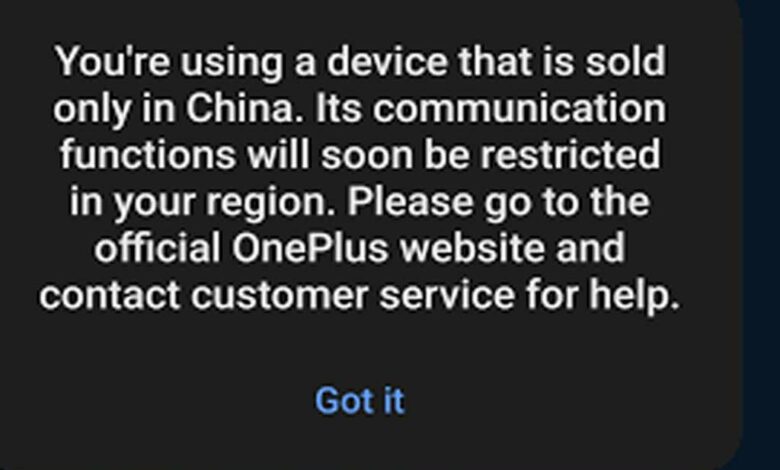
You may see warnings like:
“This device is only sold in China. Communication functions will be restricted in your region.”
State 0 — Lock Available but Not Triggered
The region lock exists but is not active yet.
It may activate later depending on SIM or location.
State -1 — Lock Not Triggered
The region lock is present but has not been triggered.
Future SIM or network changes may activate it.
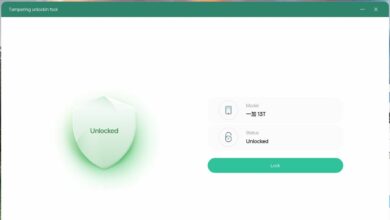
State 2 — Region Fully Unlocked
The OnePlus Ace 6T has no region restrictions.
All carriers should work normally.
Signs Your OnePlus Ace 6T May Be Region Locked
You may have a OnePlus Ace 6T region lock issue if your phone experiences:
Sudden loss of mobile network
Calls failing or disconnecting
SMS not sending
Data not working despite signal
Warning about “device only sold in China”
These symptoms often appear before or after the region lock is activated.
Why Checking the Region Lock Matters
Understanding your OnePlus Ace 6T region lock status helps you:
Avoid unexpected network limitations
Detect restrictions on imported PLR110 units
Know whether your SIM or location could trigger the lock
Prepare before traveling or changing carriers
Checking your lock state early prevents surprises when communication suddenly stops.
Final Thoughts
The OnePlus Ace 6T region lock can affect calling, texting, and data services outside China. By using the diagnostic code, you can easily check whether your device is locked, at risk, or fully unlocked. Every imported OnePlus Ace 6T PLR110 should be checked as soon as possible to avoid communication problems.