

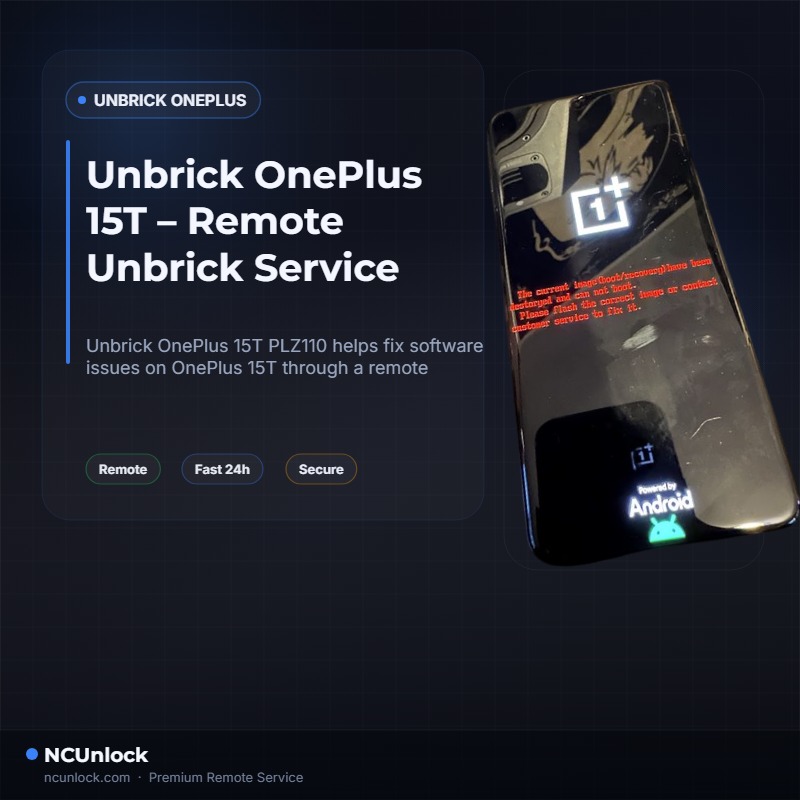
Unbrick OnePlus 15T helps fix software issues on OnePlus 15T through a remote NCUnlock session. Order this service for $100 or contact us first to confirm compatibility before checkout.
OnePlus
Remote session
No shipping
Guide below
Unbrick OnePlus 15T – Remote Unbrick Service
$100
Remote service
Worldwide support with no phone shipping.
Live operator
Telegram and WhatsApp support during the session.
Technical notes below
Guide, compatibility, and reviews stay on the same page.
Service process
How this remote service works
1. Choose the service
Confirm the device and model from the product page above.
2. Complete payment or request price
Use the custom NCUnlock payment or contact popup already attached to the product.
3. Connect remotely
Prepare USB, drivers, and UltraViewer so the technician can start immediately.
4. Follow the technical guide
Use the guide and compatibility sections below before and during the session.
Product details
Technical Guide
Unbrick OnePlus 15T — if your PLZ110 is stuck in a boot loop, frozen on a black screen, or completely unresponsive after a failed flash, you are not alone. Many OnePlus 15T owners face these exact problems after attempting custom ROM installs, OTA updates gone wrong, or rooting attempts that left the device unable to start. Without the right tools and firmware access, recovering a bricked OnePlus 15T on your own can feel impossible.
Unbrick OnePlus 15T — Remote Recovery Service
Our remote unbrick service is designed specifically for the OnePlus 15T (PLZ110). Using a secure remote desktop session, a technician connects to your Windows PC, loads the correct firmware, and restores your device — no shipping required. Whether your phone is soft-bricked, hard-bricked, or stuck in EDL (Emergency Download Mode), we can Unbrick OnePlus 15T and return it to a fully working state. The flat service price is $100, with no hidden fees.
What Problems This Service Fixes
- Boot Loop (Stuck on Logo) — Your OnePlus 15T keeps restarting and never reaches the home screen; we restore the firmware to break the cycle.
- Black Screen / Dead After Flashing — Device shows no sign of life after a bad flash; we re-flash the stock OxygenOS firmware via EDL mode.
- Stuck in Fastboot or Recovery Mode — Phone is locked in Fastboot or Recovery and cannot boot normally; we push the correct flash file to clear it.
- System Destroyed / EDL Mode Error — The dreaded “System Destroyed” message or Qualcomm 9008 detection issue; our technician handles EDL-level recovery.
- White Screen After Flashing — A corrupted partition causes a white display on boot; proper firmware partitions are re-written remotely.
Why Choose NCUnlock?
- Remote Service — No Shipping Needed — The entire unbrick process is completed over a secure remote session. You keep your device with you the whole time.
- Instant / Same-Day Service — Once your order is confirmed and your PC is ready, the technician begins work right away — no long waiting queues.
- 24/7 Customer Support — Our support team is available around the clock. Whether you have a question before ordering or need help during the session, we are here.
- Best Price Guaranteed — The service price is a clear, fixed $100. No upsells, no surprise charges.
- 100% Safe and Secure — We use only official stock firmware for the OnePlus 15T PLZ110. Your personal data and device hardware are never at risk from our process.
- 10 Years Trusted — With a decade of experience unbricking Android phones, our team has handled thousands of cases across the OnePlus lineup and beyond.
Supported Device and Requirements
This service covers the OnePlus 15T (PLZ110). Before placing your order, please confirm you have the following ready:
- Windows PC — Windows 10 or Windows 11 recommended. The flashing tools are not compatible with Mac or Chromebook.
- Stable Internet Connection — Required for both the remote desktop session and firmware download.
- Original or High-Quality USB Cable — A poor cable can cause detection failures during the EDL flashing process.
- Device Battery — If the device is completely dead, have it plugged into a charger before the session starts.
- Remote Desktop Software — Install TeamViewer, AnyDesk, or UltraViewer on your PC before the session. You will share the session ID and password with the technician after payment.
How the Remote Service Works
- Place Your Order — Purchase the Unbrick OnePlus 15T service for $100. After checkout, you will receive a confirmation.
- Prepare Your PC — Install remote desktop software (TeamViewer, AnyDesk, or UltraViewer) and connect your bricked OnePlus 15T to the PC via USB.
- Share Your Session Details — Send your remote desktop ID and password to our technician via the contact channel provided in the order confirmation.
- Technician Connects Remotely — Our expert loads the correct PLZ110 firmware and begins the flashing process. You can watch the entire session on your screen.
- Device Restored — Once the flash completes successfully, your OnePlus 15T reboots into a clean, working OxygenOS. The remote session ends immediately after.
Important Notes Before Ordering
- This is a software-level unbrick service. It does not cover hardware damage such as broken screens, water damage, or damaged USB ports.
- The process restores the device to stock firmware. Any custom ROM, root, or personal data on the device will not be preserved.
- A refund is available if the device cannot be recovered after the technician’s session.
- Do not attempt additional flashing attempts on your own before the session — this can make recovery more difficult.
Frequently Asked Questions
Can you really Unbrick OnePlus 15T without me sending in my phone?
Yes. The entire process to Unbrick OnePlus 15T is done remotely via a secure desktop session. You only need a Windows PC, the correct USB cable, and an internet connection. No shipping or repair shop visit is required at any point.
How long does the unbrick session take?
Most sessions are completed within 30 to 60 minutes once the technician connects. Complex hard-brick cases in deep EDL mode may take slightly longer, but same-day completion is standard for the OnePlus 15T PLZ110.
Is it safe to let someone remote into my PC?
The remote session is limited to the unbrick task only. You can see everything the technician does on your screen in real time. The session closes immediately after your device is restored. We do not access any files or accounts on your computer.
Product details
Reviews
There are no reviews yet.